A business needs dependable ways to communicate with customers, coordinate its team and manage information. Choosing those tools starts with the work they must support. List the daily tasks, the people involved and the problems you want to solve before comparing a provider’s offers.
A small company may need straightforward mobile connectivity and internet access. A larger team may also need connections between customer systems, remote working tools and security controls. A useful plan separates essential services from optional additions and includes the cost and effort of introducing them.
One provider to consider is Beeline Business, a provider serving the Russian business market. Compare the services available at your locations with your requirements and existing systems. If your team works across countries, confirm coverage and contract eligibility before choosing a package.
Assessing Beeline Business services
Beeline Business serves business customers through communications and related services. The following areas provide a practical checklist for a conversation with the provider.
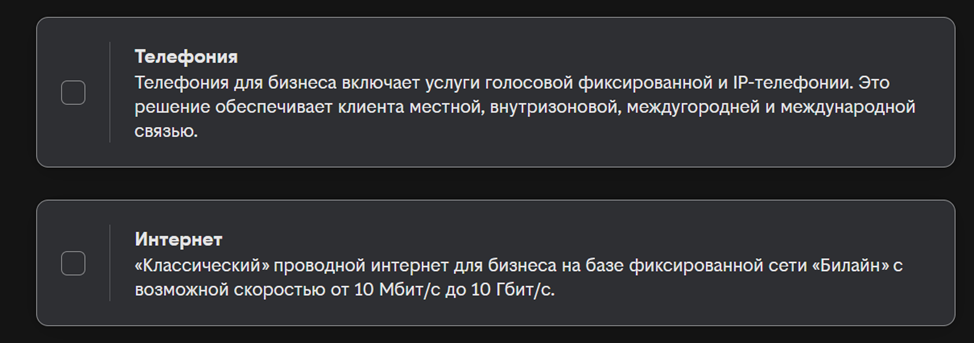
Communications
The provider’s communications services can be considered as part of a communications plan. Identify who needs mobile connectivity, where internet access is required and how colleagues communicate remotely. Check coverage and connection availability at the locations where the service will be used, and test important workflows before changing an existing setup.
Connections between business systems
When discussing connected services with the provider, explain which systems your team already uses. For example, a customer enquiry may need to move from a phone call into a CRM record. Define what information should be transferred, who will use it and how you will confirm that the connection works. Automation should support an agreed process.
Cloud requirements
If you are considering cloud services through the provider, start with the data and applications involved. Identify who needs access, how information will be backed up and which responsibilities remain with your own team. Remote access is useful when permissions, recovery procedures and support arrangements are clear.
Security requirements
When reviewing security services with the provider, describe the systems you need to protect and the problems you are trying to prevent. Ask what the service covers, how incidents are reported and who responds. A provider’s service should fit into your wider security process, including account access, software maintenance and staff awareness.
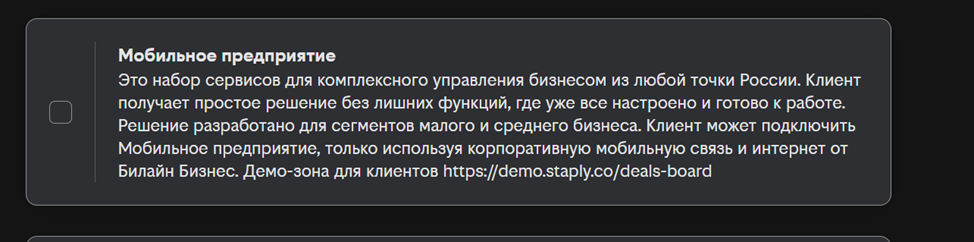
Managing mobile devices
For teams that work from mobile devices, discuss your requirements with the service team before selecting a solution. Consider device ownership, staff access, application setup and the procedure for a lost phone. Confirm which devices and functions are supported, and make sure employees understand the controls that apply to their work equipment.
Planning and implementation support
An implementation proposal should start with a clear brief for your communications project. Describe the current setup, the desired outcome and the people responsible for implementation. Ask for a proposal that explains the scope, dependencies, migration steps and ongoing support.
These areas provide a starting point for comparing the available services with your needs. Prioritise the services that solve a specific problem, then review how they work together. A proposal from the provider should be evaluated against that plan.
Choosing a workable setup
A useful assessment of the service options looks beyond the service catalogue. Compare the expected cost, implementation effort, support and effect on daily work. Discuss practical examples with the provider, then test the most important tasks before a wider rollout. Evaluate the proposed setup as one part of a business plan, with results measured through service quality and useful work completed.
Contact our agency for help planning your customer communication and marketing workflow. Explore more practical guides in our articles.