
Yandex 360 for Business brings tools for communication, documents and scheduling into a shared working environment.
Building that environment from unrelated applications can involve repeated configuration, separate accounts and extra training. It also makes it harder to decide where the current document or conversation belongs.
If your team faces these problems, Yandex 360 for Business is one suite to assess. This guide looks at the main working areas and the questions to address before introducing it to a company.
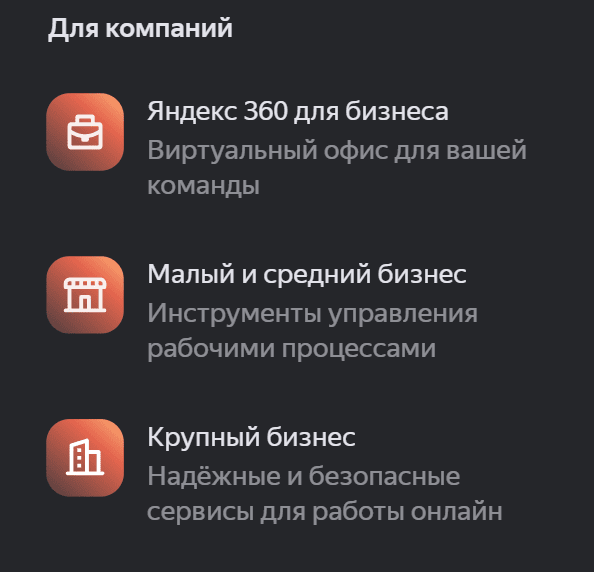
Yandex 360 business workspace for connected daily tasks
Email, file storage, meetings and schedules serve different purposes, but they often depend on the same information. Establishing a common way to use them helps a team keep track of its work.
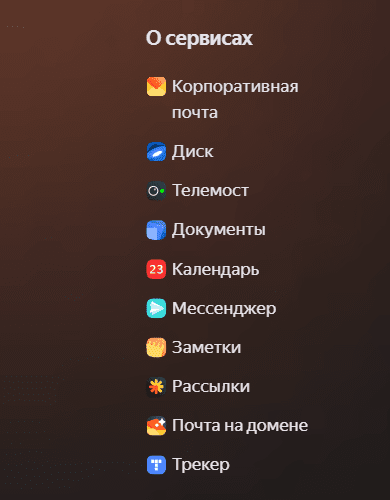
Yandex 360 for Business combines corporate email, cloud storage, video meetings, messaging and calendar tools. The practical value of the suite depends on how those tools fit the company’s communication and document workflows.
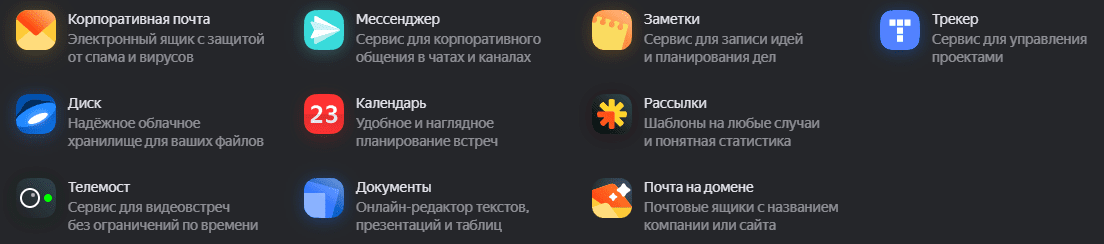
Begin by listing the applications already in use. Identify what the suite could replace, what must remain and which integrations or migration steps will be needed.
Corporate email
Email remains an important channel for business communication. A corporate setup should make ownership, access and the handling of incoming messages clear.
When setting up Yandex 360 for Business, review the connection of your company domain, employee mailboxes, shared addresses and mailing groups. Check storage, filtering, archiving and administration features against the plan you are considering. Avoid assuming that every function or capacity is included in every subscription.
Agree on how the team handles shared mail, account access and staff changes. These procedures help prevent enquiries or important conversations from being left with a single employee.

Cloud storage and shared files
Important documents need a predictable location and appropriate access. Losing a file, exposing it through an unsuitable sharing link or working on the wrong version can disrupt a project.
Cloud storage in Yandex 360 for Business can provide a common location for working files. Review the storage allowance, supported desktop applications, synchronisation and recovery options. Create a folder structure that reflects the way the company works and assign responsibility for maintaining it.
Check file-size limits and sharing controls before moving a large collection of material. A public link and an internal shared folder serve different purposes; choose the access method that matches the sensitivity of the document and the people who need it.

Video meetings and team messaging
Remote and hybrid work make meeting arrangements and written communication part of the everyday workflow. The goal is to give colleagues a reliable way to coordinate without creating unnecessary meetings or scattered discussions.
Yandex 360 for Business includes tools for video communication. Assess participant capacity, meeting duration, guest access and broadcasting requirements against the subscription and the types of events your team runs.
Connect meeting arrangements with the team calendar. Where recording, moderation or group chat is available, decide who can use it and how meeting material will be stored afterwards.
The messaging tools in Yandex 360 provide another place for team conversations. Organise channels or groups by purpose, keep decisions easy to find and define when a conversation should move to a task, document or meeting. Review any bot or website-chat integration separately before adopting it.

Scheduling and email campaigns
An accurate schedule and timely updates help colleagues coordinate their work. Yandex 360 for Business includes tools that can support both activities.
Use calendar sharing and event notifications to make availability and deadlines visible. For email campaigns, define the audience, the message and the sending frequency, then check the relevant sending allowance and controls. Internal announcements and customer campaigns may need different processes.
Security and integrations
A business workspace should be reviewed for access control, data handling and its connection to other systems. Yandex 360 for Business should be assessed against a concrete security checklist:
- Account protection and two-factor authentication
- Encryption and the handling of data in transit
- Single sign-on requirements and account administration
- Relevant security documentation and organisational requirements
List the systems that must exchange information with the workspace. Test the required integration, permissions and failure handling with representative data instead of assuming that every existing application will connect automatically.

Choosing a Yandex 360 for Business subscription
Select a plan for Yandex 360 for Business by matching its current conditions to your team’s workload.
A small-team starting point
For a small company, begin with employee accounts, domain email, shared files and ordinary meetings. Compare the current per-user cost, storage and sending allowances with that workload. Include the time needed to move existing mail and documents into the new environment.
Requirements for a growing company
As the team grows, account administration, access rules and shared resources become more important. Review any need for larger storage, email campaigns, archives, broadcasting or single sign-on, and confirm which subscription includes the required functions.
Planning for a larger organisation
A larger deployment needs a documented migration and support plan. Define responsibilities for accounts, document ownership, security settings and incident handling. Compare capacity, contract terms and administrative controls before committing the whole company.
Yandex 360 for Business should be selected on the basis of these requirements. Check how billing and plan changes work, including any effects on storage, users or available functions.
Is Yandex 360 for Business a suitable fit?

The services in Yandex 360 cover related parts of a team’s daily work. Their usefulness depends on whether colleagues can move between those tasks without losing information or duplicating effort.
Corporate email, cloud storage, communication and planning tools can form a coherent workspace. Before adopting Yandex 360 for Business, test the applications, permissions and integrations that are essential to your company.
Measure the pilot against practical questions: can users find the right file, arrange a meeting and handle a shared enquiry? Use those observations to decide whether Yandex 360 is the right foundation for a wider rollout.
Planning the rollout
Introduce Yandex 360 for Business in manageable stages. Prepare the accounts and data, test a representative workflow and give employees clear instructions before extending access across the organisation.
For more guidance on choosing business tools, explore our practical articles. You can browse further topics in the article collection and use them to build a checklist for your own project.