A business software ecosystem brings together products and services that support different parts of an organisation. These may cover documents, accounting, communication, reporting and other operational tasks. The useful question is how the selected tools fit the work your business actually needs to complete.
Begin with the goals, available resources and current systems. Identify the tools that address a defined need, then test them before expanding the implementation. Training and support may also be needed as people adopt the new process.
A practical improvement plan can include several stages:
- Research the market, competitors and customer needs.
- Review internal processes and decide where a different tool or workflow would help.
- Connect operational changes with marketing and partner activity where relevant.
One provider to consider for a Russian business is Kontur and its product range.
Kontur business tools and their scope
The product range covers several areas. Business processes are handled through different products rather than a single application that necessarily includes every feature. Choose the relevant Kontur services around the documents, records and reporting tasks your team needs to manage.
The provider develops tools for business operations. Areas associated with the Kontur range include electronic document exchange, accounting, electronic signatures and online cash-register workflows.
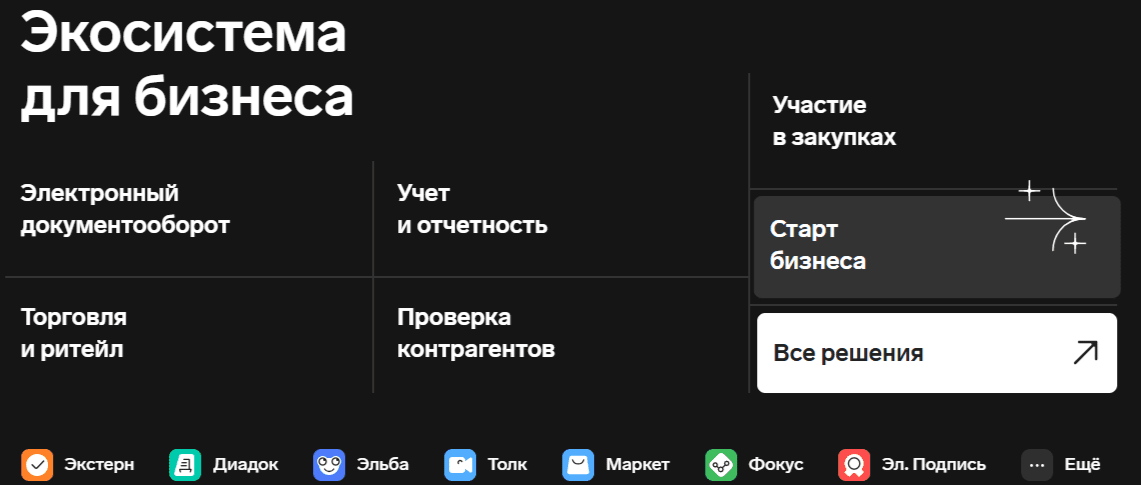
A broad catalogue is a starting point for selection. Confirm the current purpose and coverage of each product, and avoid choosing on the basis of a headline product count or company growth figure.
When preparing to use Kontur software, follow the instructions for the specific product. Confirm whether it is accessed through a browser, an installed application or another supported method. Then create or configure the necessary service account and review user access, initial settings and the data needed for the first task.
Matching products to business processes
Use the following areas to build a requirements checklist:
- Electronic documents: preparing, exchanging, storing and retrieving the records your organisation needs
- Work coordination: identifying responsibilities, tasks and the information needed to follow progress
- Contract administration: keeping records organised and monitoring the dates and actions associated with them
- Operational reporting: deciding which activities or records need to be measured and reviewed
- Integrations: confirming whether the chosen Kontur product connects to the CRM, email or other system used in the proposed workflow
For each Kontur service, review data handling and access controls as part of the selection. Ask where information is held, who can access it and what recovery or export options are available.
A useful assessment of the product range starts with one complete process. Follow a record from its creation through review and use, including any corrections, so that the team can see how the software fits its work.
Electronic signatures and Kontur tools for document workflows
Electronic-signature tools are used within electronic document processes. When assessing Kontur services, establish which documents need to be signed, who is authorised to sign them and what the recipient requires. Confirm the applicable requirements for the intended use with the people responsible for the documents.
A rollout of these tools should include account access, secure handling of signing credentials and a process for responding when access is lost or a person’s role changes. The team needs to understand those responsibilities before routine use begins.
For a workflow using Kontur services, test preparation, signing, delivery and retrieval of a representative document. Check how the participants see its status and what happens when a correction is required.
Online accounting products
When reviewing online accounting from Kontur services, identify the tasks your business needs to complete. The chosen accounting product should be assessed for the relevant records, reports and employee-related information, with clear responsibilities for entering and checking data. Confirm the current supported functions and conditions before moving an established process.
If the product offers recognition of scanned documents, test representative files and review the extracted information. Staff should understand how to accept, correct or reject a record before it becomes part of the accounts.
Choosing a manageable starting point
When comparing Kontur products, focus on:
- How easily the intended staff can complete their tasks
- Whether the reports answer the business questions that matter
- Whether the implementation fits the available time and resources
Evaluate the selected product or service through a small practical rollout. Use the experience to refine the workflow before adding more users or processes.
Contact ABS Marketing for help planning your website and marketing.
You can explore the agency website or browse our articles.