Discuss your goals and the next steps for your project


Consultation

Tell us about your project

ABS Marketing logo

Menu

Kontur for Enterprise: Documents, Reporting and Integrations

Kontur for Enterprise: Documents, Reporting and Integrations

Large organisations need to coordinate complex processes, many counterparties and regular reporting across teams. Automation can help organise that work, but the requirements extend beyond individual features: systems must exchange usable data, responsibilities must be clear and sensitive information needs appropriate protection.

Corporate information includes financial records, counterparty details and internal work. When choosing software, identify who needs access to each type of data and how it will be stored, exchanged and recovered. These requirements should be agreed before a large implementation begins.

For organisations operating in Russia,  Kontur  offers tools covering document exchange, reporting, counterparty work and internal communication. A useful evaluation connects those product areas with the processes your organisation needs to improve.

Kontur for Enterprise: Documents, Reporting and Integrations

When considering  Kontur  for an enterprise rollout, describe the needs of each business unit rather than relying on a single general feature list. Include the systems already in use, the volume of work and the employees who will support the new process.

Planning enterprise automation

Kontur for Enterprise: Documents, Reporting and Integrations

A large business may need several connected tools. Assess  Kontur  against specific workflows, such as exchanging documents with suppliers, preparing reports or coordinating work across offices. Define how success will be measured before selecting the products.

IT services for everyday operations

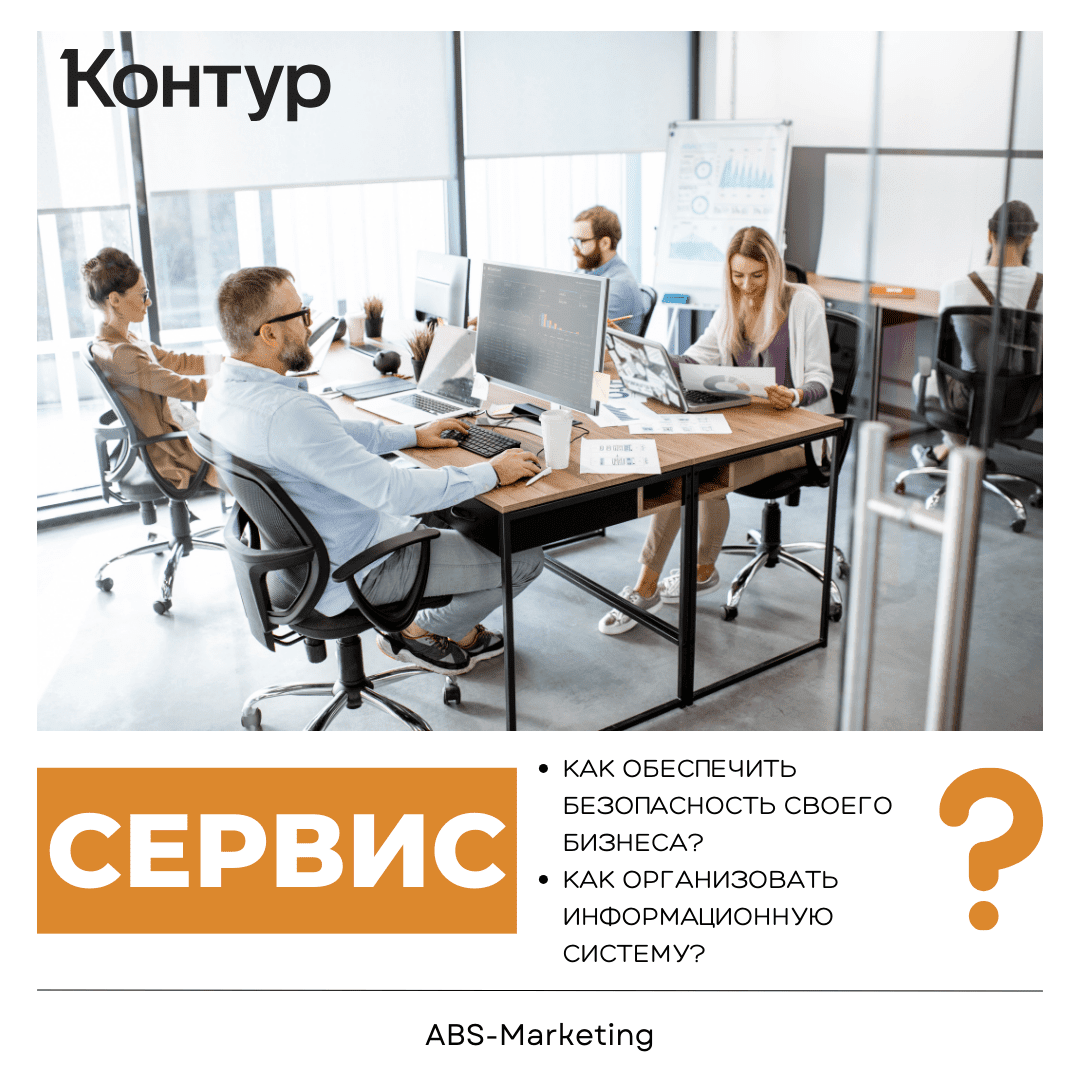
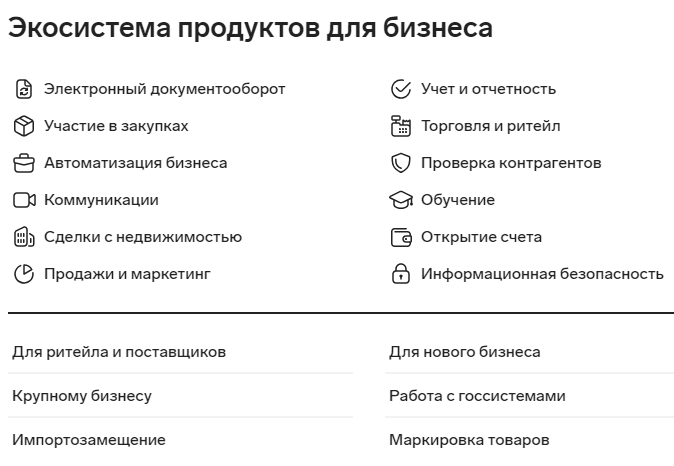
Core processes depend on reliable access to business systems. The  Kontur  range covers several areas that may be relevant to an enterprise IT plan:

  • Digital powers of attorney and electronic signatures
  • Video meetings
  • Data storage

For each service, check the required users, supported devices, permissions and arrangements for interruptions. Its role in the wider IT environment should be clear before deployment.

Electronic document exchange

Electronic document exchange is one of the areas covered by  Kontur. Depending on the selected product and workflow, the tasks to evaluate include:

  • Sending, signing and receiving documents electronically
  • Exchanging records with counterparties, public authorities, employees and independent contractors
  • Adapting an existing document process or introducing a new one

A practical pilot should follow a document from preparation through approval and receipt. Check how staff find the completed record and what happens if it is rejected or needs correction.

Reporting and counterparty information

Preparing accurate reports on time requires clear data sources and review responsibilities. Assess  the reporting tools  against the tasks your organisation needs to complete:

  • Preparing and submitting reports to the relevant authorities
  • Working with supported tax-monitoring processes
  • Preparing data for reconciliation and reviewing the responses

For counterparty research,  Kontur  also offers information and risk-assessment tools. Confirm the coverage, sources and update frequency relevant to your business. Information from a service should be reviewed within your company’s decision-making process, rather than treated as an automatic assurance about a counterparty.

Employee workflows and retail operations

The  Kontur  range also includes tools for employee-related processes and communication. When evaluating  these products, consider how they support:

  • Sharing internal information and company practices
  • Employee learning and development
  • Communication between teams

For retail operations,  the product range  includes areas such as:

  • Stock and product records
  • Deliveries and product-marking workflows
  • Connections to cash registers and relevant government systems

Business development and information security

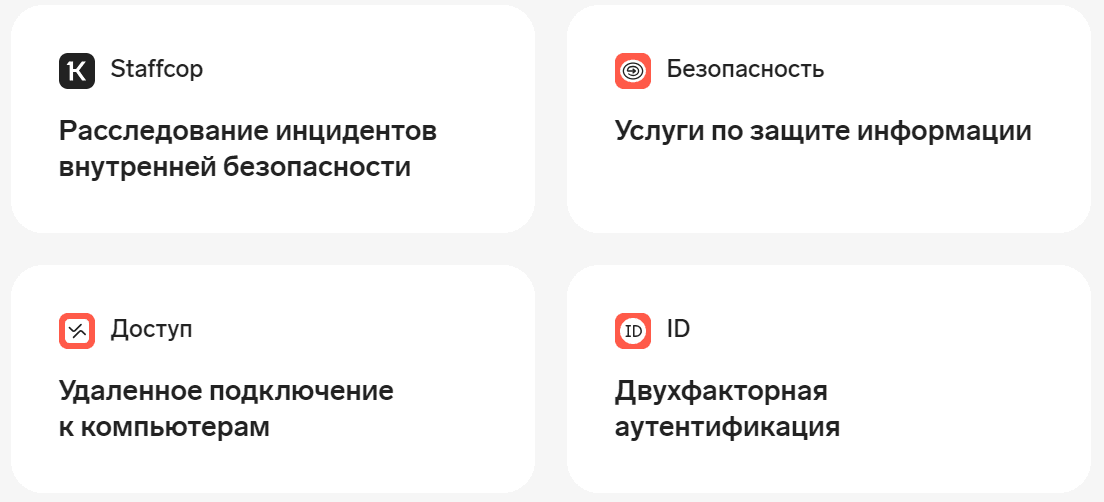
Kontur’s enterprise offering  also covers activities that can support development and data protection. Define the specific work to be done in each area:

  • Researching potential sales opportunities
  • Understanding interest in products and services
  • Managing access to company information and reviewing security controls

These areas involve different teams and data. Assign owners and agree how the tools will fit into existing responsibilities, rather than expecting a single installation to resolve every operational issue.
Kontur for Enterprise: Documents, Reporting and Integrations

Evaluating  Kontur  for a large organisation

Product integration

Products from  Kontur  may be used together in a wider workflow. Confirm which connections are supported and test the actual exchange of records, including updates, corrections and duplicate handling.

Adapting the workflow

When reviewing  the available products, distinguish standard settings from work that requires a separate integration or implementation project. Document the requirements that are essential to your organisation and obtain a clear description of how they will be met.

Service arrangements across a group

A company with several branches or legal entities should clarify how contracts, billing, permissions and support will be organised. Confirm which entities and users are covered before planning a central rollout.

Data handling and access

Ask  the provider  about the hosting and data-handling arrangements for the selected products. Review user access, recovery options and the procedures that apply when information must be corrected, exported or removed.

Technical support

When evaluating support from  Kontur, agree how staff will raise questions about the software, document exchange, signatures and reporting. Identify which matters the provider handles and which remain with your internal IT or specialist teams.
Kontur for Enterprise: Documents, Reporting and Integrations

Moving from evaluation to implementation

The  Kontur  range covers several enterprise processes, so a focused starting point is helpful. Choose a workflow with a clear owner and measurable needs, then assess  the relevant products  through a representative pilot before committing to a wider implementation.
Kontur for Enterprise: Documents, Reporting and Integrations

A rollout of  these tools  should include data preparation, access settings, training and a plan for handling exceptions. Review the first completed tasks with the staff who use the system. Expand your use of  Kontur  when the process is understood and the results support the next stage.

Contact  our agency  for help planning your website and marketing. Explore related guidance in our  articles.
Share:

More articles

OUR TEAM

Behind every successful project is a team where experience, creativity, and collaboration come together. Our agency brings together experts from various fields of marketing: from strategy and analytics to design and social media management. We understand the market, know the tools, and speak the language of business.

WHY CAN YOU TRUST US?

Marketing support

Marketing support

Support for your marketing and advertising projects

Project team

Project team

Skills matched to your project's needs

Transparency and honesty

Transparency and honesty

Open communication throughout the entire partnership

Case studies

Cases

Use of modern technologies and tools

Client reviews

Reviews

A personalized approach to every client and project

SHALL WE DISCUSS YOUR NEEDS?

Please fill out this short form, and one of our experts will be happy to contact you to discuss your marketing goals and find the best solutions.

Where can we message you? (optional)

Select the messengers linked to the phone number above. Include the country code in your number.

You can enable SmartCaptcha to protect the form from automated submissions. External verification does not load before your separate permission.

Full SmartCaptcha permission text

This choice applies to forms on this page for up to 24 hours. Turning verification off reloads the page and clears entered text. Enquiry consent and analytics preferences are separate.

Without SmartCaptcha, email absmarketing.ru@gmail.com.

Submit a request

Where can we message you? (optional)

Select the messengers linked to the phone number above. Include the country code in your number.

You can enable SmartCaptcha to protect the form from automated submissions. External verification does not load before your separate permission.

Full SmartCaptcha permission text

This choice applies to forms on this page for up to 24 hours. Turning verification off reloads the page and clears entered text. Enquiry consent and analytics preferences are separate.

Without SmartCaptcha, email absmarketing.ru@gmail.com.

Leave Feedback and Suggestions

Your suggestions help us grow and improve — please share your ideas!

Where can we message you? (optional)

Select the messengers linked to the phone number above. Include the country code in your number.

You can enable SmartCaptcha to protect the form from automated submissions. External verification does not load before your separate permission.

Full SmartCaptcha permission text

This choice applies to forms on this page for up to 24 hours. Turning verification off reloads the page and clears entered text. Enquiry consent and analytics preferences are separate.

Without SmartCaptcha, email absmarketing.ru@gmail.com.

Feedback and Messages for Management

Your letters and feedback are important to us. You can contact management directly to share your thoughts.

Where can we message you? (optional)

Select the messengers linked to the phone number above. Include the country code in your number.

You can enable SmartCaptcha to protect the form from automated submissions. External verification does not load before your separate permission.

Full SmartCaptcha permission text

This choice applies to forms on this page for up to 24 hours. Turning verification off reloads the page and clears entered text. Enquiry consent and analytics preferences are separate.

Without SmartCaptcha, email absmarketing.ru@gmail.com.

Free consultation + a complimentary audit. Only 7 spots left.

Job application

Submit your application, and we’ll contact you to discuss the job openings!

Where can we message you? (optional)

Select the messengers linked to the phone number above. Include the country code in your number.

You can enable SmartCaptcha to protect the form from automated submissions. External verification does not load before your separate permission.

Full SmartCaptcha permission text

This choice applies to forms on this page for up to 24 hours. Turning verification off reloads the page and clears entered text. Enquiry consent and analytics preferences are separate.

Without SmartCaptcha, email absmarketing.ru@gmail.com.

Other questions

Send us your question—we’ll get back to you as soon as possible!

Where can we message you? (optional)

Select the messengers linked to the phone number above. Include the country code in your number.

You can enable SmartCaptcha to protect the form from automated submissions. External verification does not load before your separate permission.

Full SmartCaptcha permission text

This choice applies to forms on this page for up to 24 hours. Turning verification off reloads the page and clears entered text. Enquiry consent and analytics preferences are separate.

Without SmartCaptcha, email absmarketing.ru@gmail.com.

Would you like a free consultation with great terms? ​

Answer 4 short questions — and we’ll put together personalized marketing solutions for you, complete with bonuses from our partners.

Please provide your contact information, and we'll get in touch with you to discuss solutions that will take your business to the next level
Where can we message you? (optional)

Select the messengers linked to the phone number above. Include the country code in your number.

You can enable SmartCaptcha to protect the form from automated submissions. External verification does not load before your separate permission.

Full SmartCaptcha permission text

This choice applies to forms on this page for up to 24 hours. Turning verification off reloads the page and clears entered text. Enquiry consent and analytics preferences are separate.

Without SmartCaptcha, email absmarketing.ru@gmail.com.