Customer information is easier to use when the team knows where it belongs. A CRM can bring contacts, sales activity and communication history into one working environment, instead of leaving them scattered across spreadsheets and inboxes.
This guide looks at SberCRM and the practical questions involved in organising customer communication, sales and service workflows.

What is a CRM and why use one?
CRM (Customer Relationship Management) software helps a company organise its relationships with customers.
The main tasks are storing customer information, recording interactions and coordinating work across sales, marketing and service. Reports and automation are useful when the underlying records and processes are reliable.
What a CRM can help a team organise
- Sales activity and marketing follow-up
- Customer requests and service history
- Recurring tasks and responsibility for the next action
- Data collection and reporting for management decisions
A CRM project is especially useful when employees cannot easily find customer information or explain the current state of a deal. Begin with those practical problems, then choose the fields, stages and reports needed to address them.
Introducing SberCRM
SberCRM is a cloud CRM for managing customer relationships and business workflows. Its relevance to a company depends on the way contacts, deals, communication and tasks need to work together.
Main areas to assess in SberCRM:
- Contact records and deal management
- Customer communication
- Analysis and reporting
- Configuration and integrations

SberCRM can be assessed across these areas using a small set of real business tasks. A representative pilot provides more useful evidence than a feature list alone.
Common workflow problems to address with SberCRM
- Scattered customer information
- For example, contact details may be split between spreadsheets, email accounts and employees’ notes. That makes it difficult to find the latest information or hand a customer over to another colleague.
- A practical approach: SberCRM can provide a shared place for customer records. Define the essential fields, remove duplicate records and decide who is responsible for keeping each type of information current.
- Unclear sales progress
- For example, managers may not know which deals need attention or what an employee has agreed with a customer.
- A practical approach: SberCRM should be configured around understandable sales stages, assigned tasks and useful reports. Give each stage a clear meaning and define what must happen before a deal moves forward.
- Slow or inconsistent communication
- For example, a request may wait in an inbox while other employees cannot see the earlier conversation.
- A practical approach: SberCRM can be used as the centre of a communication workflow. Test the required email or messenger connection, record ownership of incoming requests and check that colleagues can see the context they need.
- Decisions without usable data
- For example, a team may discuss sales performance without consistent records of enquiries, activity or completed deals.
- A practical approach: SberCRM reports should answer specific management questions. Agree on the definition of each measure and check the source records before using a report to make decisions.
Organising these areas in SberCRM can give the team a more consistent way to work. The result still depends on configuration, data quality and everyday use.
Implementation considerations for SberCRM
- Account preparation and access
SberCRM is a cloud service, so begin with account administration rather than a desktop installation. Allow time for user access, configuration and training instead of treating registration as a completed implementation.
- Choosing the required functions
Before selecting a SberCRM subscription, list the contact, deal, task and reporting functions the team needs. Confirm the current terms, included features and usage limits; do not assume that a particular set of functions is permanently free.
- Adapting the workflow
Choose fields, forms and integrations that reflect the business process. Keep the initial configuration manageable, and test how information moves between the CRM and other systems.
- A shared communication history
SberCRM should help employees find relevant correspondence and earlier actions. Define which channels will be connected and how conversations are associated with the correct contact or deal.
- Clear tasks and reporting
Use task ownership, deadlines and reports to make work visible. Automate a routine task only after its trigger and expected outcome are understood.
- Security and continuity
When evaluating SberCRM, review access permissions, data handling, export and recovery arrangements. The provider’s name alone is not a substitute for checking the controls your organisation needs.
SberCRM for sales workflows
SberCRM can be assessed for the daily work of a sales team: maintaining customer records, following deals and keeping track of commitments.
- Coordinating work with customers and partners
- Making sales stages and next actions visible
- Preparing contacts and product information for import
Sales requirements to test in SberCRM

- Move each deal through clear stages
Use a pipeline that reflects the actual sales process, with reports that show where deals need attention.
- Review counterparty information
Identify which company information the team needs and where it comes from. If a provider supplies external records, check their date and coverage and verify important details at the original source.
- Keep relevant communication together
Test the handling of email, calls and any supported messenger connection. Confirm that the right employees can find a complete, relevant conversation history.
- Assess deal forecasts carefully
A forecast should be interpreted alongside the underlying activity and data quality. Compare its assumptions with actual completed deals and do not treat a score as a promise that a sale will close.
- Organise prospective customers and suppliers
Use clear criteria for recording organisations and assigning follow-up. A useful prospect record should explain why the organisation is relevant and what the team plans to do next.
SberCRM for service businesses

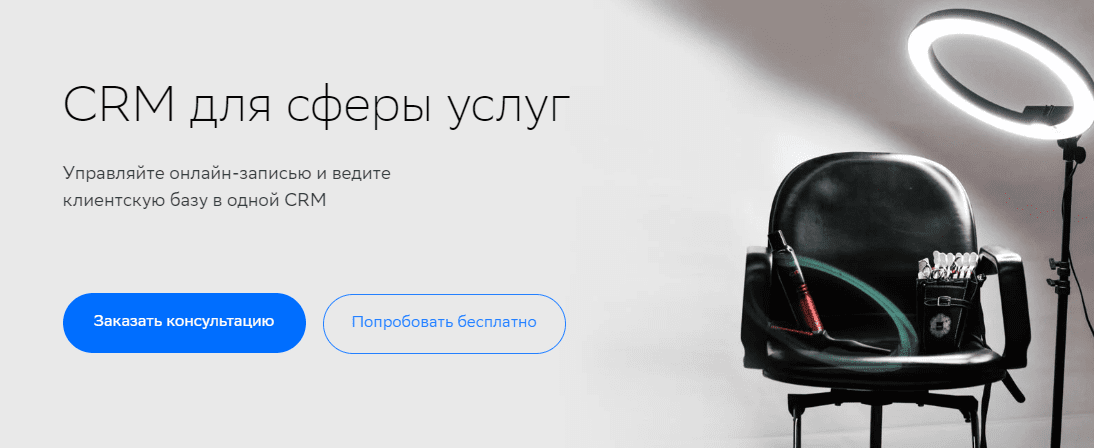
A service company evaluating SberCRM should start with the relationship between bookings, employee schedules and customer records. Requirements may include:
- Customer appointment requests
- Booking rooms, resources or services
- Employee schedules and resource allocation
Service-workflow questions for SberCRM implementation
- Define employees and working resources
Record which employees, rooms or equipment are needed for each service. Make availability and responsibilities clear before accepting bookings through the system.
- Manage the schedule
Prepare working hours and appointment rules, including changes and cancellations. Test whether the proposed booking process updates the relevant schedule and prevents conflicting reservations.
- Review useful business measures
Identify the measures that support decisions, such as demand for a service, completed appointments or revenue by period. Check the records behind those reports and apply the same definitions consistently.
- Support a consistent customer experience
Keep the information needed for the appointment and follow-up, while avoiding unnecessary personal details. Use the record to help employees continue an existing conversation rather than asking the customer to start again.
SberCRM for property-sales workflows
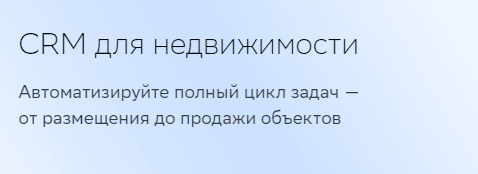
SberCRM can also be assessed against the requirements of a property-sales process. Define the tasks before choosing a specialist configuration:
- Tracking enquiries and deals for property developments
- Maintaining property information, coordinating agents and buyers, recording reservations and preparing handovers or external listings where required
Core requirements for a developer or property agency:

- A pipeline with clearly defined sales stages
- Task ownership and progress tracking
- Reports that support sales and workload decisions
Planning a useful CRM rollout
A CRM should make a company’s customer process easier to understand and maintain. Start with a concrete problem, agree on the working rules and introduce the system in stages. SberCRM provides a platform to assess for customer records, daily sales work and reporting. Test it with the information and tasks the team actually handles.
Use the pilot to review:
- How employees track deals and next actions
- How customer requests are assigned and answered
- Which routine tasks can be automated reliably
- Whether reports provide consistent information for decisions
These checks are especially useful when customer information is scattered or communication depends too heavily on individual employees’ inboxes and notes.
With an appropriate configuration and a clear adoption plan, SberCRM can become part of a more consistent working process. Review the result regularly as the team’s needs change.
Contact our agency for help planning your CRM and customer workflows. More information about our work is available on the website.