Payment acceptance and online receipts
An online payment service and a fiscal receipt system address related but distinct parts of a sale. The payment service processes the customer’s payment; receipt and accounting arrangements record the transaction for the business. Define both workflows when planning an online checkout, rather than treating them as a single technical switch.
Applicable requirements.
For a business operating in Russia, determine which fiscal receipt and reporting requirements apply to its activities. Discuss the proposed arrangement with the person responsible for accounting or appropriate professional advice. Connecting a payment service alone does not establish compliance for every business or transaction.
Clear transaction records.
Make it possible to match an order, its payment and the relevant receipt information. Consistent references help staff investigate questions and explain a transaction to a customer without relying on separate, conflicting records.
The customer experience.
Explain the payment process clearly and confirm how customers receive payment and receipt information. Test delivery of that information as part of the checkout workflow, including what happens when a customer’s contact details need correction.
Business administration.
Plan how payment and receipt data will be reconciled with orders and accounting records. Identify which reports are needed, who checks discrepancies and how refunds are reflected in the records.
Data handling.
Review access to customer and transaction information across the connected systems. Limit access to the people who need it, protect account credentials and establish how records are retained and corrected under the business’s applicable requirements.
A useful implementation connects the customer-facing checkout with the business’s record-keeping responsibilities. Confirm the required services and integrations before choosing a configuration, then test the complete workflow rather than only the initial payment screen.
One payment service to assess is YooKassa for merchants.
YooKassa payment services.
YooKassa merchant tools should be evaluated around payment acceptance, the proposed checkout and any separate receipt arrangements. Start with the current service information from YooKassa and confirm which products and integrations are relevant to the business. YooKassa payment options and integrations need to be reviewed together with the merchant’s accounting and receipt requirements. Identify any additional provider or software required for the intended setup and keep each party’s responsibilities clear.
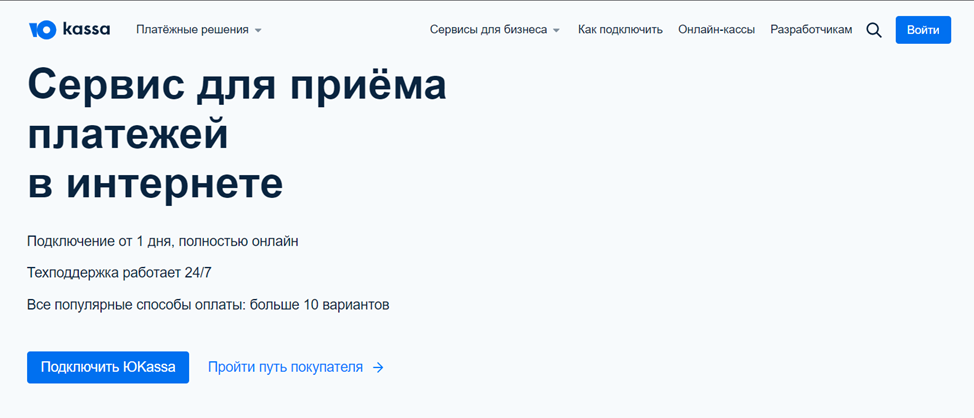
What to evaluate when choosing YooKassa for payment acceptance.
Onboarding and setup.
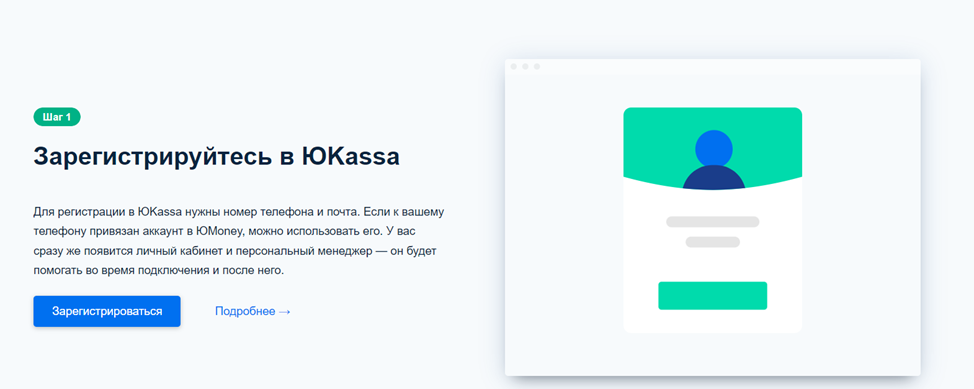
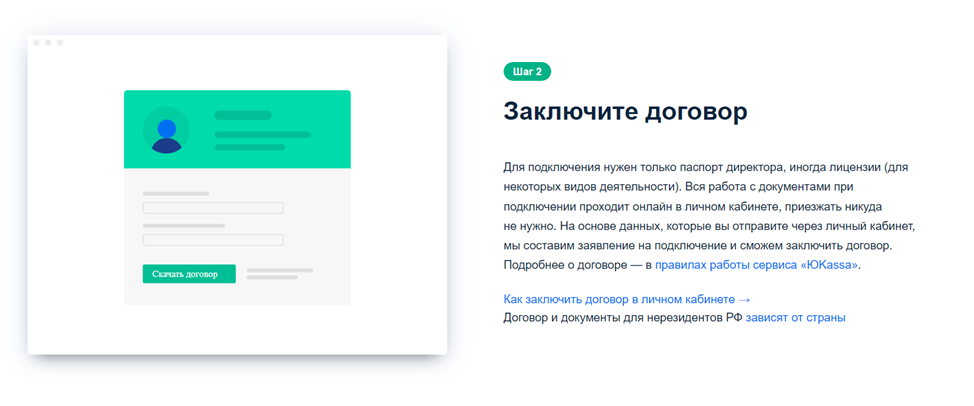
YooKassa application requirements should be checked before scheduling a launch. Confirm the documents and merchant information required, and establish how approval and integration are handled. Review the current information on the provider’s website, then test the proposed configuration before accepting live customer payments.
Reliable operation.
For a YooKassa checkout setup, review authentication, payment notifications and the handling of interrupted transactions. Confirm how credentials are protected and how staff will investigate a payment that has not reached the expected order status.
Fees and service conditions.
YooKassa commercial terms should be assessed against the payment methods and transaction volume expected by the business. Ask about applicable fees, settlement conditions, refunds and any separately charged services. Do not assume that an older promotional rate applies to a new account.
Account administration.
When reviewing the YooKassa account interface, check how staff locate payments, manage access and obtain the information needed for reconciliation. Make sure routine tasks have clear owners and do not depend on sharing one person’s account credentials.
Support arrangements.
YooKassa support information should explain the available channels and the details needed to report an issue. Establish who will contact support during setup and who will handle payment questions once the checkout is in use.
If the proposed YooKassa integration connects to a CRM or accounting system, define which information moves between them and when. Test order identifiers, payment status and refunds so that the connected systems describe the same transaction.
A YooKassa merchant setup should be chosen around a documented workflow and the current service agreement. If registration uses a referral link, check any applicable offer directly with the provider; the link itself does not establish a particular rate, discount or period of eligibility.
A practical implementation sequence
Begin with the business’s payment and receipt requirements. Confirm responsibilities for accounting, integration and customer support, and identify the systems that need transaction information. Then assess the proposed YooKassa configuration against those needs. Before launch, test the payment flow and administration tools for successful payments, cancellations, errors and refunds. Keep the agreed configuration and support contacts available for ongoing maintenance.
For help planning your website and checkout integration, contact ABS Marketing services. Explore our website. Browse our articles.