Rush Analytics is a platform for organising SEO research and monitoring tasks. This guide considers Rush Analytics through practical workflows: tracking search results, researching keywords, grouping queries and comparing website visibility. It also explains how to assess the settings, reporting and account terms needed for a project.
SEO tasks to assess with Rush Analytics
Rush Analytics can be evaluated as a set of tools for collecting and organising search-related information. Begin with the questions your project needs to answer, then choose the relevant tasks and reporting settings. The following sections explore how to assess Rush Analytics in that context.
Rank tracking and search-result monitoring
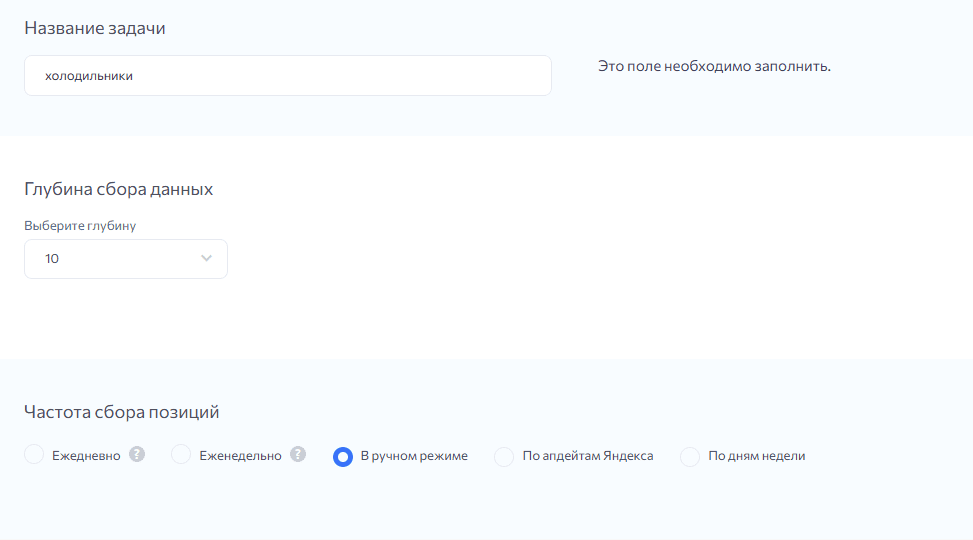
When assessing rank-tracking functions in Rush Analytics, consider how the tool records the results for a chosen set of queries. Decide whether you need to monitor your own pages, competitors or changes in the sites appearing in those results.
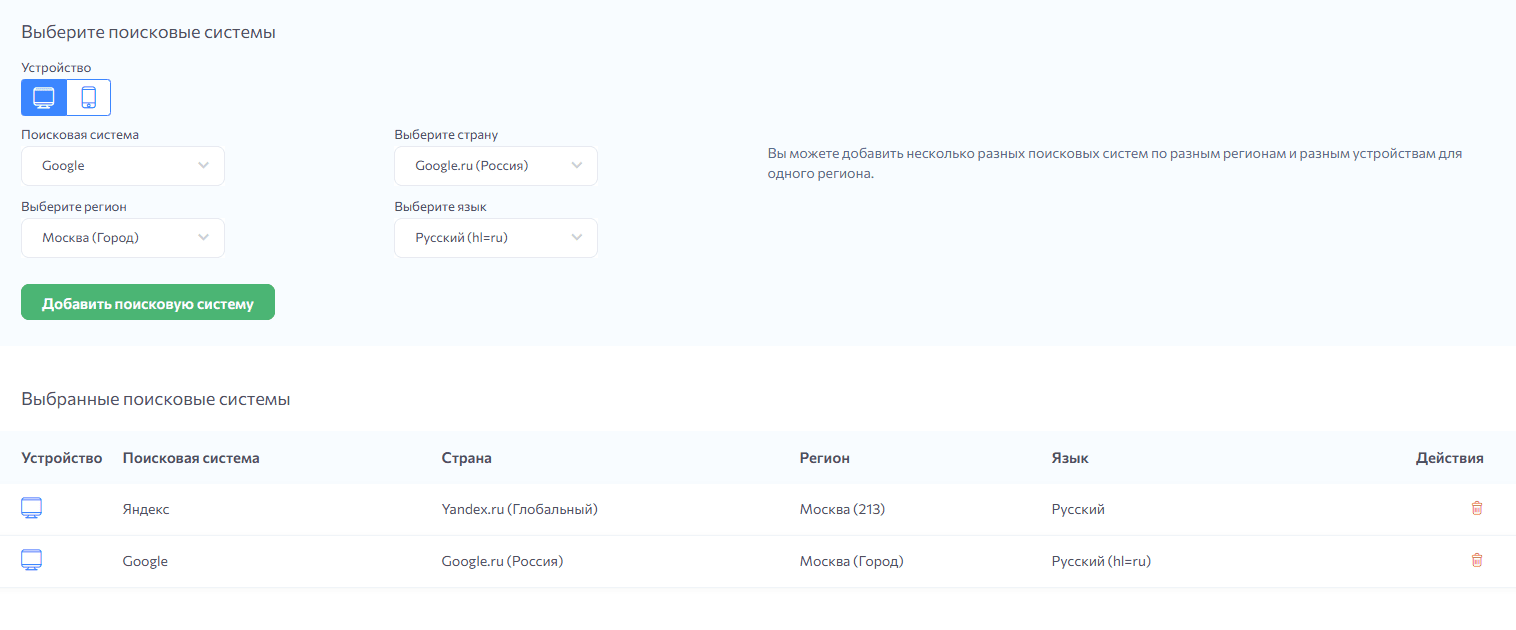
Define the keywords, location, search engine and checking schedule before collecting data. Confirm the available settings and use a consistent configuration so that comparisons over time are meaningful.
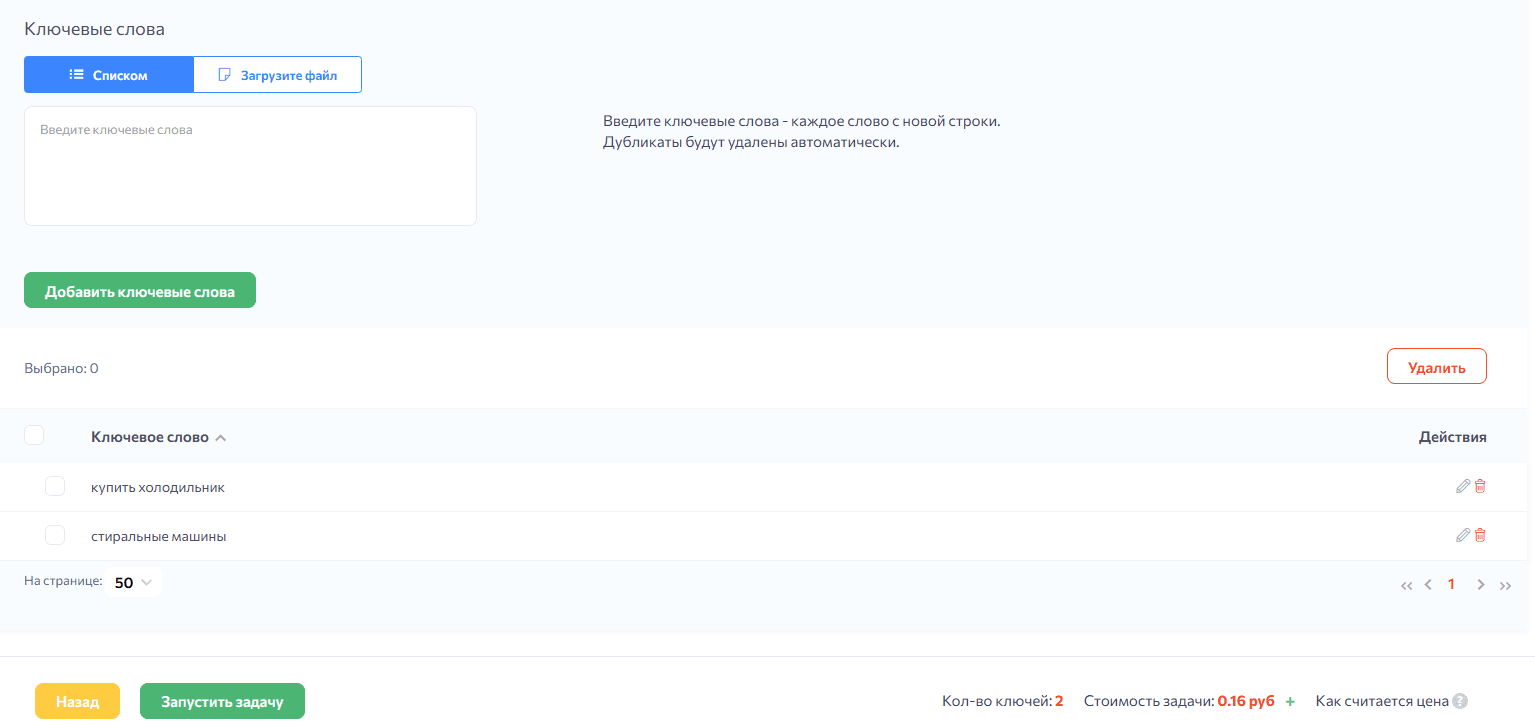
Illustrative example: Imagine an appliance shop tracking phrases such as “buy a refrigerator” and “washing machines”. In a hypothetical report, its page moves from position 20 to 12 while a competitor appears at position 6. That change is a reason to investigate the results, pages and timing of recent work; it does not, by itself, prove which change caused the improvement.
Consistent rank tracking can help you:
- See the recorded position of a page for selected queries.
- Compare changes with the work carried out on the website.
- Identify gains or losses that need investigation.
- Compare relevant competitors under the same search settings.
- Find topics or pages that deserve closer attention.
Monitoring brand-related search results
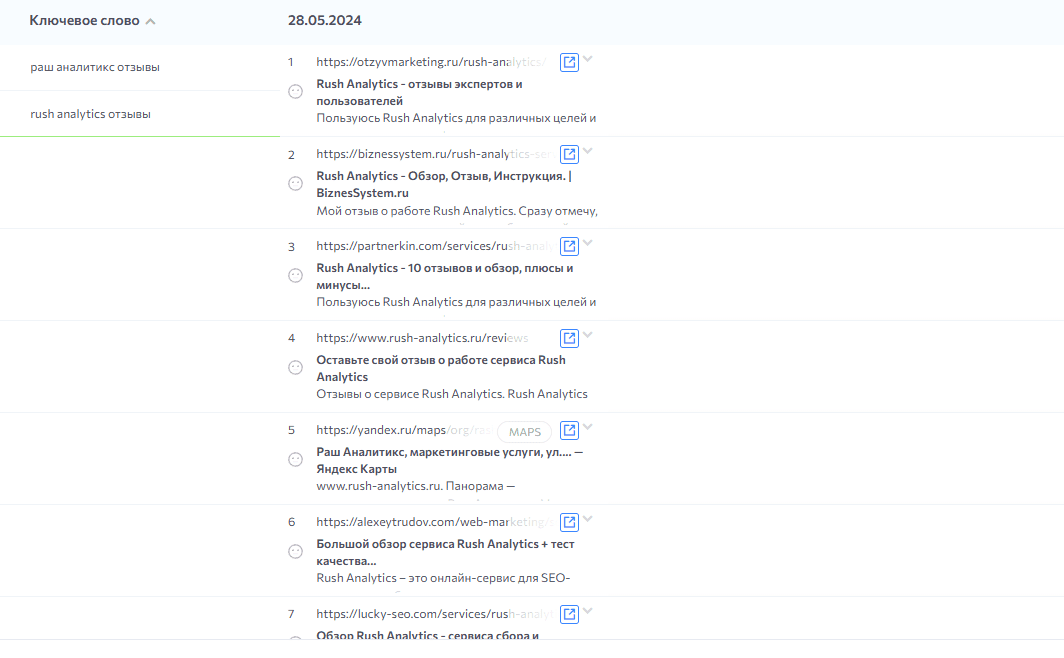
If reputation monitoring is part of the project, assess Rush Analytics for the brand-related searches and reporting your team needs. Search engine reputation management, or SERM, concerns what people encounter when searching for a business, its products or services.
Prepare relevant phrases, such as the brand name followed by “reviews”, and decide how often to examine the results. Record the source and context of each relevant result. If sentiment labels are used, review them against the actual content before treating them as a reliable description.
Illustrative example: A restaurant group notices recurring comments about service at one location. The useful next step is to examine the comments and investigate the underlying experience with the local team. The business can then address a specific problem and respond appropriately. Monitoring helps identify an issue; it does not resolve the service problem on its own.
Reviewing brand-related search results can help a business because:
- Potential customers may encounter reviews while deciding whether to buy.
- Prominent criticism can raise questions the business needs to understand.
- A timely, relevant response can clarify an issue and show how it is being handled.
- Patterns in comments can reveal recurring concerns or aspects customers value.
Keyword research tools
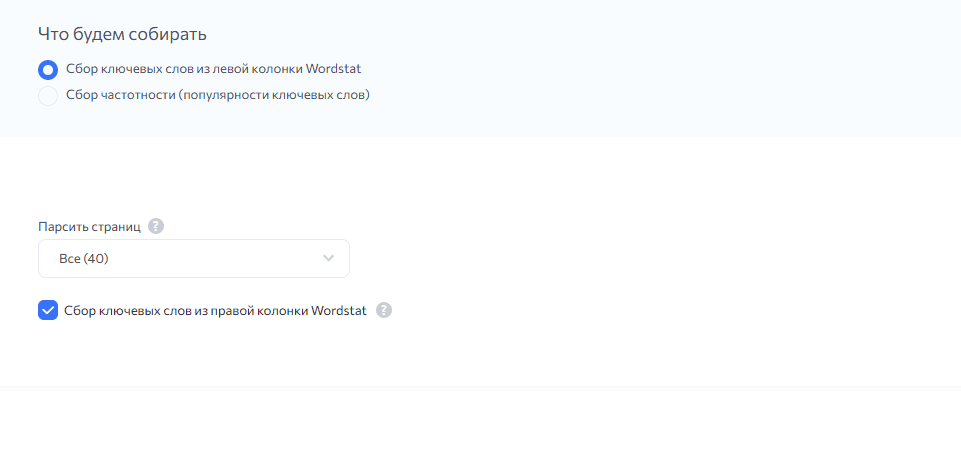
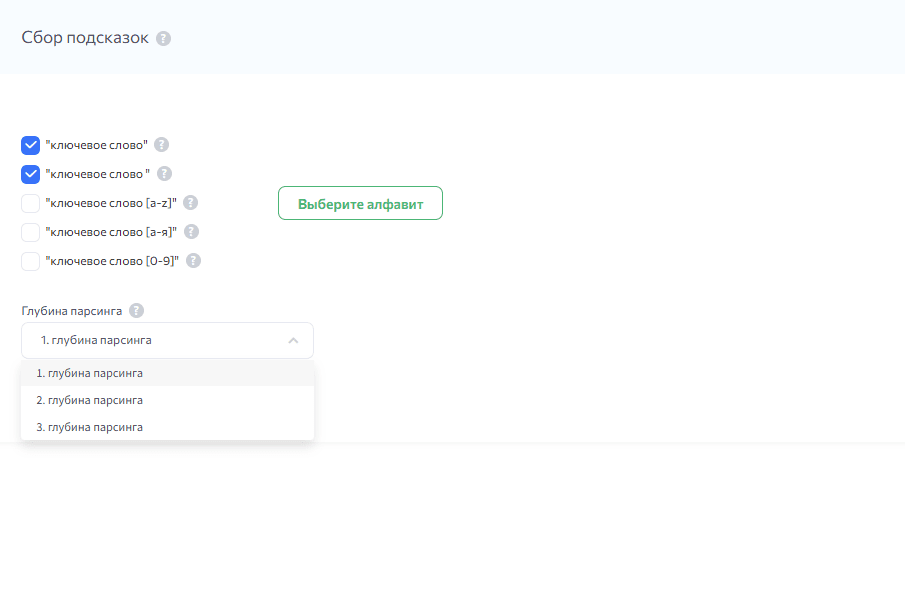
A useful keyword list connects the language of your audience with the information and services your website offers. Rush Analytics can be assessed for tasks such as collecting search-volume data and researching related queries:
- Wordstat data can help you examine interest in a phrase within the relevant location and period. Confirm how the selected query and operators affect the reported volume, and use it as one input to topic selection rather than a forecast of visits.
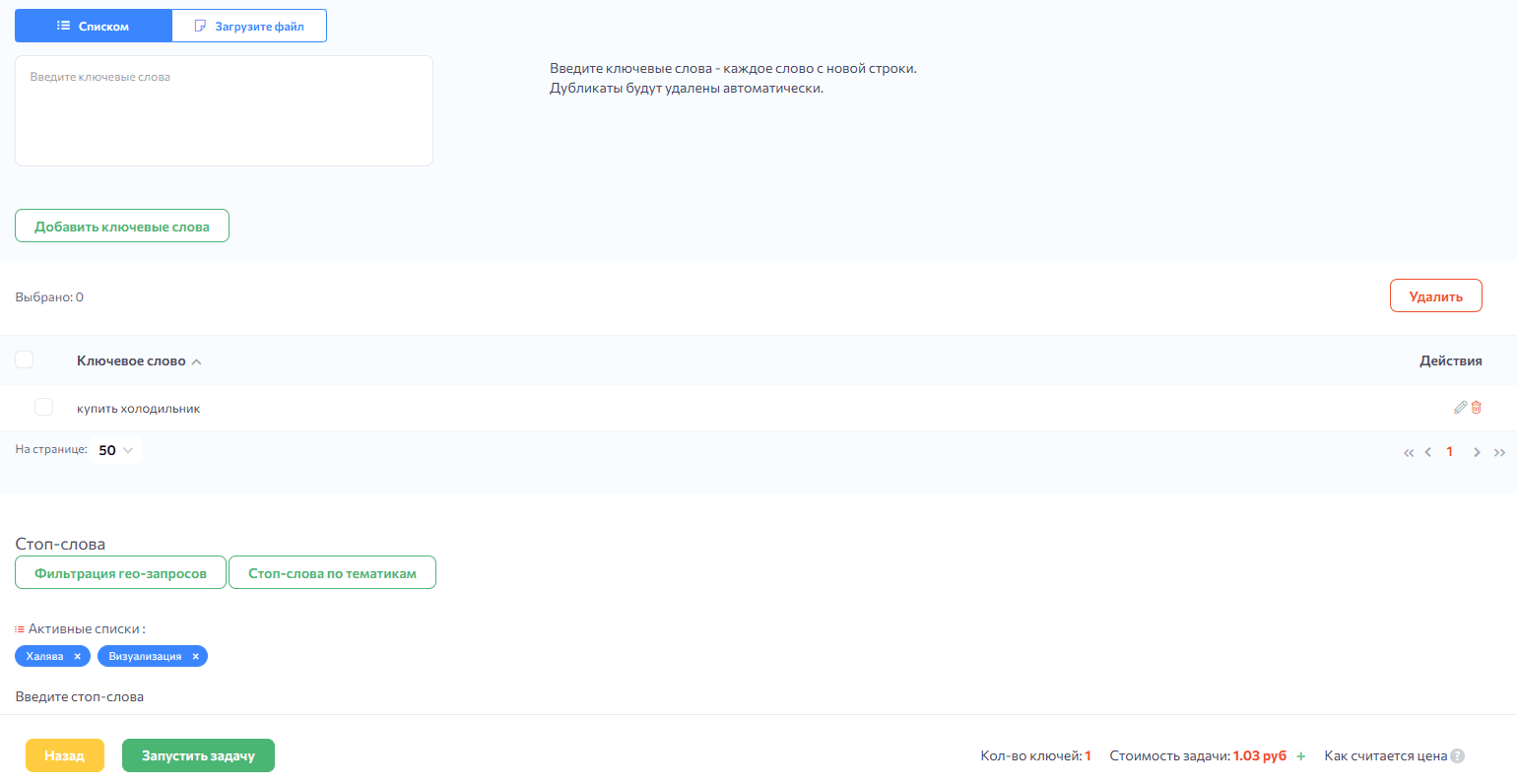
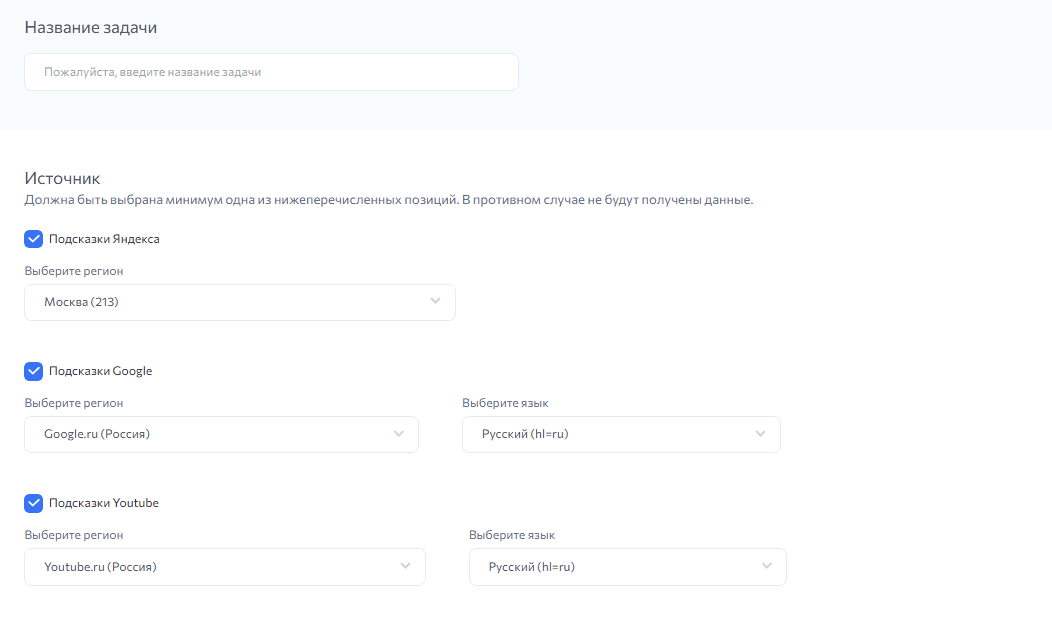
- Search suggestions can provide ideas for related questions and more specific phrases. Confirm the supported search sources, then review collected suggestions for relevance and intent before adding them to the keyword list.
Illustrative example: For a clinic’s website, a broad phrase such as “rhinoplasty” may lead to related searches about price, experiences or before-and-after information. These phrases suggest different information needs. Assess which needs the website can answer accurately and appropriately before deciding what each page should explain.
Questions to ask about keyword tools in Rush Analytics:
- Which source, location and date apply to the reported search volume?
- How can queries be organised into useful groups or labels?
- Which export formats fit your analysis and reporting workflow?
- How will data be refreshed, and what does that cost?
Tracking website visibility
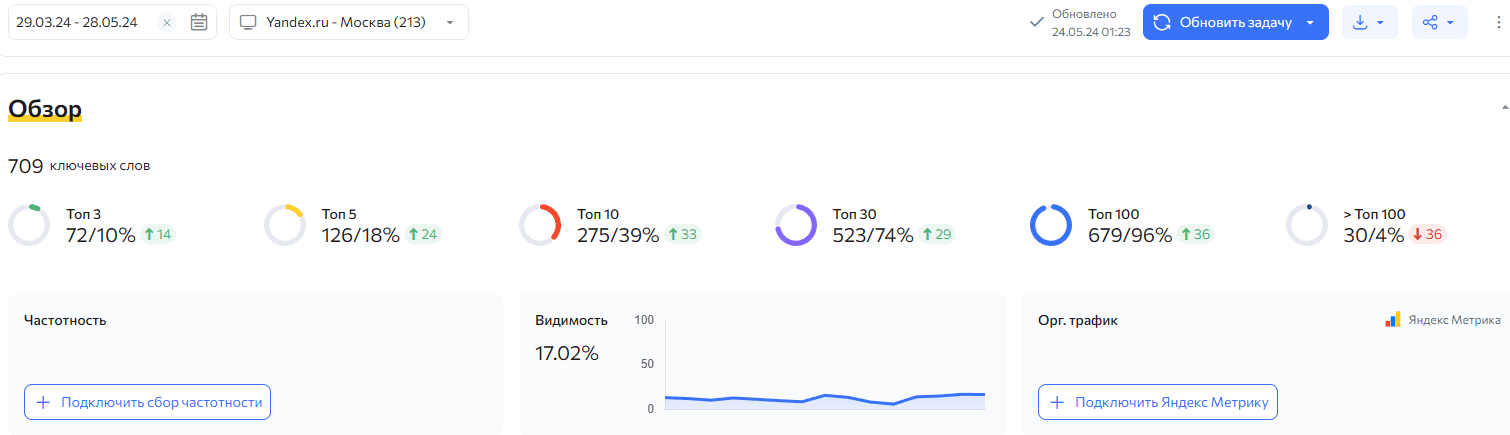
When setting up rank checks in Rush Analytics, choose the keywords that represent the pages and customer needs you want to monitor. Review changes over a suitable period and keep the search settings consistent.
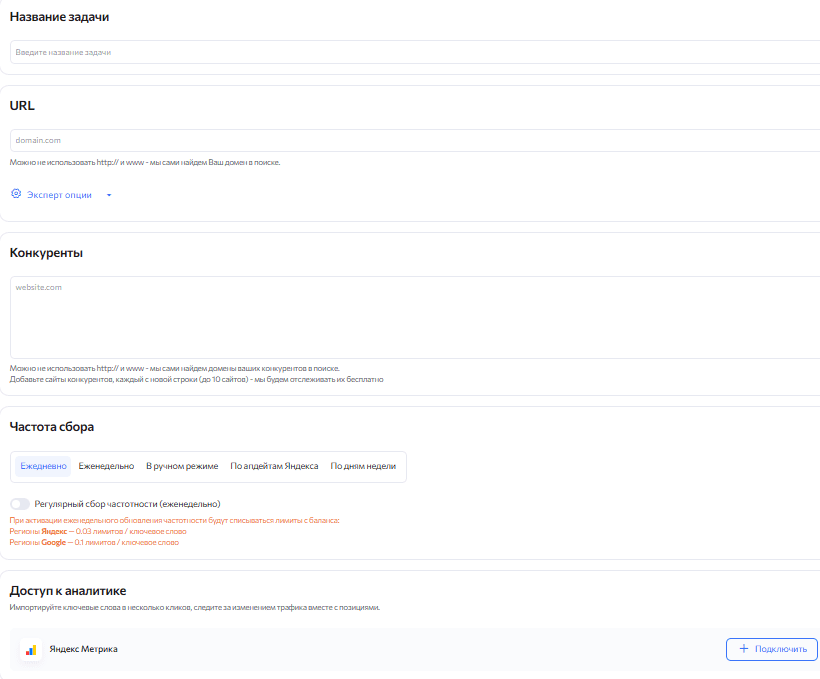
Prepare the domain, target location, search engines and query list. If you want to compare rankings with website traffic, confirm the available analytics connection or reporting method and how the datasets relate to one another.
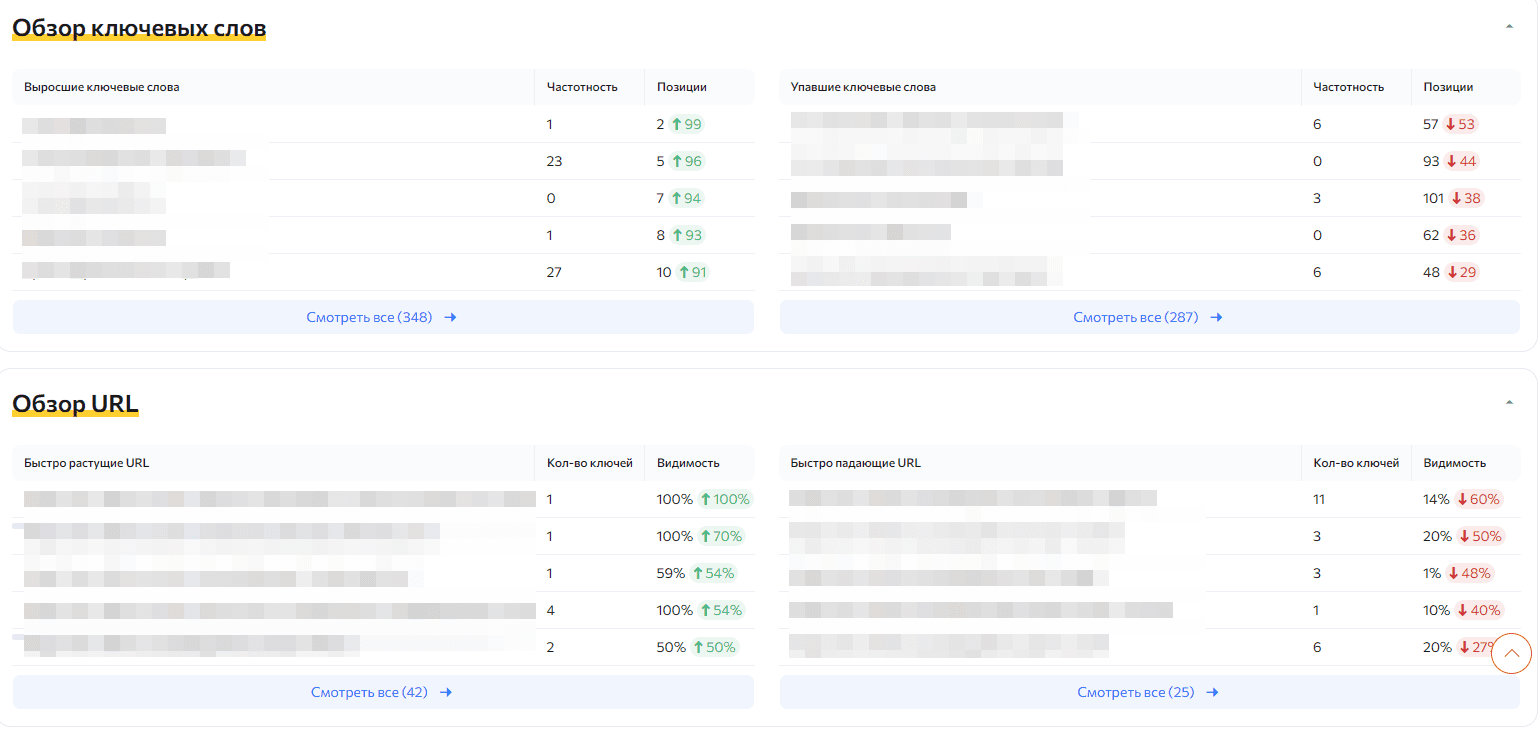
A competitor comparison in Rush Analytics should use relevant domains and the same search configuration. Examine where different sites appear for the selected queries, then look at the actual result pages to understand the comparison.
Illustrative example: Suppose a travel website tracks “tours to Turkey” and “last-minute holidays”. A hypothetical Rush Analytics report shows a move from position 15 to 8 for the first phrase and from 3 to 6 for the second, while a competitor stays near the top. These observations suggest several checks:
- For “tours to Turkey”, examine which page is ranking and whether the improvement is sustained across comparable checks.
- For “last-minute holidays”, review the page and the changed results before deciding what needs attention.
- For the competitor, assess relevance, useful content and the way its page answers the query. A higher rank alone does not explain the cause.
- Reviewing changes alongside SEO work.
- Identifying weaker pages and topics that need investigation.
- Comparing how relevant competitors answer a similar need.
- Updating the plan using recorded results and further analysis.
Grouping keywords to plan website structure
When assessing keyword clustering in Rush Analytics, consider how the tool groups related queries and how those groups will be reviewed. The aim is a useful map between search intent and the pages that can answer it.
A clustering workflow starts with a prepared keyword list and selected analysis settings. Review the suggested groups against the search results and the meaning of the queries. Similar wording does not always mean that two phrases need the same page.
Illustrative example: A sports shop collects a keyword list and reviews the suggested groups. Topic groups might include:
- Trainers: “buy trainers”, brand-related phrases and “running shoes”.
- Bicycles: “buy a bicycle”, “mountain bike” and “how to choose a bicycle”.
- Yoga mats: “yoga mat”, “exercise mat” and related product phrases.
Use these groups as a starting point for the website structure. A commercial query may fit a category page with products and filters, while an informational question may need a guide. Review the intent within each group before assigning all of its queries to one page.
Clustering with Rush Analytics can be assessed for its ability to:
- Reduce repetitive work when organising a keyword list.
- Highlight queries that may belong to the same page or topic.
- Support a logical structure that visitors can navigate.
- Suggest areas where useful content is missing.
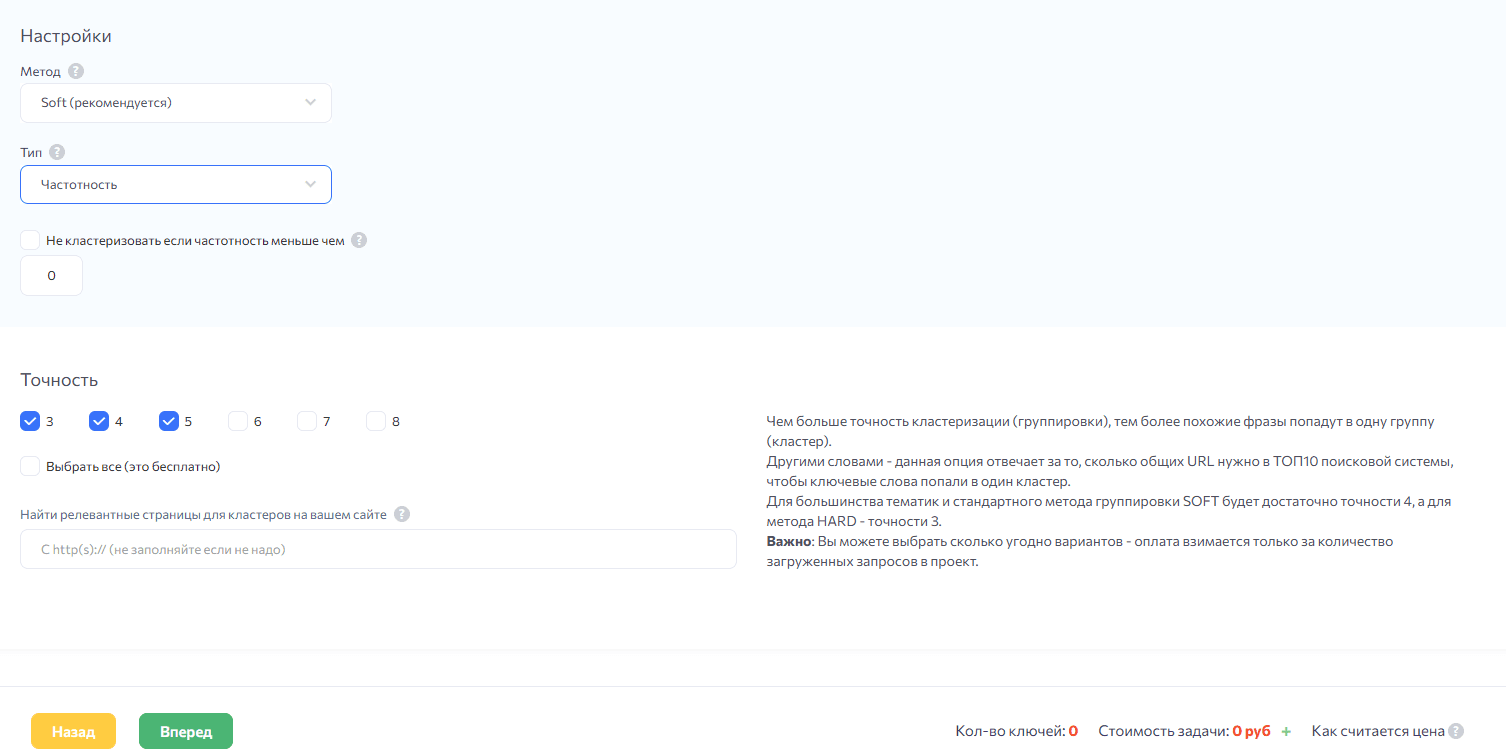
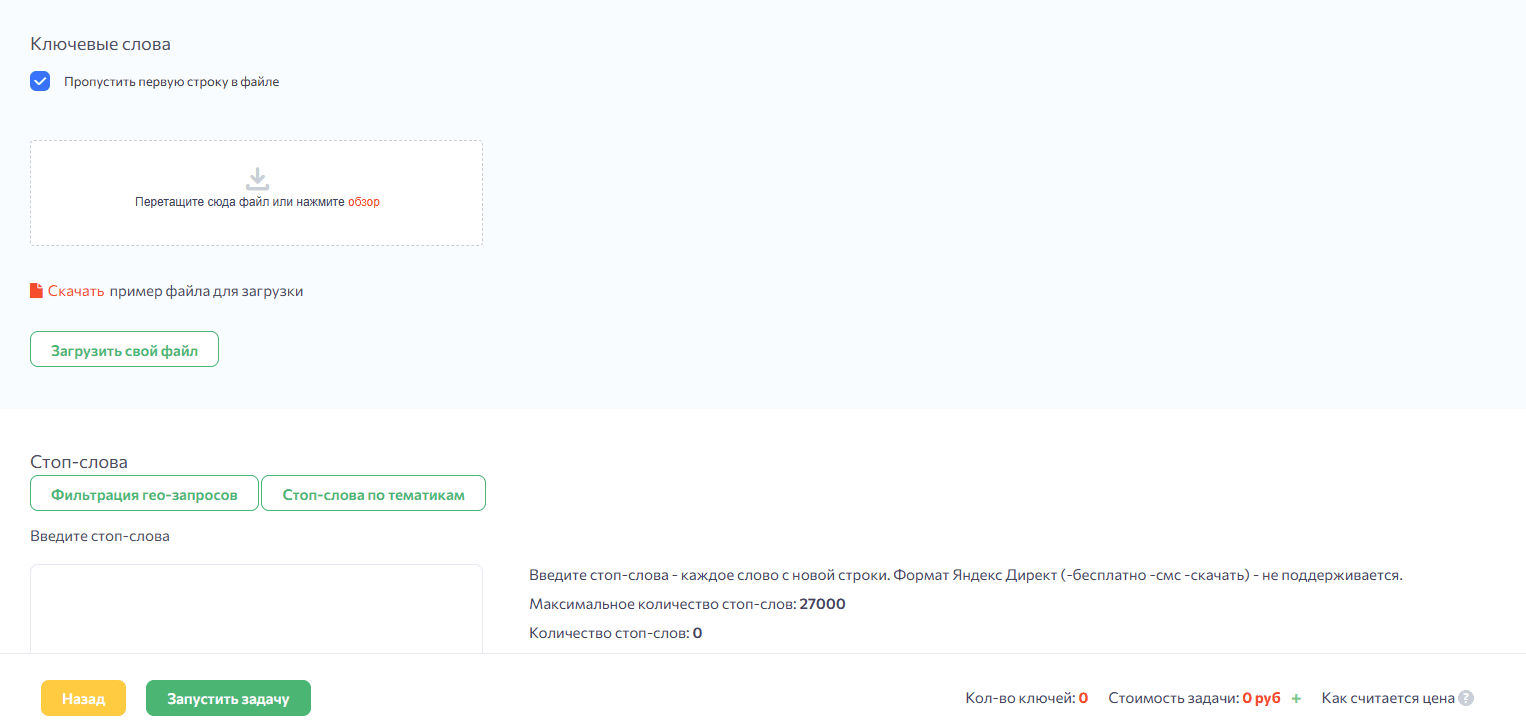
Account setup and project costs
Before starting with Rush Analytics, confirm the current registration requirements and prepare the information needed for a representative test project. Use that test to evaluate the tasks rather than assuming that account creation completes the setup.
Once access is available, try the functions needed for your workflow and review how usage is recorded. Rush Analytics trial conditions, available tools and limits should be checked when you register. Do not plan a project around an unverified trial allowance.
Match the account scope to the work you expect to perform:
- A smaller project may need a limited keyword set, a modest checking schedule and a straightforward reporting process. Estimate that workload before selecting an option.
- A larger team or portfolio may need more projects, broader keyword coverage, shared access and regular exports. Confirm which account arrangement supports those needs.
Review the current payment, renewal and cancellation terms, including how changes in usage affect the cost. Keep responsibility for account administration clear.
When budgeting for Rush Analytics, check how the particular tools you plan to use are charged. Determine which allowances apply, what happens when they are exhausted and whether unused capacity carries forward under the current terms.
Illustrative budgeting exercise: For a plumbing-products website, list the tasks: gather relevant queries, review their volume, group them by intent and monitor selected pages. Estimate the size and frequency of each task, then compare that workload with the available account options. Revisit the plan when the research or monitoring needs change.
A practical checklist for Rush Analytics
- Coverage of the required SEO tasks should be checked against your project. Identify which research and monitoring work can be handled in the platform and which tasks still require other tools or manual review.
- Useful configuration options matter when assessing Rush Analytics. Check the available location, update-frequency and result-depth settings so that the data matches the question you are trying to answer.
- Search engines and locations should match the intended audience. Confirm support for the specific engine and location before relying on a project to represent a market.
- Clear reports make it easier to use the data from Rush Analytics. Review whether the tables, charts and exports show the date, settings and detail needed to explain a change accurately.
- Support arrangements for Rush Analytics should be checked before the team relies on them. Confirm the available channels, service hours and documentation relevant to the tasks you plan to run.
Building a practical SEO research workflow
A platform such as Rush Analytics is most useful when its tasks are connected to a clear research plan. Choose meaningful queries, consistent settings and a reporting process that leads to decisions about the website.
Assess the functions you need for tracking rankings, researching keywords, grouping topics and reviewing competitors. Compare the cost of Rush Analytics with the scope of that work and the time needed to interpret the results.
Allow time to learn the tools and check their output. A small representative project can show where the setup is useful and where more manual analysis is needed.
When choosing an SEO research platform, assess Rush Analytics against your own workflow, data requirements and budget. Use its output to guide investigation and content planning rather than treating a tool as a guarantee of rankings or sales.
Contact our agency for help planning your SEO research and reporting. Find out more on our website.