The email campaign service Mailopost provides a place to prepare messages, organise recipients and review campaign results. A useful email programme starts with the audience and the purpose of each message, then connects sending and follow-up to a manageable routine.
An editor, personalisation, scheduling and reporting can support that routine. The important work is deciding what to send, to whom and why. When setting up Mailopost, define those decisions before adding automated steps, so that the technology supports a clear communication plan.

What email campaigns can support
Email can serve several different business tasks. Separate those tasks so that the content and timing match what the recipient expects:
- Products and services
Tell interested subscribers about relevant offers, new products or useful ways to use an existing service. Give each message a clear purpose and next action.
- News and updates
Share company news, event information or changes that matter to the audience. Explain the practical effect of an update instead of sending a message simply to fill a schedule.
- Customer service
Order confirmations, invoices and other service messages need accurate information and a dependable process. Plan their workflow separately from promotional campaigns and verify the required connection to your business systems.
- Education and engagement
Helpful guides and explanations can give subscribers a reason to keep reading. Choose topics based on recurring customer questions and make the content useful on its own.
The value of a campaign comes from its relevance to the recipient. Sending more messages is not, by itself, a useful objective.

Getting started with Mailopost

Use the following workflow to prepare an email campaign in Mailopost:
- Prepare the contact list
Bring together the contacts who have asked to receive the relevant communication. Review addresses, remove duplicates and retain the information needed for segmentation. Check the available import or CRM connection and test it with a small sample before moving the full list.
- Create the message
Choose a suitable template or layout in the email editor. Add the text, images and a clear call to action. If using personalisation, test the available fields and provide a sensible result when a recipient’s information is missing.
- Configure and launch the campaign
Select the intended audience, sending time and any automated follow-up. Send a test message and review the content, links and recipient selection before scheduling the campaign. Keep repeat sends limited and relevant.
- Review the results
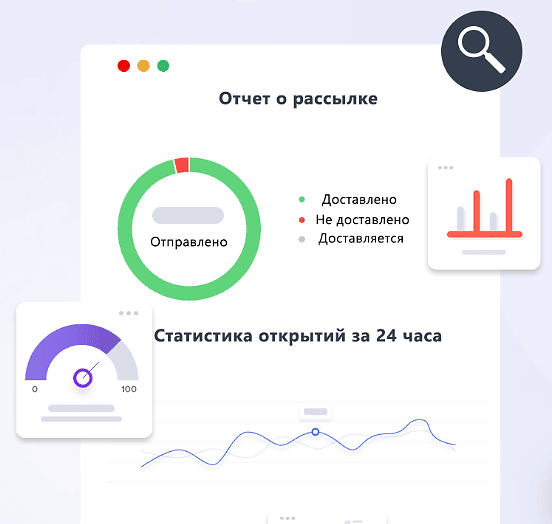
Use delivery, open and click reporting alongside the business outcome you intended to measure. Check how each measure is collected and compare similar campaigns so that the results lead to useful changes.
Where email automation helps
Automation can connect a sequence of messages to a schedule or a meaningful event. Depending on the available integrations and data, a workflow may include:
- A scheduled sequence of useful messages;
- A follow-up linked to a relevant customer action;
- A reminder about a subscription or another expected event.
Define the trigger, audience and stopping condition for each sequence. Test the whole path, including what happens when a person replies, unsubscribes or no longer needs the message.
Using the email editor
The email editor in Mailopost provides a way to build the content and layout of a campaign. A practical editing process is:
- Start with a suitable template or a simple layout;
- Arrange text, images and buttons in a clear reading order;
- Check the layout on the devices and email applications your audience uses;
- Test any personalisation fields and their fallback text.
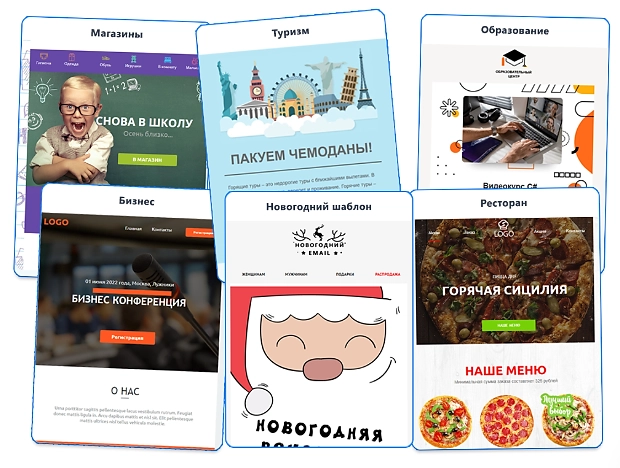
A visual editor can reduce routine formatting work, but the finished message still needs review. Check readability, image alternatives, links and the purpose of every button before sending.
How to improve an email campaign?
Useful improvements come from a clear objective and measured changes. Work through the following areas:
- A consistent sending rhythm
Choose a frequency that matches what subscribers expect and the amount of useful content you can provide. Watch responses and unsubscribe patterns, and adjust the schedule instead of assuming that one interval suits every audience.
- A/B testing
Compare a meaningful change, such as the subject line or call to action, while keeping the rest of the test understandable. Define the measure and audience before sending, and use the result as evidence for a decision rather than a promise of a fixed uplift.
- Mobile readability
Check the message on a phone as well as a larger screen. When working with a template in Mailopost, review the actual text size, image scaling and buttons after adding your own content.
- Questions and feedback
A relevant question, survey link or feedback request can help you learn what subscribers need. Keep the action simple and make sure it works in the recipient’s email application.
- Careful follow-up
A second message should have a reason to exist. Review the audience, timing and content before repeating a send, and avoid continuing a sequence after the recipient has already completed the intended action.
Avoiding common campaign problems
Before each campaign, review the basics:
- Audience quality and delivery
Use permission-based contact lists, maintain accurate addresses and check sender configuration. An honest subject line and relevant content are more useful than relying on a list of supposedly safe or unsafe words.
- Clear, useful messages
Choose a subject that matches the content, explain the value to the reader and make the next action easy to understand.
- Meaningful segments
Group subscribers by a relevant need, interest or stage of the relationship. Test that each group receives the intended message and avoid collecting data that the campaign does not need.
- Appropriate frequency
Consider the whole programme, including automated messages, when reviewing how often a person hears from you. Give subscribers a straightforward way to stop unwanted communication.
Connecting email with CRM work
A CRM connection can support messages based on useful customer context. Possible workflows include:
- Welcoming a new subscriber;
- Sharing a relevant product or service offer;
- Inviting an inactive customer to re-engage;
- Sending an expected reminder or a requested update.
Keep the data exchange, trigger and ownership of replies clear. A campaign should connect to a process the team can maintain, rather than creating messages without a plan for what follows.
Reviewing sign-up information
Check the current registration conditions, included functions and any introductory offer through the linked sign-up information: Mailopost sign-up information
Assess Mailopost with a small campaign that has a clear audience and measurable purpose.
Planning your email programme
Mailopost can be assessed across the main parts of an email workflow:
- Message creation and editing;
- Automated sequences and their stopping rules;
- Audience selection and campaign sending;
- CRM data and personalisation requirements;
- Reporting for useful campaign decisions.
If you are planning an email programme, compare Mailopost with those requirements. Our agency can help you define the content, audience and follow-up process before implementation.
Contact our agency for help planning your email marketing. You can learn more about our work on the website.