Discuss your goals and the next steps for your project


Consultation

Tell us about your project

ABS Marketing logo

Menu

Массовые рассылки в мессенджерах под ключ
Connect communication tools with the systems your team uses
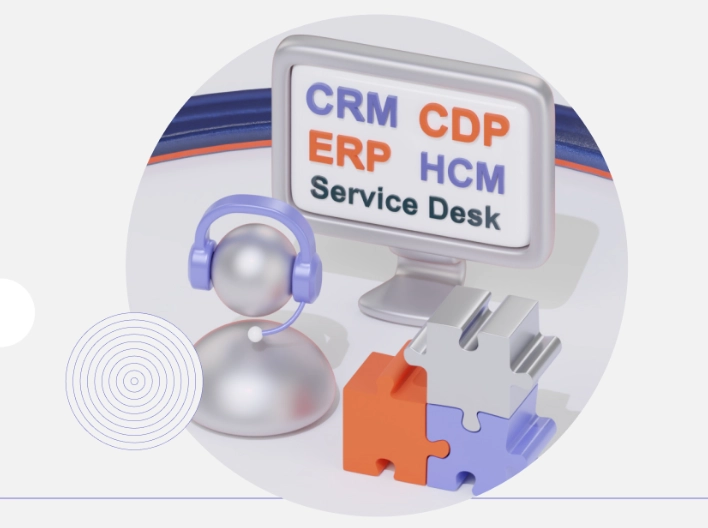
Use MANGO OFFICE integrations to bring relevant communication tasks into your CRM
A MANGO OFFICE CRM integration connects supported communication functions with a business application. Depending on the chosen connection, staff can work with calls, customer information or communication records in their usual system. Define the information and actions that need to pass between the services before selecting a ready-made connection or a custom implementation.

What are business system integrations?

Business system integrations connect selected functions and information across applications such as CRM, ERP or service desk software. In a communications project, this can involve call events, customer records, conversation history and related tasks. The supported features depend on the products and connection used, so the project should establish which system owns each record and how staff will work with it.

What to evaluate in a CRM integration

A more connected workflow

Bringing relevant communication information into the working system can reduce repeated navigation and data entry. Measure the effect on actual tasks rather than assuming a fixed increase in staff speed.

Context for customer conversations

A correctly matched customer record and interaction history can help staff understand an enquiry. Check how records are identified, updated and made available to the people handling the conversation.

Information for sales follow-up

Previous enquiries, tasks and statuses can give a sales team useful context. Define which information should appear during a call and how the next action will be recorded.

Consistent recording of events

Automated event transfer can reduce manual entry, but it still needs checks. Test missing or duplicate records, connection failures and the process for correcting information in the main system.

Relevant customer offers

Customer history can help staff understand which services may be relevant to a conversation. Use that context appropriately and assess results from actual interactions, without assuming a particular increase in order value.

A plan for additional connections

As the business adds systems or teams, review how the integration will be maintained. Permissions, data mappings and support responsibilities should remain clear as the scope grows.

Ways to connect business applications

Ready-made integrations

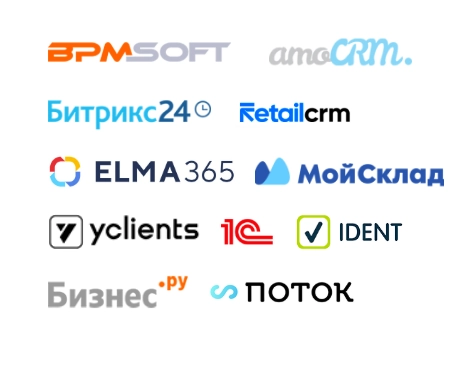
MANGO OFFICE offers ready-made connections for supported applications. Check the exact product versions, functions and setup requirements before treating a connection as suitable for the project.

Choose by the required workflow

Review the relevant CRM, ERP, service desk or other application connection. A catalog entry alone does not establish that every required field, action or permission is supported.

Webhook-based scenarios

Where the products support webhooks, they can exchange notifications or trigger defined actions. Plan authentication, accepted data, failure handling and access restrictions as part of the connection.

Telephony events and actions

A supported webhook workflow may connect telephony events or actions with another application. Test the intended scenario and make sure failures or repeated events do not create unintended operations.

Custom API integration

An API-based implementation can support requirements beyond a ready-made connection. It needs defined data mappings, permissions, error handling, documentation and responsibility for ongoing maintenance.

Who might need a telephony integration?

A MANGO OFFICE integration may be relevant to sales, support or other teams that use a business application alongside telephony. Start with the tasks staff need to complete and the information they need during a conversation. Confirm the provider’s service availability, numbering, account and integration requirements for the organization’s actual location and operating model.

Define the implementation scope

Agree on the services, connections and configuration work involved in the project. The proposal should identify responsibilities, acceptance checks, timing and costs before implementation begins.

Train staff on the connected workflow

Training should cover the tasks people will perform in the integrated system, including common exceptions. Decide how staff will get help when information is missing or a connection does not behave as expected.

Arrange suitable support

Define which team handles product questions, integration issues and changes to configuration. Keep documentation and relevant access available to the people responsible for support.

Review the connected services

Periodically review whether the integrations still support the intended tasks. Check changes to the underlying applications and investigate errors or gaps in transferred information.

Agree on useful reporting

Choose reports that explain the operation of the connected workflow and its practical results. Separate service activity, data quality and business outcomes so that each can be interpreted clearly.

Questions to consider before implementation

01

Relevant provider experience

Assess MANGO OFFICE against the communication and integration requirements of the project. Review relevant examples and service arrangements rather than relying on a historical market ranking.

02

Supported application connections

Confirm whether a ready-made integration covers the exact applications and functions needed. Identify any configuration, additional components or development work before planning the launch.

03

Business and jurisdiction requirements

Evaluate the selected products against the organization’s procurement, operational and legal requirements. A product’s Russian origin does not by itself establish suitability for every jurisdiction or use case.

04

Data handling and access

Confirm the applicable hosting, data processing and access arrangements with the provider. Review what information the integration transfers and who can retrieve recordings or customer records.

05

Continuity and recovery

Plan how the business will handle an unavailable service or interrupted connection. Establish support contacts, recovery procedures and a way to reconcile records after a disruption.

MANGO OFFICE: business system integration

Business system integrations can connect communication tasks with the applications staff already use. A useful project defines the required workflow, selects an appropriate connection and tests the transfer of information before wider use. Include access, data handling, support and service availability in that assessment.

If you need help planning the digital side of the project, contact our agency. You can also read more of our articles.

Submit a request

Where can we message you? (optional)

Select the messengers linked to the phone number above. Include the country code in your number.

You can enable SmartCaptcha to protect the form from automated submissions. External verification does not load before your separate permission.

Full SmartCaptcha permission text

This choice applies to forms on this page for up to 24 hours. Turning verification off reloads the page and clears entered text. Enquiry consent and analytics preferences are separate.

Without SmartCaptcha, email digital-abs@yandex.ru.

Leave Feedback and Suggestions

Your suggestions help us grow and improve — please share your ideas!

Where can we message you? (optional)

Select the messengers linked to the phone number above. Include the country code in your number.

You can enable SmartCaptcha to protect the form from automated submissions. External verification does not load before your separate permission.

Full SmartCaptcha permission text

This choice applies to forms on this page for up to 24 hours. Turning verification off reloads the page and clears entered text. Enquiry consent and analytics preferences are separate.

Without SmartCaptcha, email digital-abs@yandex.ru.

Feedback and Messages for Management

Your letters and feedback are important to us. You can contact management directly to share your thoughts.

Where can we message you? (optional)

Select the messengers linked to the phone number above. Include the country code in your number.

You can enable SmartCaptcha to protect the form from automated submissions. External verification does not load before your separate permission.

Full SmartCaptcha permission text

This choice applies to forms on this page for up to 24 hours. Turning verification off reloads the page and clears entered text. Enquiry consent and analytics preferences are separate.

Without SmartCaptcha, email digital-abs@yandex.ru.

Free consultation + a complimentary audit. Only 7 spots left.

Job application

Submit your application, and we’ll contact you to discuss the job openings!

Where can we message you? (optional)

Select the messengers linked to the phone number above. Include the country code in your number.

You can enable SmartCaptcha to protect the form from automated submissions. External verification does not load before your separate permission.

Full SmartCaptcha permission text

This choice applies to forms on this page for up to 24 hours. Turning verification off reloads the page and clears entered text. Enquiry consent and analytics preferences are separate.

Without SmartCaptcha, email digital-abs@yandex.ru.

Other questions

Send us your question—we’ll get back to you as soon as possible!

Where can we message you? (optional)

Select the messengers linked to the phone number above. Include the country code in your number.

You can enable SmartCaptcha to protect the form from automated submissions. External verification does not load before your separate permission.

Full SmartCaptcha permission text

This choice applies to forms on this page for up to 24 hours. Turning verification off reloads the page and clears entered text. Enquiry consent and analytics preferences are separate.

Without SmartCaptcha, email digital-abs@yandex.ru.

Would you like a free consultation with great terms? ​

Answer 4 short questions — and we’ll put together personalized marketing solutions for you, complete with bonuses from our partners.

Please provide your contact information, and we'll get in touch with you to discuss solutions that will take your business to the next level
Where can we message you? (optional)

Select the messengers linked to the phone number above. Include the country code in your number.

You can enable SmartCaptcha to protect the form from automated submissions. External verification does not load before your separate permission.

Full SmartCaptcha permission text

This choice applies to forms on this page for up to 24 hours. Turning verification off reloads the page and clears entered text. Enquiry consent and analytics preferences are separate.

Without SmartCaptcha, email digital-abs@yandex.ru.