Discuss your goals and the next steps for your project


Consultation

Tell us about your project

ABS Marketing logo

Menu

Массовые рассылки в мессенджерах под ключ
Manage the business numbers used for customer calls
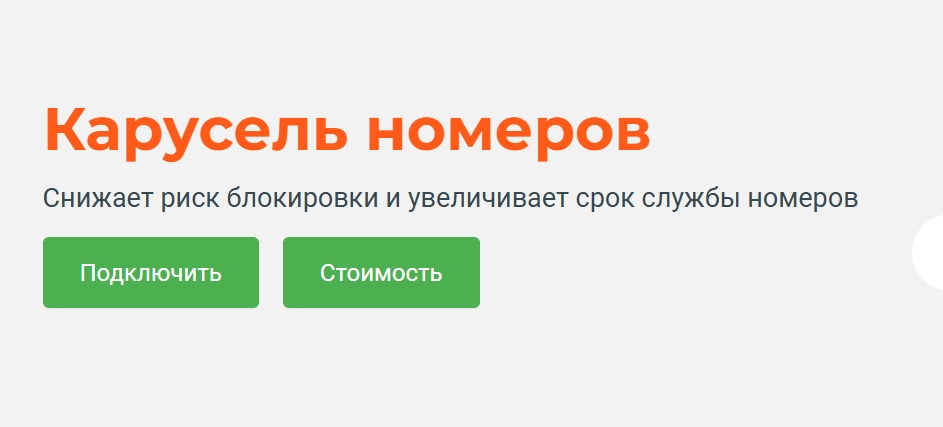
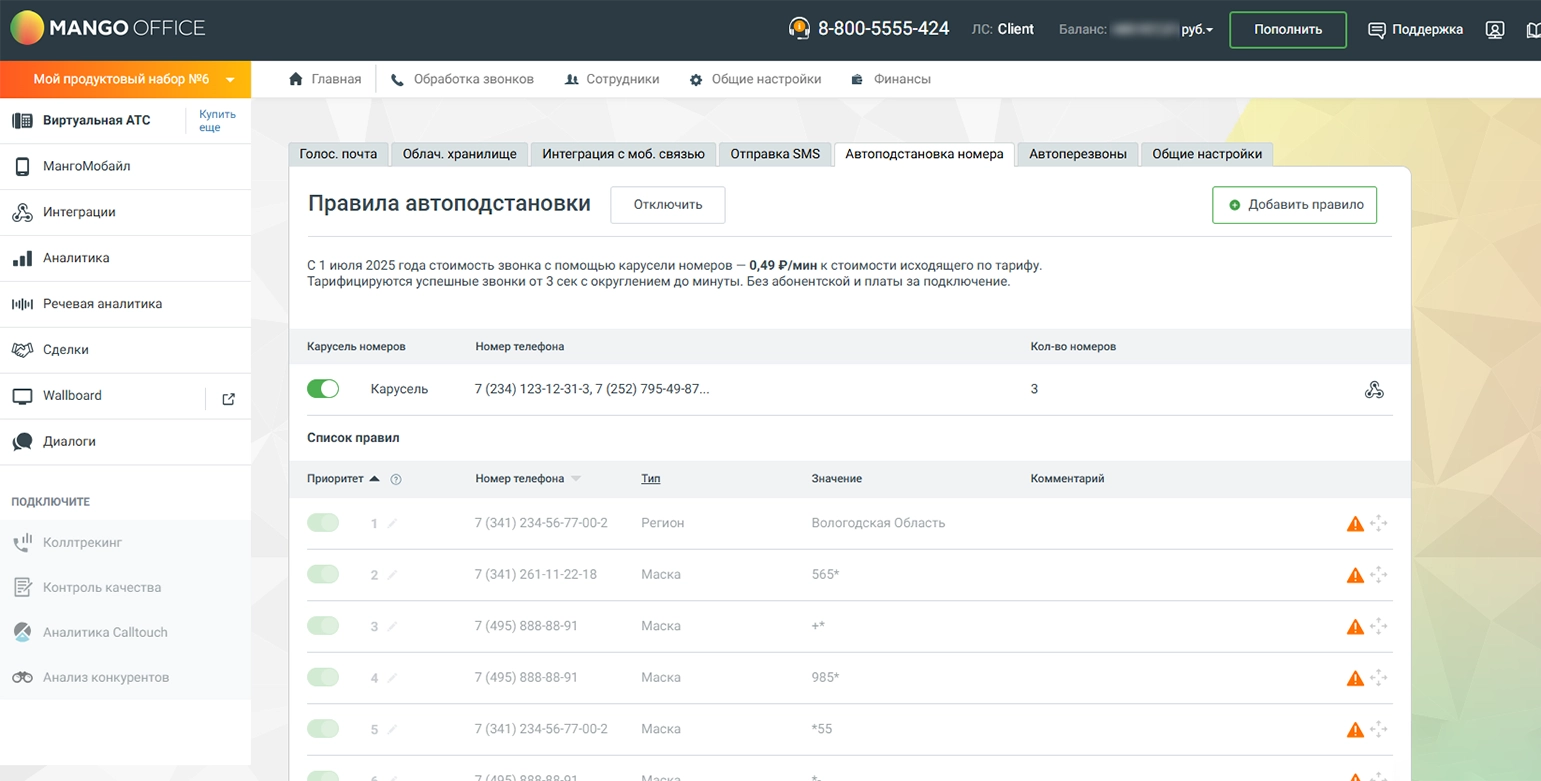
Understand MANGO OFFICE number rotation as part of an authorised business telephony setup.
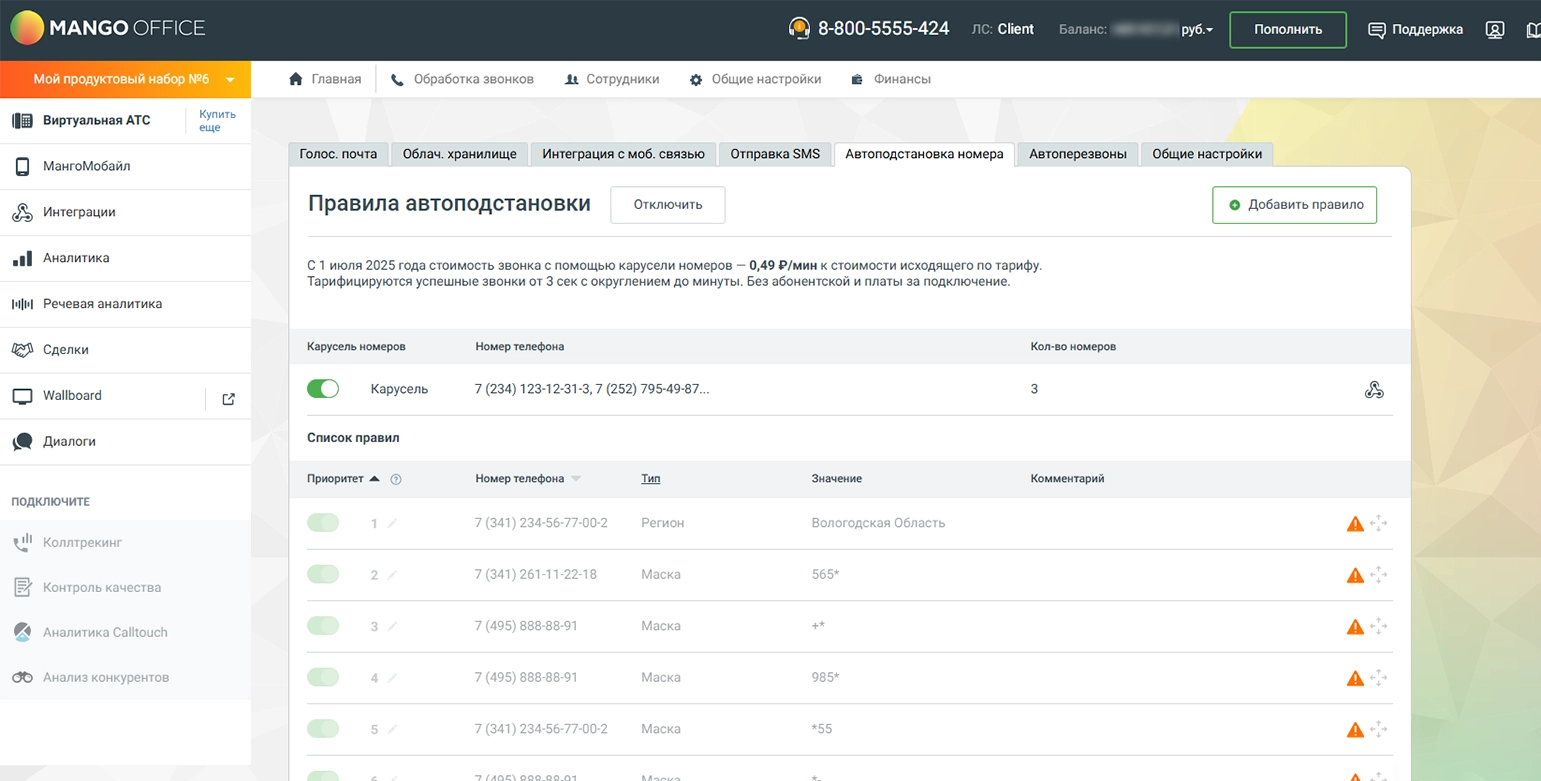
MANGO OFFICE number rotation concerns the business number selected for an outgoing call within its virtual PBX setup. This page describes that function in the context of Russian business telephony. A sound setup uses numbers the business is entitled to use and gives customers a clear way to call back. Changing the displayed number is not permission to impersonate another caller, evade a block or continue contacting someone who has opted out.

What is business caller-number rotation?

Number rotation is a virtual PBX function for selecting among the outgoing numbers configured for a business. Its role should be defined alongside staff assignments, call routing and callback handling. The service arrangement needs to identify which numbers are active and authorised, and how a customer returning a call will reach the right team.

Planning the calling arrangement

Use authorised business numbers

Choose from the numbers available and authorised for the business’s PBX arrangement. Establish which number types and regions the provider supports for the intended setup.

Make callbacks straightforward

Define where a customer’s return call should go. The team should be able to recognise the enquiry and continue the conversation even when different outgoing business numbers are used.

Keep the number pool manageable

Include only the active numbers the business needs for its calling process. Maintain a clear record of ownership, purpose and routing rather than treating a larger pool as a guarantee of better results.

Organise the calling workflow

Set out who may call, why the call is appropriate and how the result will be recorded. Automation should support that process without overriding customer contact preferences.

Connect calls with CRM records

Where number rotation is used with a CRM, confirm how the integration selects a business number and records the conversation. Test the actual connection rather than assuming every system behaves the same way.

Align staff, routing and schedules

Configure the calling arrangement around the team’s responsibilities and working hours. The schedule should also reflect the customer’s location and the requirements for the planned calls.

What to address before changing the calling setup

Contact information and permission

Use accurate contact information and a clear basis for making the call. Keep customer preferences and requests to stop contact available to the team.

A reasonable contact schedule

Plan follow-up around the enquiry and the customer’s expectations. Repeated attempts should not replace a clear reason to call or disregard a request for no further contact.

Team capacity and call handling

Match the calling workload to the staff available to handle conversations. Avoid a setup that leaves people answering a call without someone ready to speak to them.

Understand call outcomes

Review the reasons for missed or unsuccessful conversations through available reports and customer feedback. Use the findings to improve the contact process, not to disguise unwanted calling.

Resolve provider restrictions directly

If a business number is restricted or incorrectly labelled, use the provider’s support and review process. Rotating to another number should not be used to bypass a block or suppress complaints.

Which numbers belong in the arrangement?

The number rotation setup should use numbers that are active within the business’s authorised PBX configuration. Confirm their ownership, availability and routing with the provider. A requested or inactive number should not be treated as ready for use until the relevant connection is complete.

A consistent experience for customers

With number rotation, make sure customers can identify the business and return the call. Clear introductions, relevant conversations and reliable callbacks are more useful goals than an unsupported promise of a higher answer rate.

Maintain the business number records

Keep the list of active numbers, responsible staff and routing settings up to date. Retire unused arrangements through the proper provider process and investigate issues before making further changes.

Improve the quality of conversations

Prepare a relevant script, a clear introduction and an appropriate next step. Measure the usefulness of completed conversations rather than the number of call attempts alone.

Understand the operating cost

Assess the provider’s current number, telephony and service charges for the chosen setup. Base the decision on the actual requirements instead of assumed savings from changing caller numbers.

Review calling results responsibly

Relate call activity to customer enquiries, agreed follow-up and outcomes. Feedback about unwanted or confusing calls is a reason to improve or stop the activity, not to conceal its source.

Preparing a business telephony configuration

01

Review the number rotation function

Confirm which PBX features and service permissions are available in the business account. Define the intended purpose of the function before changing the configuration.

02

Assign the appropriate staff

Decide which employees need access to the calling arrangement. Keep responsibilities and number-selection settings aligned with the way the team handles customer enquiries.

03

Select the authorised numbers

Choose the active business numbers needed for the workflow. Confirm the callback destination for each number and keep the list available to the team.

04

Agree the service configuration

Set up number rotation through the provider’s supported account process. Confirm the current service terms and the configuration required for the business’s PBX.

05

Test number rotation and CRM handling

Make controlled test calls to numbers you are authorised to test. Verify the displayed business number, callback routing and CRM record before using the arrangement for customer communication.

Business telephony with clear caller identity and callbacks

MANGO OFFICE number rotation should sit within an organised business calling process. Use authorised numbers, maintain a reliable callback route and respect the preferences of the people contacted. The configuration should make communication clearer for the team and its customers, without promises about bypassing filters or guaranteeing more answered calls.

Discuss your enquiry-handling workflow with our agency, or explore related services and articles here.

Submit a request

Where can we message you? (optional)

Select the messengers linked to the phone number above. Include the country code in your number.

You can enable SmartCaptcha to protect the form from automated submissions. External verification does not load before your separate permission.

Full SmartCaptcha permission text

This choice applies to forms on this page for up to 24 hours. Turning verification off reloads the page and clears entered text. Enquiry consent and analytics preferences are separate.

Without SmartCaptcha, email digital-abs@yandex.ru.

Leave Feedback and Suggestions

Your suggestions help us grow and improve — please share your ideas!

Where can we message you? (optional)

Select the messengers linked to the phone number above. Include the country code in your number.

You can enable SmartCaptcha to protect the form from automated submissions. External verification does not load before your separate permission.

Full SmartCaptcha permission text

This choice applies to forms on this page for up to 24 hours. Turning verification off reloads the page and clears entered text. Enquiry consent and analytics preferences are separate.

Without SmartCaptcha, email digital-abs@yandex.ru.

Feedback and Messages for Management

Your letters and feedback are important to us. You can contact management directly to share your thoughts.

Where can we message you? (optional)

Select the messengers linked to the phone number above. Include the country code in your number.

You can enable SmartCaptcha to protect the form from automated submissions. External verification does not load before your separate permission.

Full SmartCaptcha permission text

This choice applies to forms on this page for up to 24 hours. Turning verification off reloads the page and clears entered text. Enquiry consent and analytics preferences are separate.

Without SmartCaptcha, email digital-abs@yandex.ru.

Free consultation + a complimentary audit. Only 7 spots left.

Job application

Submit your application, and we’ll contact you to discuss the job openings!

Where can we message you? (optional)

Select the messengers linked to the phone number above. Include the country code in your number.

You can enable SmartCaptcha to protect the form from automated submissions. External verification does not load before your separate permission.

Full SmartCaptcha permission text

This choice applies to forms on this page for up to 24 hours. Turning verification off reloads the page and clears entered text. Enquiry consent and analytics preferences are separate.

Without SmartCaptcha, email digital-abs@yandex.ru.

Other questions

Send us your question—we’ll get back to you as soon as possible!

Where can we message you? (optional)

Select the messengers linked to the phone number above. Include the country code in your number.

You can enable SmartCaptcha to protect the form from automated submissions. External verification does not load before your separate permission.

Full SmartCaptcha permission text

This choice applies to forms on this page for up to 24 hours. Turning verification off reloads the page and clears entered text. Enquiry consent and analytics preferences are separate.

Without SmartCaptcha, email digital-abs@yandex.ru.

Would you like a free consultation with great terms? ​

Answer 4 short questions — and we’ll put together personalized marketing solutions for you, complete with bonuses from our partners.

Please provide your contact information, and we'll get in touch with you to discuss solutions that will take your business to the next level
Where can we message you? (optional)

Select the messengers linked to the phone number above. Include the country code in your number.

You can enable SmartCaptcha to protect the form from automated submissions. External verification does not load before your separate permission.

Full SmartCaptcha permission text

This choice applies to forms on this page for up to 24 hours. Turning verification off reloads the page and clears entered text. Enquiry consent and analytics preferences are separate.

Without SmartCaptcha, email digital-abs@yandex.ru.