
A sales team needs a reliable way to receive enquiries, assign responsibility and follow up. The UIS platform combines business communication tools such as cloud telephony, call tracking and CRM connections. This guide explains how to assess those tools against the team’s actual workflow.
What sales efficiency means in practice

A useful sales process makes it clear who owns each enquiry, what the customer needs and which action comes next. Improvements can focus on:
- Customer communication: reducing avoidable delays and retaining the context of an enquiry;
- Sales progression: identifying where suitable enquiries stop moving towards a decision;
- Team coordination: assigning tasks and making responsibilities visible.
Connecting operations to business outcomes
To assess the commercial effect of a change, track:
- The proportion of qualified enquiries that become customers;
- The cost of handling enquiries and providing service;
- The time staff spend on productive work and avoidable administration.
These measures need consistent definitions and reliable records. A change in call volume alone does not explain whether the sales process has improved.
Common obstacles in the workflow
Team and process issues:
- An unclear process. Staff need an agreed way to qualify, assign and follow up enquiries.
- Insufficient training. People need to understand both the communication tools and the service they are discussing.
Information and channel issues:
- Fragmented customer records. Separate lists and unconnected reports make it difficult to understand the history of an enquiry.
- Disconnected communication. Calls, messages and email can be missed when ownership and follow-up are unclear.
A platform such as UIS can be considered as part of the response to these problems. The implementation still needs an agreed process, suitable integrations and staff who know how to use them.
Assessing UIS for a sales team
The service should be evaluated through a defined customer journey: an enquiry arrives, reaches the right person, is recorded and receives a follow-up. Use that journey to identify the functions you need.
Managing communication channels
UIS offers tools intended to bring customer communication into a coordinated workflow. Check the exact channels and account requirements for your proposed setup:
- A shared working view can help staff see the information needed to respond and avoid duplicate effort;
- For messaging and social channels, confirm the supported connectors, their limitations and how a conversation is matched to a customer record.
Test the full conversation history and responsibility changes before relying on the setup for live enquiries.
Call tracking and marketing attribution
Call tracking through the platform can help associate calls with marketing sources. Confirm the level of attribution available and the conditions under which a source cannot be identified:
- Marketing reports need consistent links between advertising, enquiry and sales data;
- Timely enquiry records can help staff follow up and give marketers better information about source quality.
Review the data before treating a report as a complete account of marketing return.
Cloud PBX and IP telephony
When considering telephony from UIS, confirm routing, number availability, device requirements and the current service arrangements. Include the following in the brief:
- Costs: compare subscription, number and calling charges with expected usage;
- Call handling: test routing, recording where appropriate, customer matching and the process for missed or out-of-hours calls.
CRM connections
The platform needs a suitable connection to the CRM your team uses. Check which records and events can be exchanged so the team can:
- Reduce repeated entry of the same enquiry information;
- Retain relevant context in the customer record;
- Identify missing follow-up or unclear ownership;
- Compare source quality with subsequent sales outcomes.
Implementation and staff training
UIS is a hosted service, but the team still needs to configure its workflow and connections. Confirm the support and training included in the proposed implementation so that:
- Staff understand routine call and enquiry handling;
- Managers can review reports using consistent definitions;
- The organisation can assess the results against its implementation costs.
A communication platform is most useful when the process, settings and staff responsibilities work together. Select the functions that address a real operational need.
A rollout plan using UIS
Consider a real-estate team planning to assess the platform. The team could use a limited pilot to test call routing, enquiry ownership and reporting before deciding how widely to deploy it.
Define the problems
Before configuring the service, the team would document the issues it wants to address:
- Enquiries that do not progress to a useful appointment or further discussion;
- Calls and website enquiries without a timely response;
- Unclear links between marketing activity and suitable customers;
- Different staff using separate tools without an agreed handover process.
Planning the rollout with UIS
Build the implementation around those issues. Start by selecting a limited group of marketing sources and checking whether calls can be associated with them reliably.
Next, connect the supported communication channels to the team’s working process. Test whether staff can:
- Find an enquiry and its relevant history;
- See who is responsible for the next action;
- Record a response and hand the enquiry to another person when needed.
Measure the effect
After a defined trial period with the platform, compare the results with a documented baseline. Keep other changes, such as advertising spend or staffing, in view when interpreting the difference.
- Enquiry progression
Compare the proportion of qualified enquiries that reach the next agreed stage. Break the results down by source and check whether the records are complete.
- Response and handling time
Compare the existing process with the workflow configured in UIS. Include waiting time, repeat data entry and cases that require manual correction.
- Costs and commercial outcomes
Review sales outcomes alongside software, implementation and staff costs. Use actual records and comparable periods; a communication-system change should not be credited with every wider movement in revenue.
UIS in a coordinated sales workflow
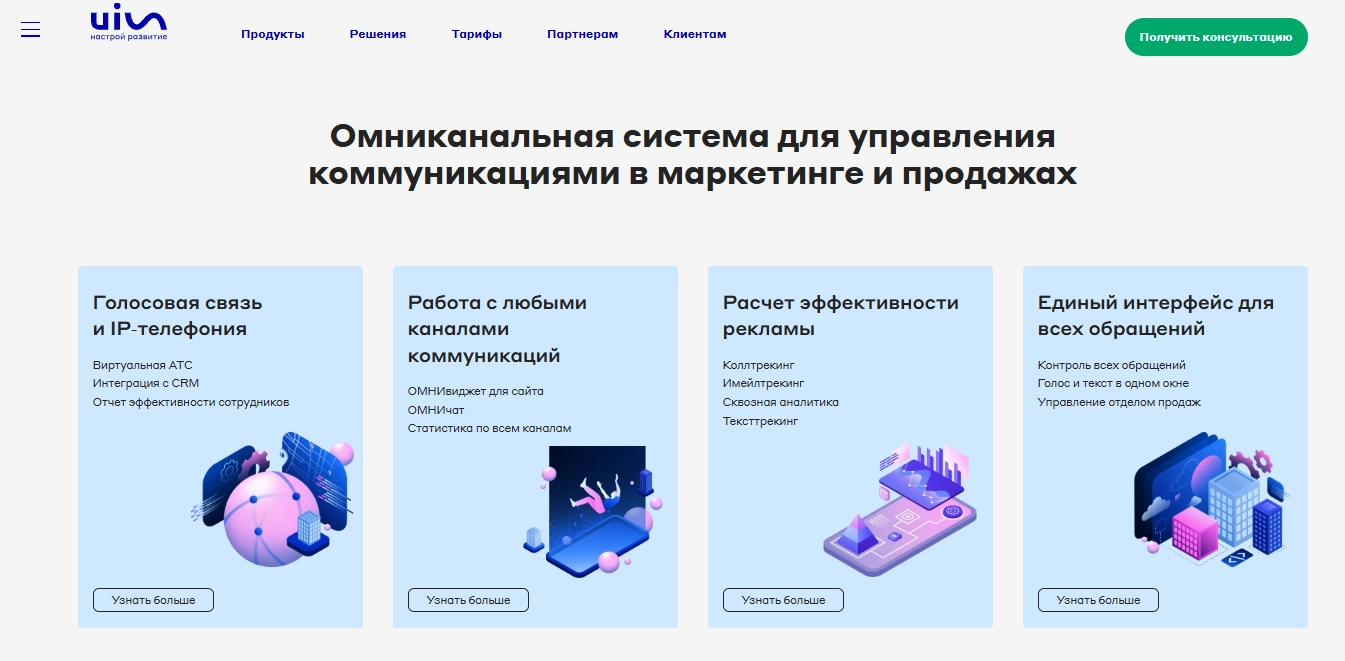
The platform can be assessed as a combination of telephony, enquiry handling and analytics tools. Choose the required channels and CRM connections, test the records they produce and define who reviews exceptions. UIS should then be judged against the improvements the team set out to make, using evidence from its own work.
Contact our agency for help planning your marketing and analytics setup. You can also review UIS options or explore our services.