Discuss your goals and the next steps for your project


Consultation

Tell us about your project

ABS Marketing logo

Menu

Массовые рассылки в мессенджерах под ключ
Send messages customers have a reason to read
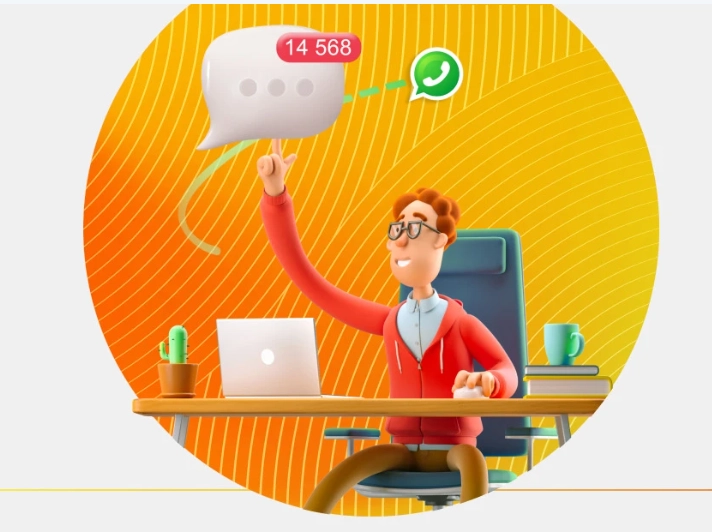
Use MANGO OFFICE messenger marketing for relevant updates and conversations with customers who have agreed to receive them.
Messenger marketing combines useful content with a suitable audience and timing. Plan messaging campaigns around customer needs, then make it easy for a recipient to reply or ask for help.

Messenger marketing with MANGO OFFICE

MANGO OFFICE messenger marketing provides campaign tools within its contact centre environment. Messaging campaigns work best when they reflect a customer’s interests, use a clear sender identity and respect contact preferences.

Build a useful messaging process

Plan suitable follow-up channels

Use an available alternative only where the recipient has agreed to that contact.

Choose relevant recipients

Group customers by a useful business need rather than sending every message to everyone.

Schedule messages thoughtfully

Set a suitable sending time and avoid overlapping or repeated campaigns.

Make replies easy to handle

Give an interested customer a clear route into a conversation with the team.

Review campaign results

Use available messenger marketing reports to understand the response and improve the next campaign.

Keep the relationship useful

Send information the customer can act on and honour requests to stop promotional contact.

From a recipient list to a useful conversation

Choose the channel and purpose

Start with the customer task and the channels available for your account.

Prepare the recipient list

Use accurate contact details and keep preferences up to date.

Write a clear message template

Keep the wording relevant and personalise it only with information you can use appropriately.

Set a sensible schedule

Plan the first send and any justified follow-up as one campaign.

Keep campaign settings organised

Agree who manages recipients, content, sending times and replies.

Connect campaigns with customer service

Use the contact centre workflow to give incoming replies a clear owner. A campaign should lead naturally into help, useful information or an agreed next step.

Share relevant offers

Send a suitable offer to customers who have chosen to receive promotional messages.

Remind customers about agreed events

Use clear reminders for appointments, delivery arrangements and other useful next steps.

Explain changes clearly

Tell affected customers about relevant changes and what they need to do.

Use personalisation with purpose

Use the context needed to make a message useful, without adding unnecessary personal detail.

Support the next step in an order

Provide a clear confirmation or appropriate follow-up when a customer expects it.

Prepare a messaging campaign

01

Open the supported campaign tools

Use the features available in your MANGO OFFICE contact centre setup.

02

Select the relevant recipients

Choose the appropriate customer group and review its contact preferences.

03

Prepare the message

Use a clear template, accurate information and an obvious next step.

04

Agree when to send

Plan timing and frequency around the recipient’s needs and the campaign purpose.

05

Learn from the response

Review available results, replies and opt-outs before planning another campaign.

Make messaging part of better customer communication

MANGO OFFICE messenger marketing can support a relevant, organised contact process. Start with a useful purpose for each messaging campaign and a team ready to handle replies. ABS Marketing helps plan the setup and workflow. Explore our services for the next step.

Submit a request

Where can we message you? (optional)

Select the messengers linked to the phone number above. Include the country code in your number.

You can enable SmartCaptcha to protect the form from automated submissions. External verification does not load before your separate permission.

Full SmartCaptcha permission text

This choice applies to forms on this page for up to 24 hours. Turning verification off reloads the page and clears entered text. Enquiry consent and analytics preferences are separate.

Without SmartCaptcha, email digital-abs@yandex.ru.

Leave Feedback and Suggestions

Your suggestions help us grow and improve — please share your ideas!

Where can we message you? (optional)

Select the messengers linked to the phone number above. Include the country code in your number.

You can enable SmartCaptcha to protect the form from automated submissions. External verification does not load before your separate permission.

Full SmartCaptcha permission text

This choice applies to forms on this page for up to 24 hours. Turning verification off reloads the page and clears entered text. Enquiry consent and analytics preferences are separate.

Without SmartCaptcha, email digital-abs@yandex.ru.

Feedback and Messages for Management

Your letters and feedback are important to us. You can contact management directly to share your thoughts.

Where can we message you? (optional)

Select the messengers linked to the phone number above. Include the country code in your number.

You can enable SmartCaptcha to protect the form from automated submissions. External verification does not load before your separate permission.

Full SmartCaptcha permission text

This choice applies to forms on this page for up to 24 hours. Turning verification off reloads the page and clears entered text. Enquiry consent and analytics preferences are separate.

Without SmartCaptcha, email digital-abs@yandex.ru.

Free consultation + a complimentary audit. Only 7 spots left.

Job application

Submit your application, and we’ll contact you to discuss the job openings!

Where can we message you? (optional)

Select the messengers linked to the phone number above. Include the country code in your number.

You can enable SmartCaptcha to protect the form from automated submissions. External verification does not load before your separate permission.

Full SmartCaptcha permission text

This choice applies to forms on this page for up to 24 hours. Turning verification off reloads the page and clears entered text. Enquiry consent and analytics preferences are separate.

Without SmartCaptcha, email digital-abs@yandex.ru.

Other questions

Send us your question—we’ll get back to you as soon as possible!

Where can we message you? (optional)

Select the messengers linked to the phone number above. Include the country code in your number.

You can enable SmartCaptcha to protect the form from automated submissions. External verification does not load before your separate permission.

Full SmartCaptcha permission text

This choice applies to forms on this page for up to 24 hours. Turning verification off reloads the page and clears entered text. Enquiry consent and analytics preferences are separate.

Without SmartCaptcha, email digital-abs@yandex.ru.

Would you like a free consultation with great terms? ​

Answer 4 short questions — and we’ll put together personalized marketing solutions for you, complete with bonuses from our partners.

Please provide your contact information, and we'll get in touch with you to discuss solutions that will take your business to the next level
Where can we message you? (optional)

Select the messengers linked to the phone number above. Include the country code in your number.

You can enable SmartCaptcha to protect the form from automated submissions. External verification does not load before your separate permission.

Full SmartCaptcha permission text

This choice applies to forms on this page for up to 24 hours. Turning verification off reloads the page and clears entered text. Enquiry consent and analytics preferences are separate.

Without SmartCaptcha, email digital-abs@yandex.ru.