Discuss your goals and the next steps for your project


Consultation

Tell us about your project

ABS Marketing logo

Menu

Скорозвон и массовый обзвон клиентов
Organise outbound calls around a clear customer process
Connect calling, conversation scripts and follow-up in one planned workflow.
A calling platform is most useful when the team knows whom it may contact, why it is calling and what should happen after the conversation. Skorozvon is presented here as a Russian-market business telephony and calling service. Its tools can support call handling, operator workflows and reporting. Define the audience, calling permissions and project requirements before choosing an arrangement; availability for a particular country or telephone route needs separate confirmation.

What is Skorozvon?

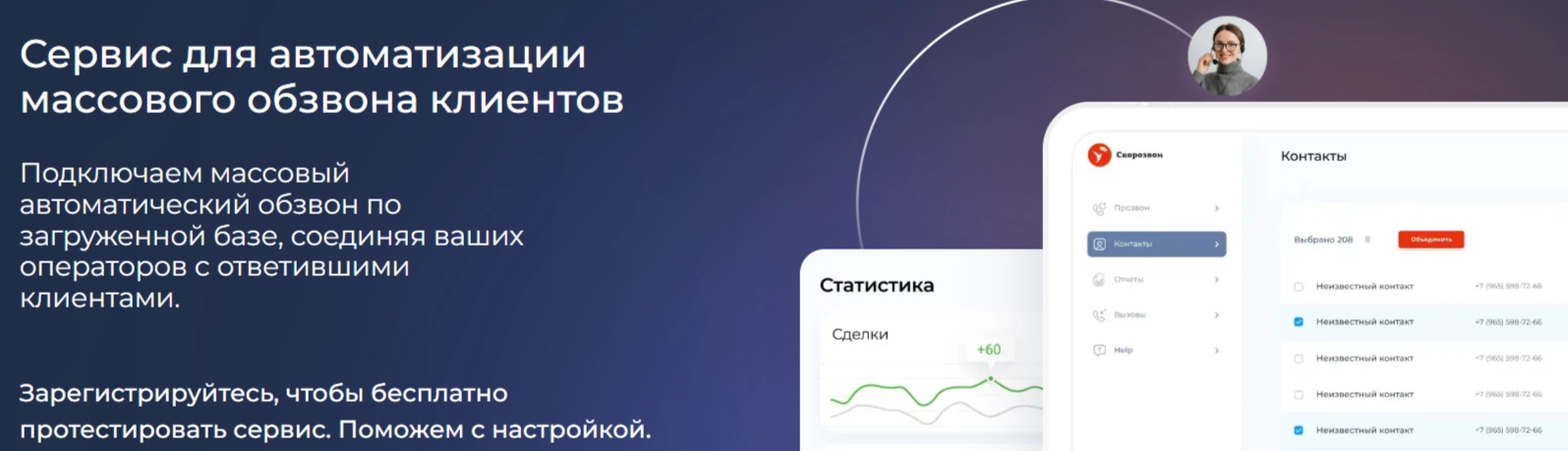
Skorozvon is a platform for organising business calls and automating parts of the dialling process. A project can connect a contact list with an operator team, conversation scripts and recorded outcomes. The setup should help staff conduct useful conversations and pass the next action to the right person.

Calling workflows for business

Organise outbound calling

Use Skorozvon to connect an approved contact list with the team and the chosen dialling mode. Plan the workload and measure completed conversations and outcomes rather than assuming a fixed productivity gain.

Receive incoming calls

Define how incoming calls should be answered, distributed and escalated. The arrangement should fit the team’s working hours and the types of questions customers are likely to ask.

Prepare relevant outreach

For outbound work in Skorozvon, start with an appropriate audience and a clear reason for contacting it. Use contact information the business is entitled to use and respect requests to stop further calls.

Follow up on enquiries

A Skorozvon workflow can connect new enquiries with callback tasks and CRM records. Set out the timing, number of attempts and handover information needed for the project.

Reduce repetitive dialling tasks

Dialling automation can reduce some manual steps around call attempts. The operator still needs a useful script, accurate information and a clear way to record the result.

Choose an appropriate dialling mode

Select the dialling approach around team capacity and customer experience. Test the settings on a controlled project and review outcomes before increasing the workload.

Tools for managing conversations

Call transcription

Where transcription is available for the chosen setup, searchable text can help the team review conversations. Define access and handling rules for recordings and transcripts.

Coaching and call review

Supervisor tools can support staff training and quality review. Explain the review process to the team and establish the notices and permissions needed for the way calls are monitored.

Conversation scripts

Prepare scripts for the different tasks the team handles, such as an enquiry, survey or callback. Give operators enough structure to be consistent while leaving room to understand the customer’s question.

Team coordination

Organise operators, project assignments and reporting in Skorozvon. Set access according to responsibilities and make sure staff have the equipment and connection needed for the work.

Project reporting for clients

Where client reporting is part of the project, decide which results can be shared and who may view them. Reports should explain the work and outcomes without exposing unnecessary customer information.

Voice automation and conversation analysis

The Skorozvon service described here includes tools associated with voice automation, sales training and conversation analysis. Select the functions that fit a defined task, such as a structured survey or review of a script. Confirm their availability for the chosen plan and language, and keep a clear route to a person where a customer needs assistance.

Call recordings

Recordings can support quality review and help the team understand previous conversations. Establish the purpose, notices, access and retention arrangements before enabling recording in the project.

Reports that support decisions

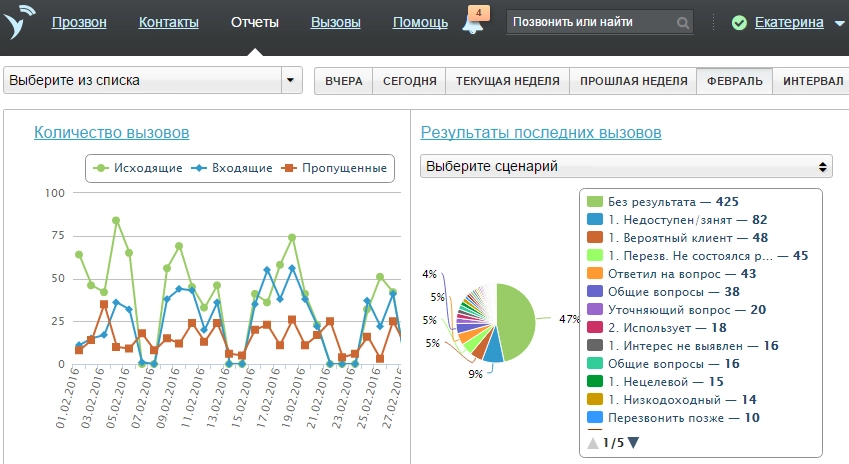
Relate call activity to the result of the conversation and the next step. Compare workloads and outcomes across the team using consistent definitions so reporting is useful for planning and coaching.

Getting started with Skorozvon

Begin with a defined project, a small operator team and a clear script. Use the provider’s setup guidance to understand the interface and test the workflow before expanding it.

Enquiry handling for legal services

A legal-services team can define an initial enquiry and callback process without asking operators to provide specialist advice. Record the relevant details and transfer substantive questions to the appropriate professional.

Communication for education businesses

An education business can organise enquiries, event reminders and follow-up conversations around the interests people have expressed. Keep the purpose of each call clear and record any preferences about further contact.

Preparing a Skorozvon project

01

Create the project account

Use the Skorozvon registration process and provide the information required for the business. Establish the current service terms and the scope of the intended calling project.

02

Add the team

Assign the operator and administrator roles needed in Skorozvon. Prepare the equipment, access and working arrangements before introducing live customer calls.

03

Test a defined workflow

Create a test project in Skorozvon using contacts appropriate for that test. Review the dialling mode, script and outcome records before using the workflow more widely.

04

Set the calling arrangements

Configure the authorised caller number, routing and work schedule for the project. Take account of the audience’s time zone and the requirements that apply to the planned calls.

05

Launch and review

Start with the agreed scope and monitor how calls reach available operators. Review conversation outcomes and customer feedback, then refine the script and settings where needed.

Business telephony with an organised follow-up process

Skorozvon can support a structured calling workflow, but the quality of the brief and conversations remains central. Define the audience, the purpose of contact and the next step for each outcome. A Skorozvon project should fit the team’s capacity and the customer’s experience. Before using Skorozvon, establish the service availability and current terms for the intended setup.

Discuss the related marketing and sales workflow with our agency, or explore other services and articles here.

Submit a request

Where can we message you? (optional)

Select the messengers linked to the phone number above. Include the country code in your number.

You can enable SmartCaptcha to protect the form from automated submissions. External verification does not load before your separate permission.

Full SmartCaptcha permission text

This choice applies to forms on this page for up to 24 hours. Turning verification off reloads the page and clears entered text. Enquiry consent and analytics preferences are separate.

Without SmartCaptcha, email digital-abs@yandex.ru.

Leave Feedback and Suggestions

Your suggestions help us grow and improve — please share your ideas!

Where can we message you? (optional)

Select the messengers linked to the phone number above. Include the country code in your number.

You can enable SmartCaptcha to protect the form from automated submissions. External verification does not load before your separate permission.

Full SmartCaptcha permission text

This choice applies to forms on this page for up to 24 hours. Turning verification off reloads the page and clears entered text. Enquiry consent and analytics preferences are separate.

Without SmartCaptcha, email digital-abs@yandex.ru.

Feedback and Messages for Management

Your letters and feedback are important to us. You can contact management directly to share your thoughts.

Where can we message you? (optional)

Select the messengers linked to the phone number above. Include the country code in your number.

You can enable SmartCaptcha to protect the form from automated submissions. External verification does not load before your separate permission.

Full SmartCaptcha permission text

This choice applies to forms on this page for up to 24 hours. Turning verification off reloads the page and clears entered text. Enquiry consent and analytics preferences are separate.

Without SmartCaptcha, email digital-abs@yandex.ru.

Free consultation + a complimentary audit. Only 7 spots left.

Job application

Submit your application, and we’ll contact you to discuss the job openings!

Where can we message you? (optional)

Select the messengers linked to the phone number above. Include the country code in your number.

You can enable SmartCaptcha to protect the form from automated submissions. External verification does not load before your separate permission.

Full SmartCaptcha permission text

This choice applies to forms on this page for up to 24 hours. Turning verification off reloads the page and clears entered text. Enquiry consent and analytics preferences are separate.

Without SmartCaptcha, email digital-abs@yandex.ru.

Other questions

Send us your question—we’ll get back to you as soon as possible!

Where can we message you? (optional)

Select the messengers linked to the phone number above. Include the country code in your number.

You can enable SmartCaptcha to protect the form from automated submissions. External verification does not load before your separate permission.

Full SmartCaptcha permission text

This choice applies to forms on this page for up to 24 hours. Turning verification off reloads the page and clears entered text. Enquiry consent and analytics preferences are separate.

Without SmartCaptcha, email digital-abs@yandex.ru.

Would you like a free consultation with great terms? ​

Answer 4 short questions — and we’ll put together personalized marketing solutions for you, complete with bonuses from our partners.

Please provide your contact information, and we'll get in touch with you to discuss solutions that will take your business to the next level
Where can we message you? (optional)

Select the messengers linked to the phone number above. Include the country code in your number.

You can enable SmartCaptcha to protect the form from automated submissions. External verification does not load before your separate permission.

Full SmartCaptcha permission text

This choice applies to forms on this page for up to 24 hours. Turning verification off reloads the page and clears entered text. Enquiry consent and analytics preferences are separate.

Without SmartCaptcha, email digital-abs@yandex.ru.