Discuss your goals and the next steps for your project


Consultation

Tell us about your project

ABS Marketing logo

Menu

UIS: Planning Sales Communication and Call Tracking

UIS sales communication and call tracking

A sales team needs a clear way to receive enquiries, understand customer needs and follow through on the next action. Improving that process starts with knowing where conversations arrive, who handles them and how outcomes are recorded.

Communication tools can help organise this work. One platform to assess is UIS, which brings communication and related reporting into the sales-workflow discussion.

What should a sales-process improvement achieve?
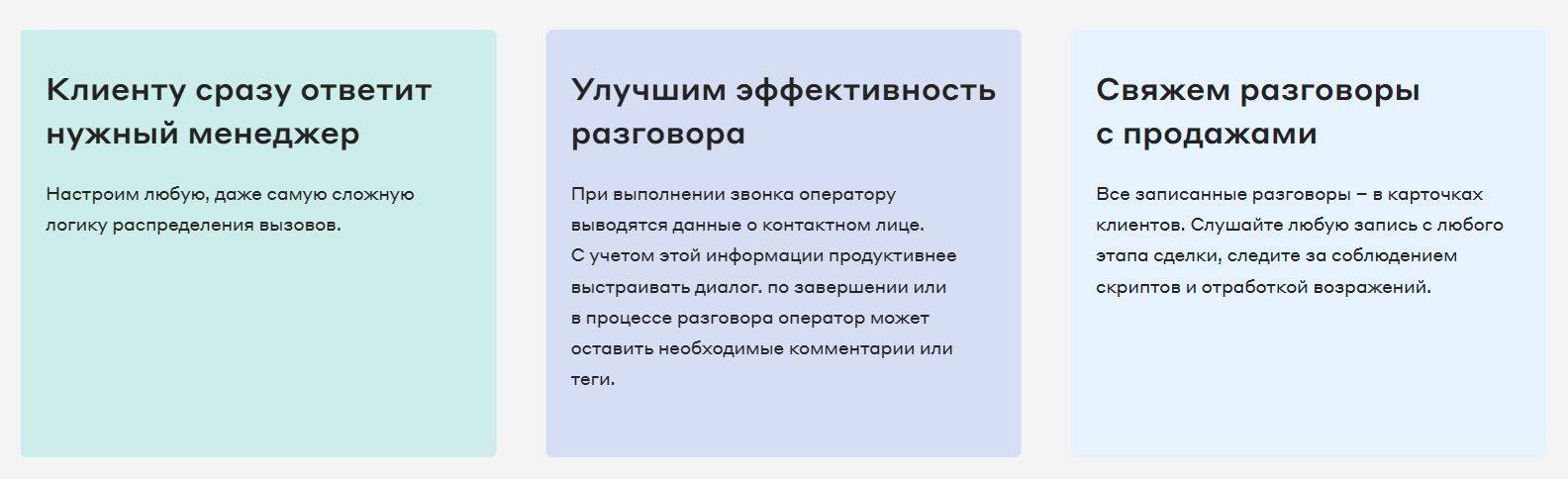
UIS sales communication and call tracking

A useful improvement connects customer service with a process the team can manage consistently. Areas to work on include:

  • Clearer customer communication;
  • Better understanding of sales opportunities and outcomes;
  • More consistent coordination within the team.

Understanding the business effect

Measure both the volume and quality of customer contacts. Relate the work of the team to recorded outcomes and the cost of handling enquiries, so that process changes can be assessed meaningfully.

Problems to resolve before choosing a tool

A new system will be easier to introduce when the team understands the difficulties it is meant to address. Separate process problems from the functions a tool can provide.

Internal working practices

  • Unclear priorities. Agree on how enquiries are qualified, assigned and followed up so that employees work towards the same objectives.
  • Insufficient guidance. Give new and existing staff practical examples of the service process and the information they need to record.

Information and channel challenges

  • Incomplete records. Review the quality of customer and campaign data before using it to decide where the team should focus.
  • Disconnected channels. Define how phone calls and written messages become a consistent customer history and a clear next action.

Assessing UIS for the sales workflow
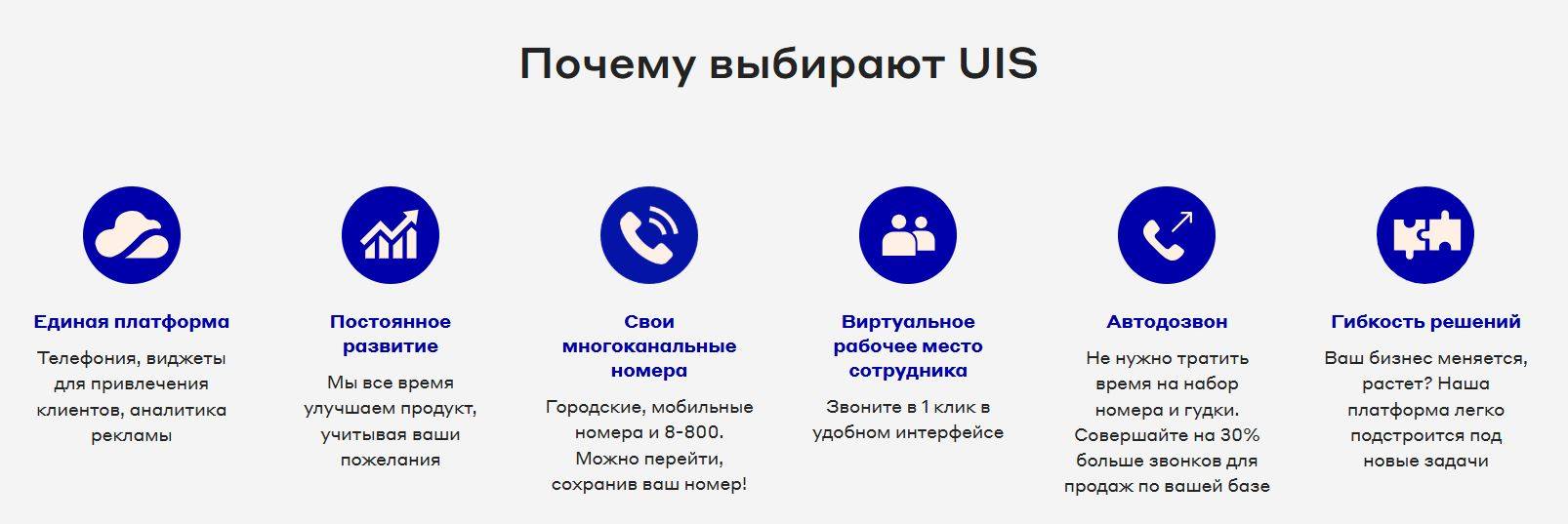
UIS sales communication and call tracking

UIS can be evaluated through the communication, routing and reporting tasks that matter to the team. Use representative enquiries to test how those tasks fit together.

A shared communication workspace

A shared workspace should help employees find the conversation and its relevant context. Assess the proposed setup for:

  • A common working view. Check how voice and text conversations appear, how they are assigned and what an employee sees when taking over an enquiry.
  • Relevant channel connections. Confirm the channels your business needs and test how conversation history is retained and retrieved.

Call tracking and attribution

When reviewing the call-tracking functions of UIS, check how a call is linked to its advertising source. Define the campaign information you need and test the route from a visitor’s enquiry to the resulting record.

  • Connecting marketing and sales data. Agree on the identifiers and outcome fields required to relate campaign activity to the sales process.
  • Understanding enquiry sources. Compare calls and recorded outcomes by source, while checking missing information and attribution limits.

Virtual PBX and IP telephony

UIS sales communication and call tracking

A virtual-PBX setup with UIS should be assessed for call routing, access and service-continuity arrangements. Plan how the business handles unanswered calls, busy periods and connection problems.

Include these areas in the telephony review:

  • Call costs and access. Compare the relevant destinations, number requirements and connection methods with the way employees work.
  • Recordings and CRM links. Define which calls should be recorded, who can access them and how the information will be used in customer service and quality review.

Advertising and CRM integrations

UIS connections should support the information your team needs to exchange. Check how records are matched, which updates are transferred and how errors are handled. A useful setup should help the team:

  • Identify missing or delayed follow-up;
  • Relate campaign spending to meaningful recorded outcomes.

Introducing the workspace to the team

UIS should be introduced alongside a clear working process. Prepare examples of incoming enquiries, handovers and reporting tasks, and confirm the onboarding or training arrangements available for the chosen setup.
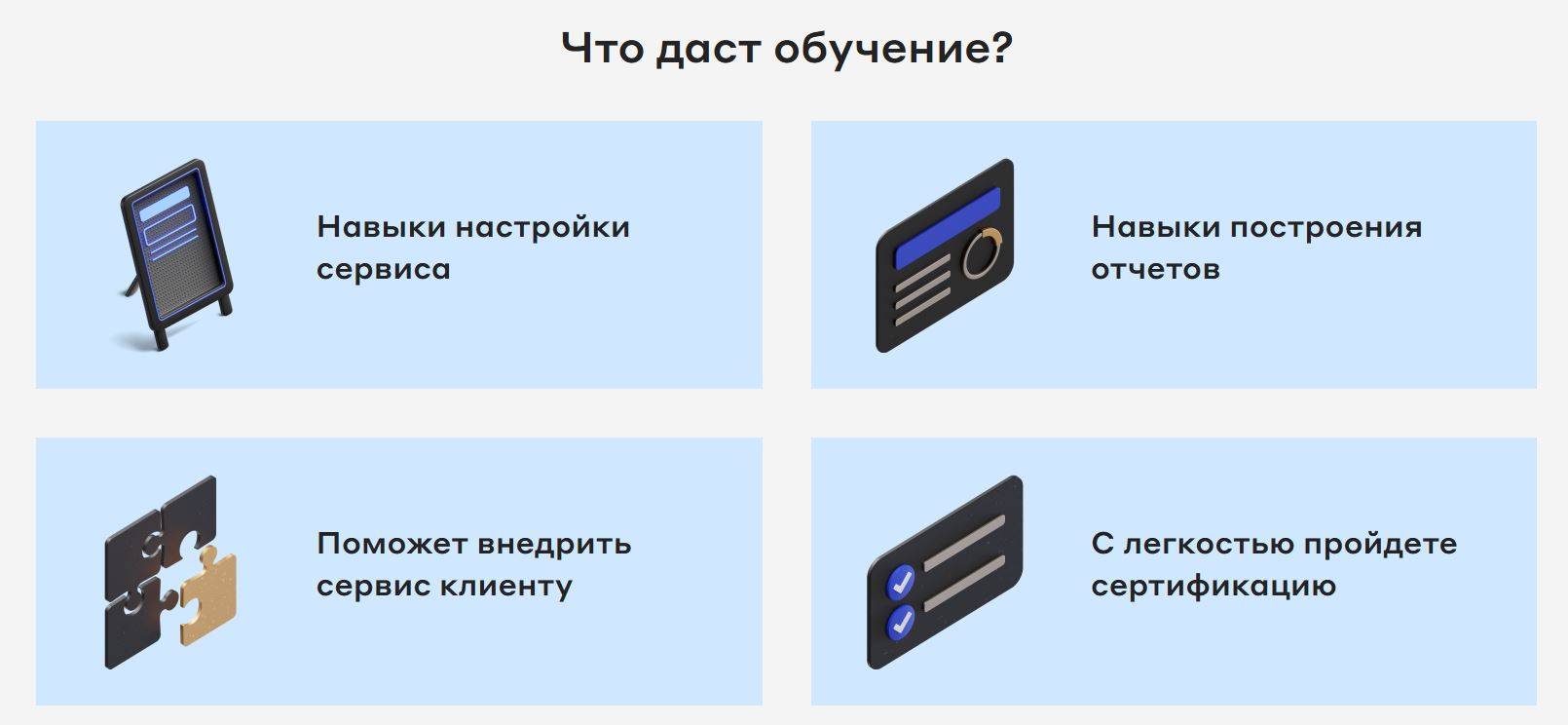
UIS sales communication and call tracking

Planning a practical rollout with UIS

Consider an illustrative property-enquiry workflow. The team needs to organise incoming conversations and establish a consistent way to measure how enquiries are handled and what happens next.

Define the problem

Before introducing UIS, map how phone calls and website enquiries reach the team. Identify where a response is delayed, where responsibility becomes unclear and which advertising-source information is missing. Agree on the records and outcomes that will be used to assess an improvement.

Introduce UIS

Start with one representative enquiry route and configure UIS for the required call-tracking and assignment steps. Check that the resulting records show the information needed to connect an enquiry with a campaign and a responsible employee.

Then review the other relevant channels and the shared working view. Test how staff move between conversations, preserve customer context and hand work to another person.

Assess the workflow

After introducing UIS, compare the process with its starting point. Useful questions include:

  1. Are enquiry sources and subsequent outcomes recorded consistently enough to support campaign decisions?
  2. Can the team identify delayed responses and measure how long enquiries take to handle?
  3. Can management relate the work of the team to completed sales and the costs involved, without attributing every change to the tool alone?

Making the process sustainable

A project using UIS should connect communication tools with clear responsibilities and useful reporting. Start with the workflow, test the configuration and give staff practical guidance.

Review the setup regularly as channels and customer needs change. Evaluate UIS through the information it provides and the team’s ability to act on it consistently.
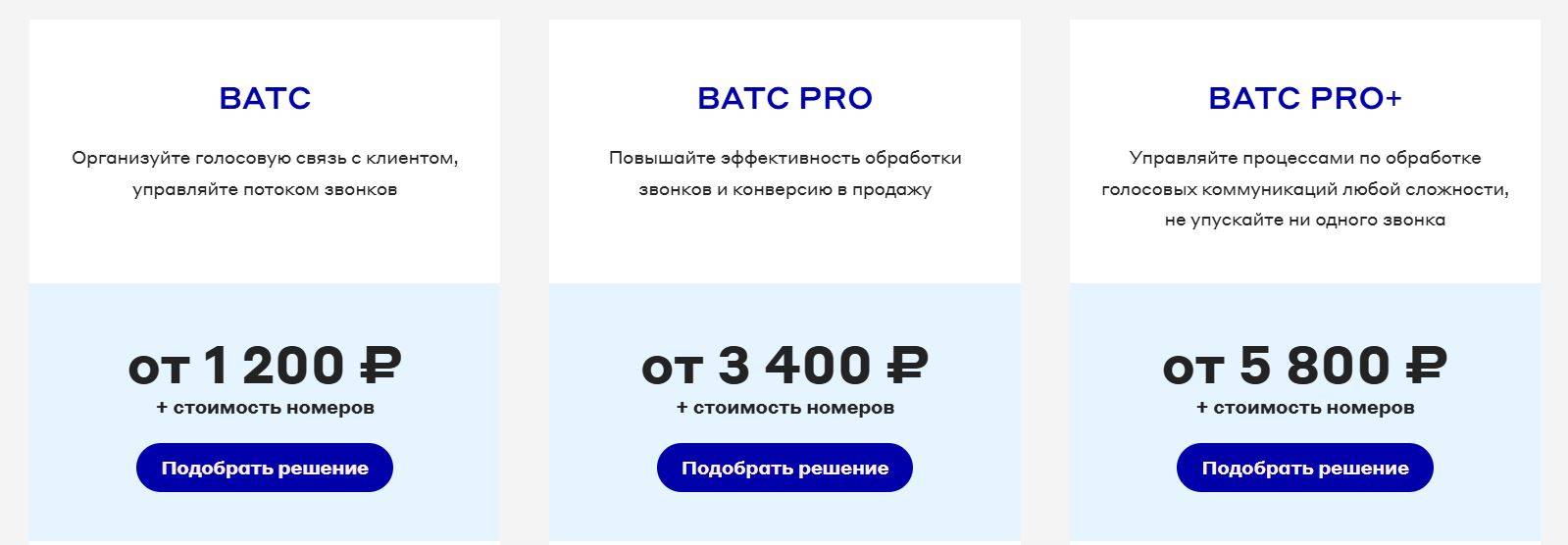
UIS sales communication and call tracking

Check the current account, service and pricing conditions before choosing a setup for the business.

Contact our agency for help with your marketing and analytics setup. Explore more guidance in our articles.

Share:

More articles

OUR TEAM

Behind every successful project is a team where experience, creativity, and collaboration come together. Our agency brings together experts from various fields of marketing: from strategy and analytics to design and social media management. We understand the market, know the tools, and speak the language of business.

WHY CAN YOU TRUST US?

Marketing support

Marketing support

Support for your marketing and advertising projects

Project team

Project team

Skills matched to your project's needs

Transparency and honesty

Transparency and honesty

Open communication throughout the entire partnership

Case studies

Cases

Use of modern technologies and tools

Client reviews

Reviews

A personalized approach to every client and project

SHALL WE DISCUSS YOUR NEEDS?

Please fill out this short form, and one of our experts will be happy to contact you to discuss your marketing goals and find the best solutions.

Where can we message you? (optional)

Select the messengers linked to the phone number above. Include the country code in your number.

You can enable SmartCaptcha to protect the form from automated submissions. External verification does not load before your separate permission.

Full SmartCaptcha permission text

This choice applies to forms on this page for up to 24 hours. Turning verification off reloads the page and clears entered text. Enquiry consent and analytics preferences are separate.

Without SmartCaptcha, email absmarketing.ru@gmail.com.

Submit a request

Where can we message you? (optional)

Select the messengers linked to the phone number above. Include the country code in your number.

You can enable SmartCaptcha to protect the form from automated submissions. External verification does not load before your separate permission.

Full SmartCaptcha permission text

This choice applies to forms on this page for up to 24 hours. Turning verification off reloads the page and clears entered text. Enquiry consent and analytics preferences are separate.

Without SmartCaptcha, email absmarketing.ru@gmail.com.

Leave Feedback and Suggestions

Your suggestions help us grow and improve — please share your ideas!

Where can we message you? (optional)

Select the messengers linked to the phone number above. Include the country code in your number.

You can enable SmartCaptcha to protect the form from automated submissions. External verification does not load before your separate permission.

Full SmartCaptcha permission text

This choice applies to forms on this page for up to 24 hours. Turning verification off reloads the page and clears entered text. Enquiry consent and analytics preferences are separate.

Without SmartCaptcha, email absmarketing.ru@gmail.com.

Feedback and Messages for Management

Your letters and feedback are important to us. You can contact management directly to share your thoughts.

Where can we message you? (optional)

Select the messengers linked to the phone number above. Include the country code in your number.

You can enable SmartCaptcha to protect the form from automated submissions. External verification does not load before your separate permission.

Full SmartCaptcha permission text

This choice applies to forms on this page for up to 24 hours. Turning verification off reloads the page and clears entered text. Enquiry consent and analytics preferences are separate.

Without SmartCaptcha, email absmarketing.ru@gmail.com.

Free consultation + a complimentary audit. Only 7 spots left.

Job application

Submit your application, and we’ll contact you to discuss the job openings!

Where can we message you? (optional)

Select the messengers linked to the phone number above. Include the country code in your number.

You can enable SmartCaptcha to protect the form from automated submissions. External verification does not load before your separate permission.

Full SmartCaptcha permission text

This choice applies to forms on this page for up to 24 hours. Turning verification off reloads the page and clears entered text. Enquiry consent and analytics preferences are separate.

Without SmartCaptcha, email absmarketing.ru@gmail.com.

Other questions

Send us your question—we’ll get back to you as soon as possible!

Where can we message you? (optional)

Select the messengers linked to the phone number above. Include the country code in your number.

You can enable SmartCaptcha to protect the form from automated submissions. External verification does not load before your separate permission.

Full SmartCaptcha permission text

This choice applies to forms on this page for up to 24 hours. Turning verification off reloads the page and clears entered text. Enquiry consent and analytics preferences are separate.

Without SmartCaptcha, email absmarketing.ru@gmail.com.

Would you like a free consultation with great terms? ​

Answer 4 short questions — and we’ll put together personalized marketing solutions for you, complete with bonuses from our partners.

Please provide your contact information, and we'll get in touch with you to discuss solutions that will take your business to the next level
Where can we message you? (optional)

Select the messengers linked to the phone number above. Include the country code in your number.

You can enable SmartCaptcha to protect the form from automated submissions. External verification does not load before your separate permission.

Full SmartCaptcha permission text

This choice applies to forms on this page for up to 24 hours. Turning verification off reloads the page and clears entered text. Enquiry consent and analytics preferences are separate.

Without SmartCaptcha, email absmarketing.ru@gmail.com.