Discuss your goals and the next steps for your project


Consultation

Tell us about your project

ABS Marketing logo

Menu

Yandex 360: Email, Files and Everyday Workflows

Yandex 360 email, files and everyday workspace

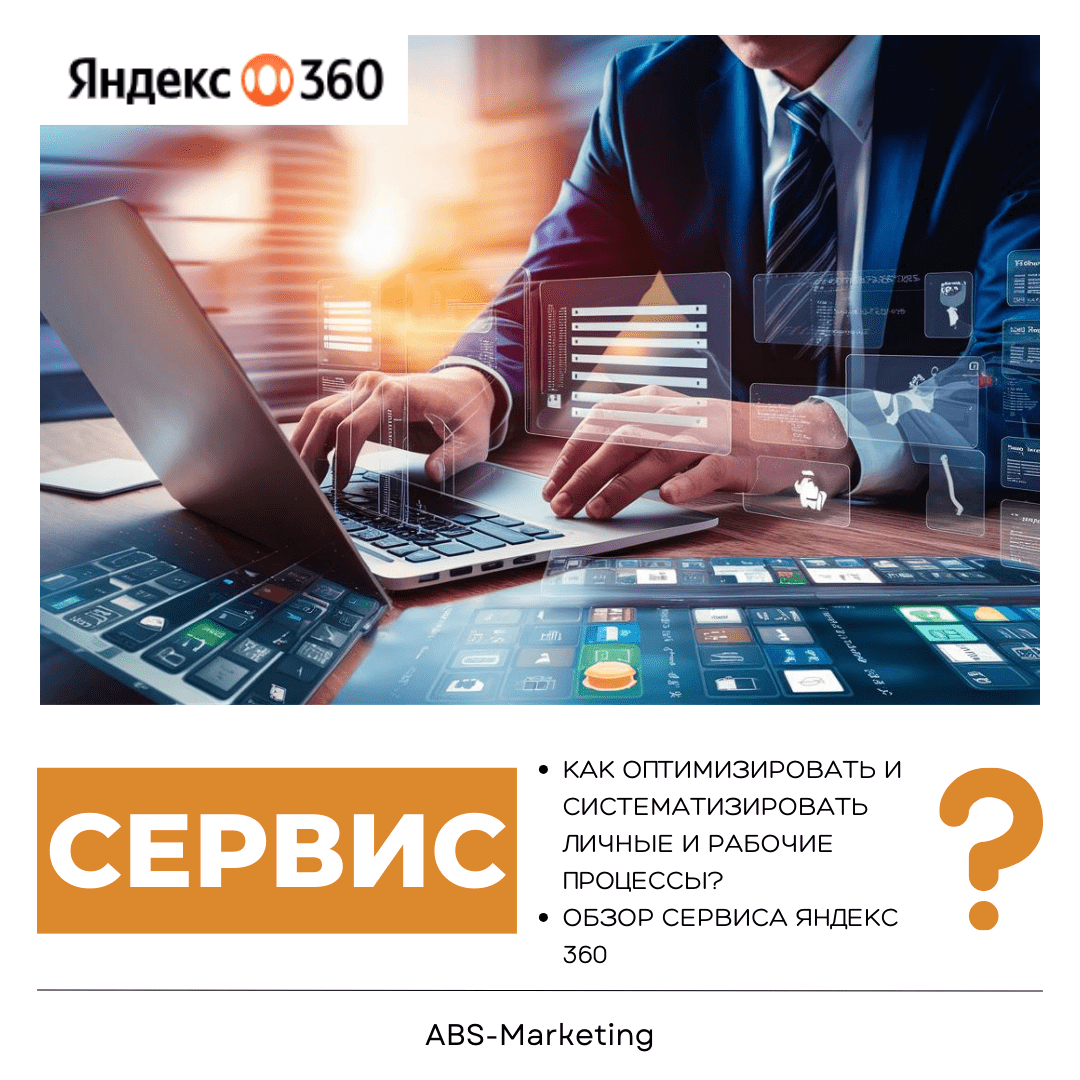
Yandex 360 digital workspace brings everyday tools for communication, files and scheduling into a common environment. Checking email, finding a document and arranging a meeting are small tasks, but switching between disconnected tools can make them harder to manage. A clear workspace helps you organise those tasks and keep track of the information they depend on.

The useful question is how the tools fit your routine. This guide introduces Yandex 360 and explains how to assess it for work, study and personal organisation.

Yandex 360: organising everyday work

A busy team needs an understandable way to communicate, store documents and plan its time. Before choosing a subscription to Yandex 360, identify the tasks that cause repeated searching or manual coordination. Use that list to decide which tools belong in the workspace and how the team should use them.
Yandex 360 email, files and everyday workspace

Coordinating communication

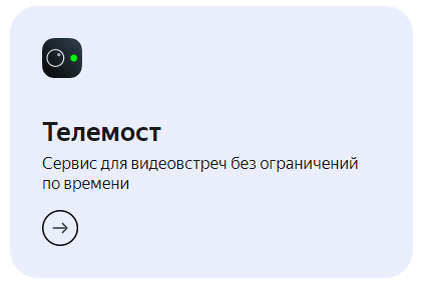
Yandex Telemost provides a place for online meetings, consultations and discussions. Use a shared calendar to arrange those meetings, include an agenda in the invitation and make the next action clear afterwards. Check the meeting features and limits of the relevant subscription when planning the setup.
Yandex 360 email, files and everyday workspace

Managing shared documents

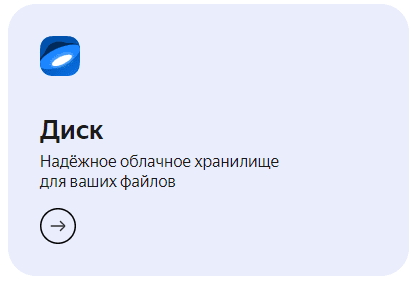
Yandex Disk provides cloud storage for documents, presentations and other working files. A common folder structure makes information easier to find. Name files consistently, decide who owns each folder and give access only to the people who need it.

Shared documents also need a working convention. Agree on where the current version belongs, how comments are handled and when a file is ready for approval. This is more useful than simply moving an unorganised collection of files into cloud storage.

Protecting work communications

Business email and shared documents can contain confidential information. Account access and the way employees handle that information deserve attention from the start. Yandex 360 includes communication and storage tools whose security settings should be reviewed as part of deployment. Configure account protection, check sharing permissions and plan recovery procedures. Email filtering and cloud storage are useful controls, but they do not remove every risk of phishing, mistakes or data loss.
Yandex 360 email, files and everyday workspace

A workspace for everyday life

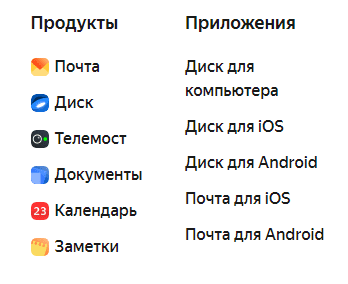
The same organisational approach can support personal tasks as well as work. In Yandex 360, the main services can be used for several kinds of activity:

Personal organisation

Keep photographs and documents in clearly named folders on Yandex Disk. Add appointments and reminders to Yandex Calendar, and use Yandex Mail for correspondence. Separate sensitive records from material intended for sharing and review the permissions before sending a link.

Work

Yandex 360 can bring meeting arrangements, correspondence and shared files into a coordinated routine. Prepare documents before a Telemost meeting, use the calendar to make the time and participants clear, and share the relevant files through Disk with appropriate access.

Study

Lecture notes, assignments and group-project materials are easier to manage when their location is predictable. Organise them by course or project, use the calendar for deadlines and meetings, and keep decisions from email discussions alongside the work they concern.

A common workspace works best when you establish simple rules for naming, filing and communication. Use Yandex 360 to support those habits, rather than expecting a subscription alone to organise every task.

Choosing a Yandex 360 subscription

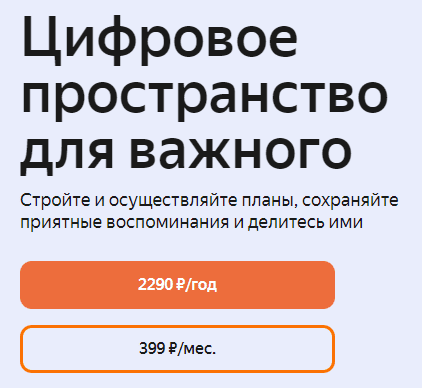
Before subscribing to Yandex 360, compare the available plan with the tools and capacity you need. Review billing frequency, storage allowances, account requirements and any features that depend on the subscription. Evaluate the cost against your existing setup instead of assuming that the package will automatically pay for itself.
Yandex 360 email, files and everyday workspace

Security

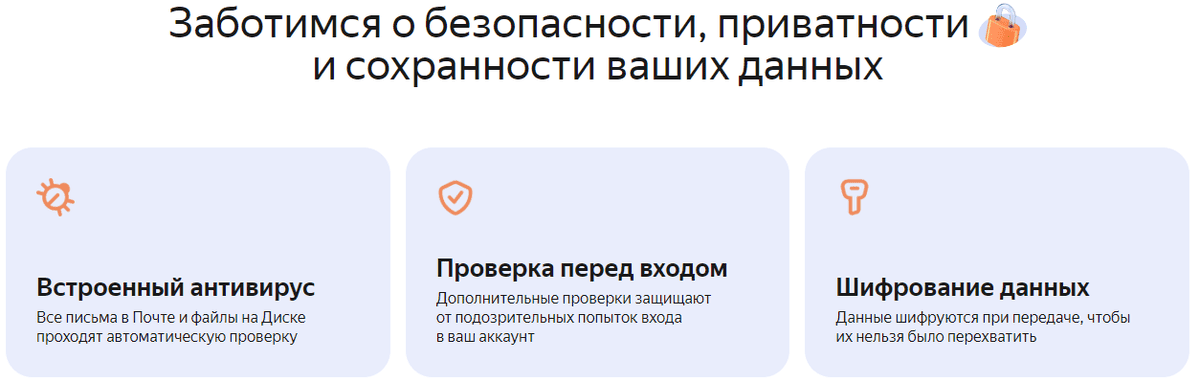
Review account protection, email filtering and file-sharing controls. Keep a recovery plan for important information and make sure users understand how to recognise suspicious messages. A secure working routine combines service settings with careful day-to-day use.
Yandex 360 email, files and everyday workspace

Access across devices

Yandex 360 can support work across computers, phones and tablets. Check the applications and browsers your team actually uses, along with synchronisation behaviour and any offline requirements. Test access to a representative document before relying on the setup away from the office.

Convenience

Related tools in one environment can make routine work easier to follow. Decide which activities belong in Yandex 360 and how information should move between them.

Cost planning

A subscription to Yandex 360 should be compared with the total cost of the services it may replace. Include migration work, administration and training in that comparison. Paying for a package is useful when its included functions match real needs.

If your priority is to organise files, meetings and correspondence, Yandex 360 is a workspace to consider. Start with a small set of activities and assess whether the arrangement makes those tasks easier for the people doing them.

When setting up Yandex 360, document access responsibilities and the process for adding or removing users. Those details help keep business information under control as the team changes.

Useful digital tools should support a clear process. A well-organised folder, an accurate calendar and an agreed communication channel can matter as much as the number of features in a subscription. Yandex 360 brings these areas together, giving you a basis for building a more consistent working routine.

Getting started

Explore the Yandex 360 workspace with a representative set of tasks, then assess the results before extending the setup to more users or projects.

For help planning your digital workflow, visit our agency website. You can also find more information about our work on the ABS Marketing website.
Share:

More articles

OUR TEAM

Behind every successful project is a team where experience, creativity, and collaboration come together. Our agency brings together experts from various fields of marketing: from strategy and analytics to design and social media management. We understand the market, know the tools, and speak the language of business.

WHY CAN YOU TRUST US?

Marketing support

Marketing support

Support for your marketing and advertising projects

Project team

Project team

Skills matched to your project's needs

Transparency and honesty

Transparency and honesty

Open communication throughout the entire partnership

Case studies

Cases

Use of modern technologies and tools

Client reviews

Reviews

A personalized approach to every client and project

SHALL WE DISCUSS YOUR NEEDS?

Please fill out this short form, and one of our experts will be happy to contact you to discuss your marketing goals and find the best solutions.

Where can we message you? (optional)

Select the messengers linked to the phone number above. Include the country code in your number.

You can enable SmartCaptcha to protect the form from automated submissions. External verification does not load before your separate permission.

Full SmartCaptcha permission text

This choice applies to forms on this page for up to 24 hours. Turning verification off reloads the page and clears entered text. Enquiry consent and analytics preferences are separate.

Without SmartCaptcha, email absmarketing.ru@gmail.com.

Submit a request

Where can we message you? (optional)

Select the messengers linked to the phone number above. Include the country code in your number.

You can enable SmartCaptcha to protect the form from automated submissions. External verification does not load before your separate permission.

Full SmartCaptcha permission text

This choice applies to forms on this page for up to 24 hours. Turning verification off reloads the page and clears entered text. Enquiry consent and analytics preferences are separate.

Without SmartCaptcha, email absmarketing.ru@gmail.com.

Leave Feedback and Suggestions

Your suggestions help us grow and improve — please share your ideas!

Where can we message you? (optional)

Select the messengers linked to the phone number above. Include the country code in your number.

You can enable SmartCaptcha to protect the form from automated submissions. External verification does not load before your separate permission.

Full SmartCaptcha permission text

This choice applies to forms on this page for up to 24 hours. Turning verification off reloads the page and clears entered text. Enquiry consent and analytics preferences are separate.

Without SmartCaptcha, email absmarketing.ru@gmail.com.

Feedback and Messages for Management

Your letters and feedback are important to us. You can contact management directly to share your thoughts.

Where can we message you? (optional)

Select the messengers linked to the phone number above. Include the country code in your number.

You can enable SmartCaptcha to protect the form from automated submissions. External verification does not load before your separate permission.

Full SmartCaptcha permission text

This choice applies to forms on this page for up to 24 hours. Turning verification off reloads the page and clears entered text. Enquiry consent and analytics preferences are separate.

Without SmartCaptcha, email absmarketing.ru@gmail.com.

Free consultation + a complimentary audit. Only 7 spots left.

Job application

Submit your application, and we’ll contact you to discuss the job openings!

Where can we message you? (optional)

Select the messengers linked to the phone number above. Include the country code in your number.

You can enable SmartCaptcha to protect the form from automated submissions. External verification does not load before your separate permission.

Full SmartCaptcha permission text

This choice applies to forms on this page for up to 24 hours. Turning verification off reloads the page and clears entered text. Enquiry consent and analytics preferences are separate.

Without SmartCaptcha, email absmarketing.ru@gmail.com.

Other questions

Send us your question—we’ll get back to you as soon as possible!

Where can we message you? (optional)

Select the messengers linked to the phone number above. Include the country code in your number.

You can enable SmartCaptcha to protect the form from automated submissions. External verification does not load before your separate permission.

Full SmartCaptcha permission text

This choice applies to forms on this page for up to 24 hours. Turning verification off reloads the page and clears entered text. Enquiry consent and analytics preferences are separate.

Without SmartCaptcha, email absmarketing.ru@gmail.com.

Would you like a free consultation with great terms? ​

Answer 4 short questions — and we’ll put together personalized marketing solutions for you, complete with bonuses from our partners.

Please provide your contact information, and we'll get in touch with you to discuss solutions that will take your business to the next level
Where can we message you? (optional)

Select the messengers linked to the phone number above. Include the country code in your number.

You can enable SmartCaptcha to protect the form from automated submissions. External verification does not load before your separate permission.

Full SmartCaptcha permission text

This choice applies to forms on this page for up to 24 hours. Turning verification off reloads the page and clears entered text. Enquiry consent and analytics preferences are separate.

Without SmartCaptcha, email absmarketing.ru@gmail.com.