Cloud telephony, also called a virtual PBX, connects business phone lines through a hosted system. It can reduce the need to install and maintain an on-site telephone exchange, although staff still need suitable devices and connectivity.
One service discussed in the source review is MANGO OFFICE. The platform is described as supporting communication with customers and between employees.

How does cloud telephony work?
Incoming calls reach the hosted system and follow configured routing rules. A call can be directed to a particular employee or forwarded elsewhere when needed.
The cloud telephony tools described for MANGO OFFICE support incoming and outgoing calls as well as call routing. A suitable setup can reduce unnecessary transfers and help callers reach an employee who can handle their enquiry. The aim is to support customer relationships and more useful conversations.
Cloud communication products from MANGO OFFICE
The source review describes several products for organising customer and staff communication:
- Virtual PBX.
Tools for managing calls and reviewing call activity;
- Cloud contact centre.
A workspace for sales or call-centre teams handling incoming enquiries;
- Call tracking.
Information that can help assess which advertising channels generate calls and inform budget decisions;
- Multichannel chat.
Text communication through a website, email or messaging services. The channels mentioned in the review include Telegram, WhatsApp, VK.
- Integrations.
Connections with business applications can extend the phone system’s role in an existing workflow.
Cloud communication with Mango Talker
Mango Talker is described as a business messenger for MANGO OFFICE customers, with access from computers and mobile devices. The original review mentioned free access; check current eligibility, supported devices and plan conditions before relying on that offer.

A business messenger can support staff conversations and customer contact from different locations. The review describes handling enquiries both in the office and while away from it; security and availability depend on the actual service and configuration.
The functions described for Mango Talker include:
- Receiving calls on a supported device;
- Making calls using a business landline number;
- Recording calls for later review;
- Handling customer enquiries from different channels;
- Sending business SMS messages;
- Using a cloud contact directory;
- Connecting contacts from the company’s CRM.
The review describes using business numbers with MANGO OFFICE to make and receive calls and exchange messages from the application. Current number availability, messaging features and charges should be checked with the provider.
Private and group chats support communication between employees. Mango Talker is also described as making colleagues’ contact information available in the application, depending on the organisation’s setup.
Contacting MANGO OFFICE
If the range of products is unfamiliar, start with the tasks your team needs to handle: routing incoming calls, following up enquiries, analysing calls or coordinating staff. MANGO OFFICE provides contact options through its website. Use the provider’s current process to ask about features, connection requirements and suitable plans.

Cloud telephony can be considered by businesses of different sizes. The important questions are how calls should reach the right person and how the team will follow up customer enquiries.
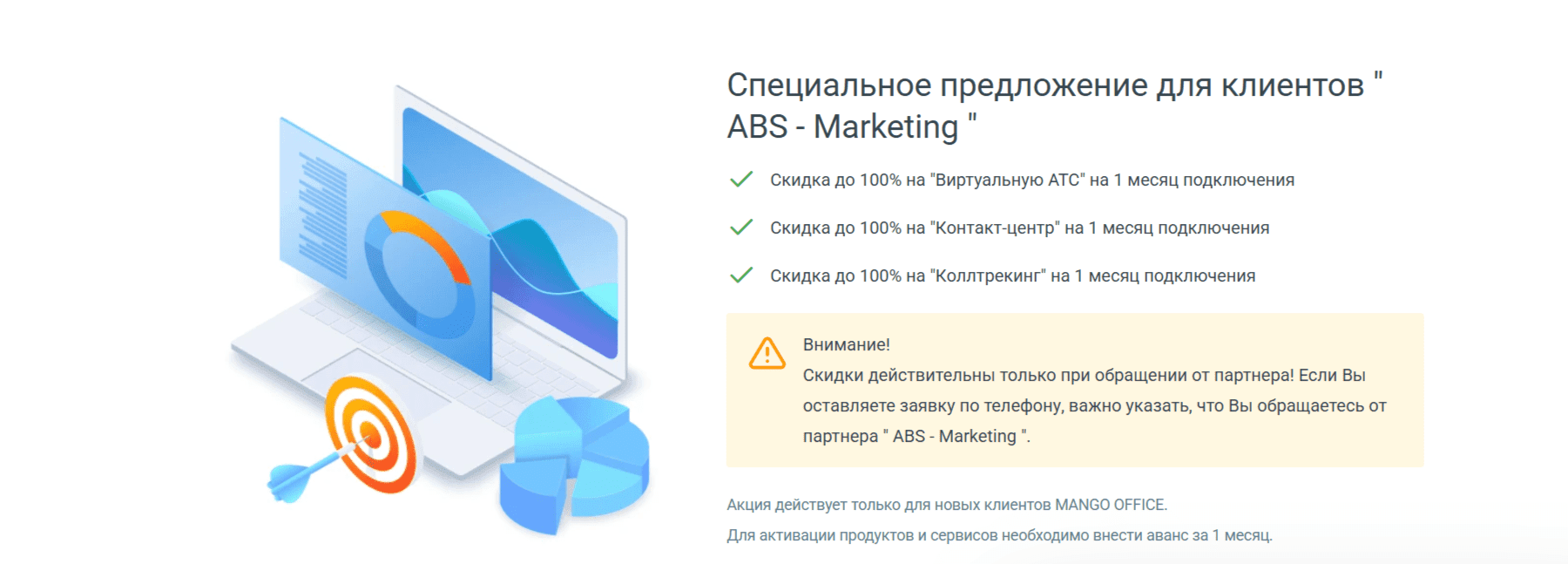
The tools described for MANGO OFFICE may support those tasks. Our marketing agency can also help you consider website promotion and customer acquisition alongside your communication workflow.
You can read more articles through this link.