Discuss your goals and the next steps for your project


Consultation

Tell us about your project

ABS Marketing logo

Menu

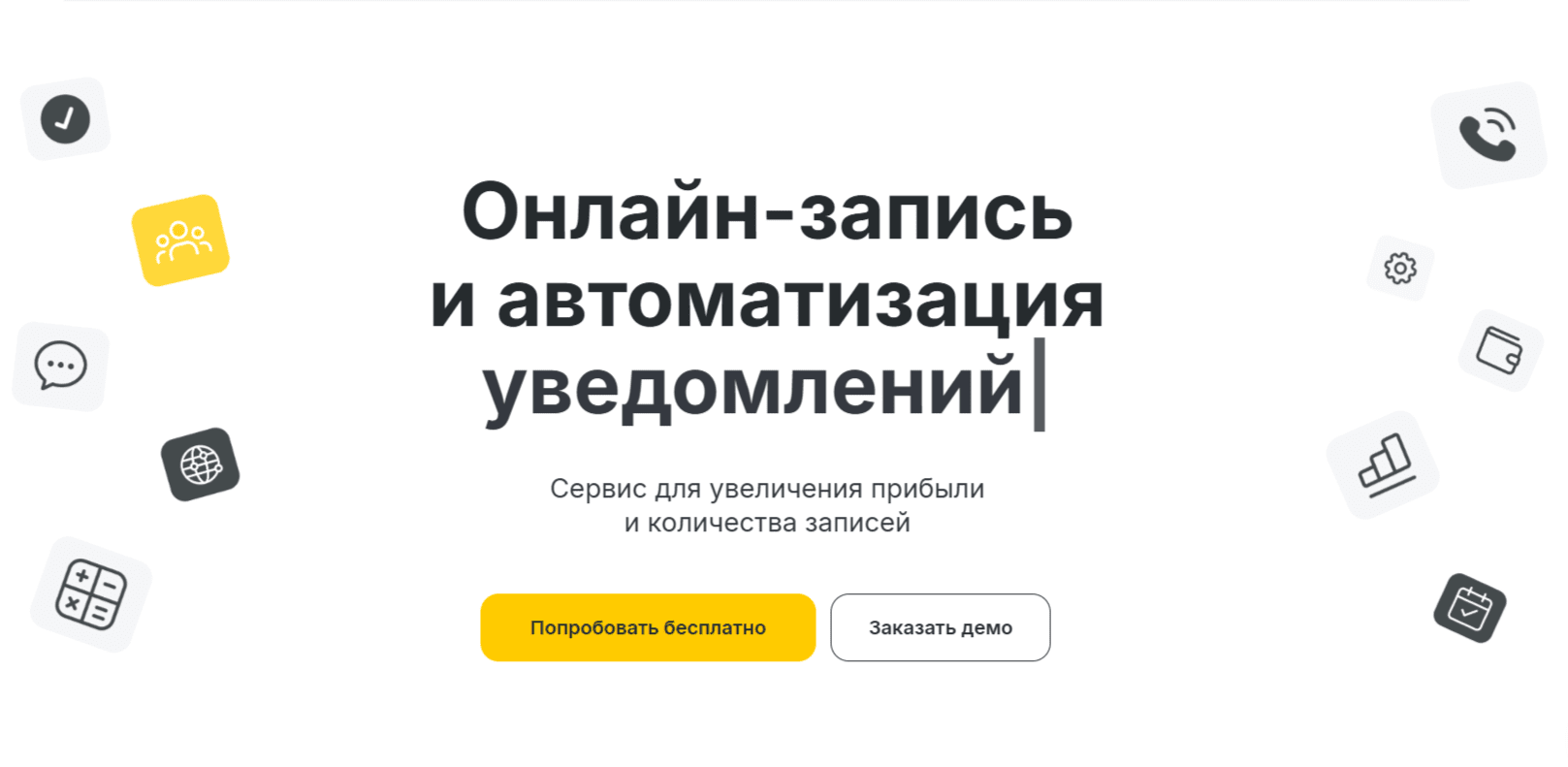
YCLIENTS online booking and client management
Connect online appointments with everyday service
YCLIENTS brings bookings, client records and staff schedules into a shared workflow
For a service business, appointments, customer information and staff availability need to stay coordinated. YCLIENTS combines online booking with scheduling, client records and related business tools. Reports in the platform can help you review appointment sources, staff utilisation and customer activity. A useful implementation starts with accurate services and schedules, clear responsibilities and a booking process that customers can understand.

What YCLIENTS is used for

YCLIENTS is a platform for appointment-based businesses. It lets customers book services online and gives staff a shared place to manage schedules and client information.

Reporting can help the business review activity and identify changes to the booking process. Choose the measures that reflect your services and check how the system calculates them.

Organising appointments and client information

Client records

Keep contact details, visit history and relevant preferences together. Use those records to provide consistent service, with appropriate access and a clear purpose for the information collected.

Online appointments

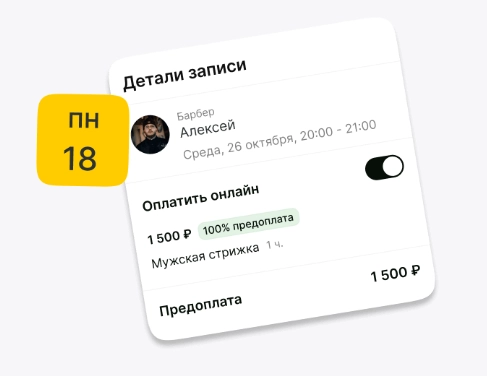
With YCLIENTS, customers can choose from the services and time slots you make available. Keep durations, staff schedules and booking conditions accurate so that the online process reflects what the business can deliver.

An appointment calendar

A shared calendar gives staff a structured view of appointments, services and notes. Agree how bookings are confirmed, changed and completed so that everyone works from the same information.

Finance and inventory

Financial and stock records can help organise revenue, expenses and product movements. Set up the relevant categories and review entries regularly; software records still need accurate input and reconciliation.

Payments and checkout

YCLIENTS includes payment and checkout options for supported setups. Confirm the available providers, equipment and requirements in your country before planning online payments or a checkout connection.

Telephony connections

A supported telephony connection can link calls with client records. Check the integration, recording settings and access rules, and make sure the team understands how calls should be handled.

Evaluating YCLIENTS for your business

Technical support

Check the support channels and service hours that apply to your account. Prepare an internal contact for urgent booking issues and a fallback process for interruptions.

Available integrations

YCLIENTS offers integrations to review against the systems your business already uses. Confirm which data are exchanged and whether a separate subscription or setup is required.

Learning resources

Use the provider’s documentation and training materials to learn the relevant workflows. Give staff practical examples for creating, moving and completing bookings rather than relying only on a general product tour.

Fit for your type of service

Assess YCLIENTS using the appointments and responsibilities of your own business. A trial workflow is more useful than assuming that another company’s use of the system proves it will suit your needs.

A connected setup

YCLIENTS can connect with supported services. Check the supported versions and account requirements. Review updates and changes to integrations as part of normal system maintenance.

YCLIENTS for everyday operations

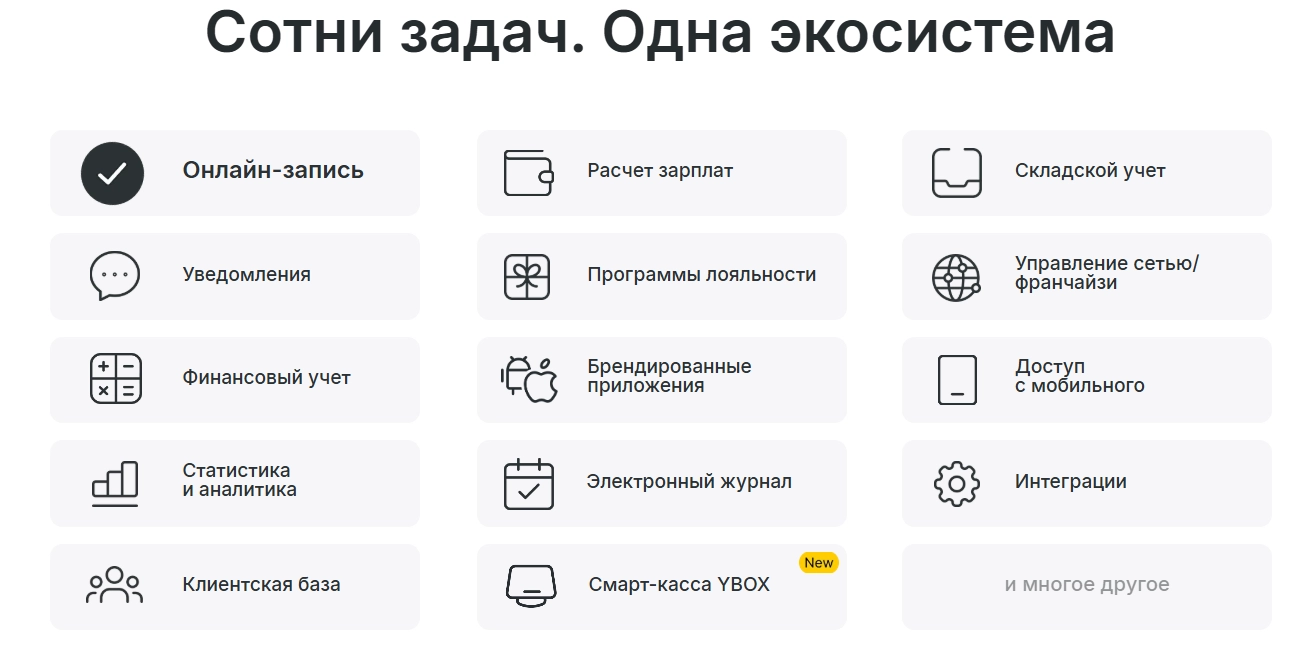
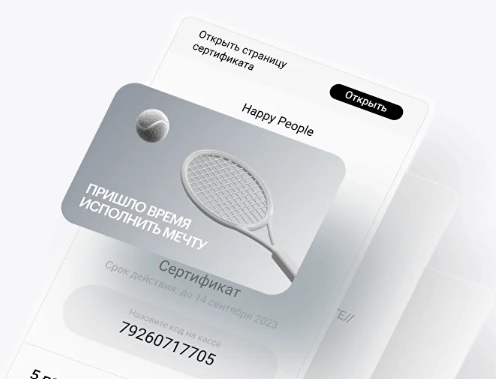
YCLIENTS can bring appointments, confirmations, stock records, payroll inputs and reporting into a coordinated process. Options such as certificates, subscriptions and prepayments should be configured around your services and payment arrangements. Check the supported booking channels and current commercial terms, then test each customer-facing step before launch.

Reporting on appointments and client activity

Use reports to review booking sources, busy periods, cancellations and repeat visits. Compare these figures with staff capacity and service availability to identify practical changes to the schedule or customer journey.

Preparing payroll information

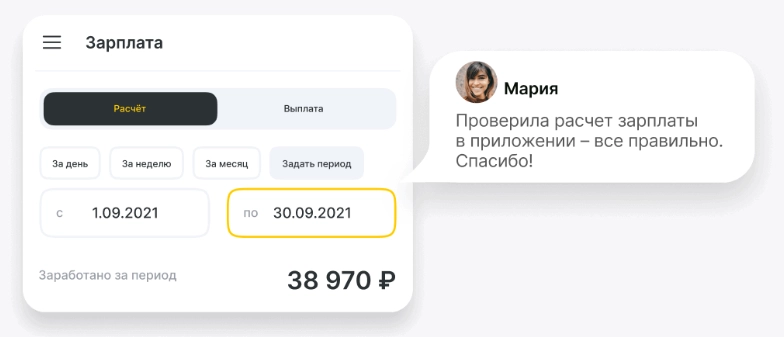
Payroll tools can organise the rules and records used to calculate staff payments. Check shifts, services, bonuses and adjustments, and review the result before it is used for an actual payment.

Loyalty programs

A loyalty program can connect rewards with repeat bookings. Make its conditions clear, choose benefits that suit the business and measure participation without assuming that a discount automatically improves retention.

Branded applications

A branded app can give customers another route to booking and account information. Confirm the available options and ongoing costs, and check that it offers a useful experience alongside your existing website.

Checkout equipment and YBOX

If you are considering YBOX or other checkout equipment alongside YCLIENTS, confirm current availability, compatibility and the payment requirements for your market. Assess the complete setup, including receipts and support, before purchasing hardware.

Access and data protection settings

01

Staff permissions

YCLIENTS provides access settings for staff responsibilities. Give each person the permissions they need for clients, appointments and financial information, and review access when roles change.

02

Activity history

Review the available activity records when investigating changes to client, financial or stock information. Make responsibility for checking unusual changes part of the operating process.

03

Data export controls

YCLIENTS has export permissions and notification settings to review. Limit access to customer exports and decide who should review an unexpected download or report request.

04

Additional login protection

Review the account security settings in YCLIENTS, including the available authentication controls. Keep recovery details current and explain the process for changing an employee’s access.

05

Sign-in records

Use the available sign-in information to investigate unexpected access. Combine account settings with good password handling and prompt removal of accounts that are no longer needed.

Build a consistent appointment process

The tools in YCLIENTS work best when the business has clear services, accurate schedules and a reliable response process. Review bookings and customer feedback regularly, then make focused improvements to the setup. The platform can support this work, while service quality and relevant marketing remain essential to attracting and retaining customers.

Contact our agency for help planning your website and customer communications. You can also explore ABS Marketing services.

Submit a request

Where can we message you? (optional)

Select the messengers linked to the phone number above. Include the country code in your number.

You can enable SmartCaptcha to protect the form from automated submissions. External verification does not load before your separate permission.

Full SmartCaptcha permission text

This choice applies to forms on this page for up to 24 hours. Turning verification off reloads the page and clears entered text. Enquiry consent and analytics preferences are separate.

Without SmartCaptcha, email digital-abs@yandex.ru.

Leave Feedback and Suggestions

Your suggestions help us grow and improve — please share your ideas!

Where can we message you? (optional)

Select the messengers linked to the phone number above. Include the country code in your number.

You can enable SmartCaptcha to protect the form from automated submissions. External verification does not load before your separate permission.

Full SmartCaptcha permission text

This choice applies to forms on this page for up to 24 hours. Turning verification off reloads the page and clears entered text. Enquiry consent and analytics preferences are separate.

Without SmartCaptcha, email digital-abs@yandex.ru.

Feedback and Messages for Management

Your letters and feedback are important to us. You can contact management directly to share your thoughts.

Where can we message you? (optional)

Select the messengers linked to the phone number above. Include the country code in your number.

You can enable SmartCaptcha to protect the form from automated submissions. External verification does not load before your separate permission.

Full SmartCaptcha permission text

This choice applies to forms on this page for up to 24 hours. Turning verification off reloads the page and clears entered text. Enquiry consent and analytics preferences are separate.

Without SmartCaptcha, email digital-abs@yandex.ru.

Free consultation + a complimentary audit. Only 7 spots left.

Job application

Submit your application, and we’ll contact you to discuss the job openings!

Where can we message you? (optional)

Select the messengers linked to the phone number above. Include the country code in your number.

You can enable SmartCaptcha to protect the form from automated submissions. External verification does not load before your separate permission.

Full SmartCaptcha permission text

This choice applies to forms on this page for up to 24 hours. Turning verification off reloads the page and clears entered text. Enquiry consent and analytics preferences are separate.

Without SmartCaptcha, email digital-abs@yandex.ru.

Other questions

Send us your question—we’ll get back to you as soon as possible!

Where can we message you? (optional)

Select the messengers linked to the phone number above. Include the country code in your number.

You can enable SmartCaptcha to protect the form from automated submissions. External verification does not load before your separate permission.

Full SmartCaptcha permission text

This choice applies to forms on this page for up to 24 hours. Turning verification off reloads the page and clears entered text. Enquiry consent and analytics preferences are separate.

Without SmartCaptcha, email digital-abs@yandex.ru.

Would you like a free consultation with great terms? ​

Answer 4 short questions — and we’ll put together personalized marketing solutions for you, complete with bonuses from our partners.

Please provide your contact information, and we'll get in touch with you to discuss solutions that will take your business to the next level
Where can we message you? (optional)

Select the messengers linked to the phone number above. Include the country code in your number.

You can enable SmartCaptcha to protect the form from automated submissions. External verification does not load before your separate permission.

Full SmartCaptcha permission text

This choice applies to forms on this page for up to 24 hours. Turning verification off reloads the page and clears entered text. Enquiry consent and analytics preferences are separate.

Without SmartCaptcha, email digital-abs@yandex.ru.