Discuss your goals and the next steps for your project


Consultation

Tell us about your project

ABS Marketing logo

Menu

SmartBuddy: AI for creating diagrams
Turn ideas into visual drafts
Explore SmartBuddy for diagrams, images and text in an online workspace.
Diagrams help explain processes, relationships and project plans. An AI assistant can turn a written description into an initial visual draft for discussion, documentation or teaching. The result still needs checking against the information it represents. SmartBuddy combines diagram, image and text-generation tools online. It can support the preparation of visual material without requiring every draft to start from an empty canvas.

What is SmartBuddy and who can use it?

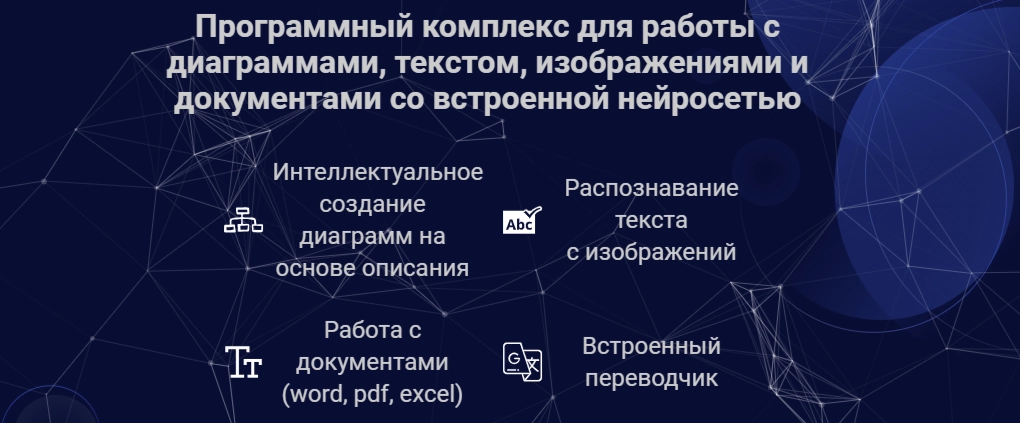
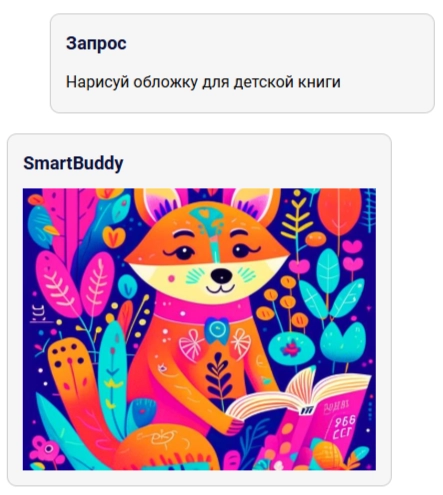
SmartBuddy is an online AI service for diagrams, images and written content. Its visual and drafting tools can support several kinds of work:
  • Developers and analysts describing systems, databases or business processes.
  • Marketers preparing presentations and campaign material.
  • Teachers and students explaining ideas through visual examples.
  • People who want an editable starting point for organizing information.
  • Tools available in SmartBuddy

    Diagrams from a written description

    Describe the entities, steps or relationships you want to show in SmartBuddy. Review the generated diagram for correctness before using it in a presentation or project.

    Research and business-plan drafts

    The research tools in SmartBuddy can help organize information and prepare reports or business-plan drafts. Verify sources, calculations and conclusions before relying on them.

    Extracting text from images

    Use SmartBuddy to extract text from scans, photographs or screenshots. Compare the result with the original, particularly for numbers, names and complex layouts.

    Working with documents

    Explore support for Word, PDF and Excel material to summarize text or investigate tabular data. Check format limits and verify that the relevant information was read correctly.

    Translation support

    Use SmartBuddy to draft translations of text and document content. Review terminology and meaning, with appropriate specialist checks for technical or sensitive material.

    A visual workspace

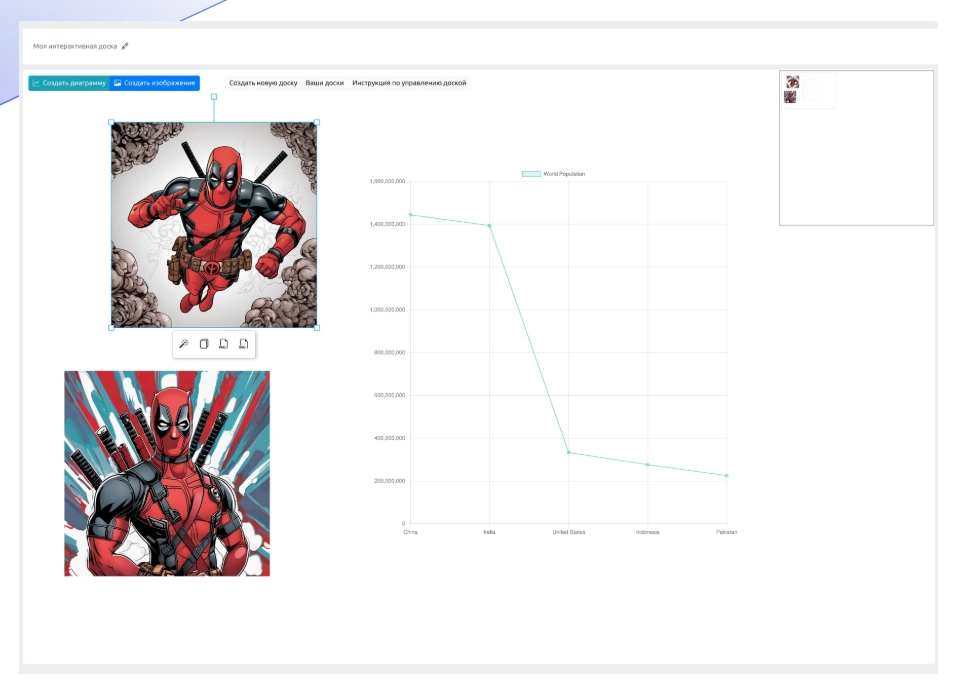
    The board in SmartBuddy provides a place to organize diagrams, images and notes. Edit elements, add explanations and show the relationships between ideas.

    Choosing a useful diagram format

    UML diagrams for systems

    Use SmartBuddy to draft UML diagrams from a system description. Check notation and relationships before using the diagram for architecture discussions or documentation.

    ER diagrams for databases

    Describe entities and relationships in SmartBuddy to create a database-model draft. Verify keys, cardinalities and constraints against the intended design.

    Gantt charts for project plans

    Use SmartBuddy to visualize tasks, phases and dates in a Gantt chart. Confirm dependencies and deadlines with the people responsible for the work.

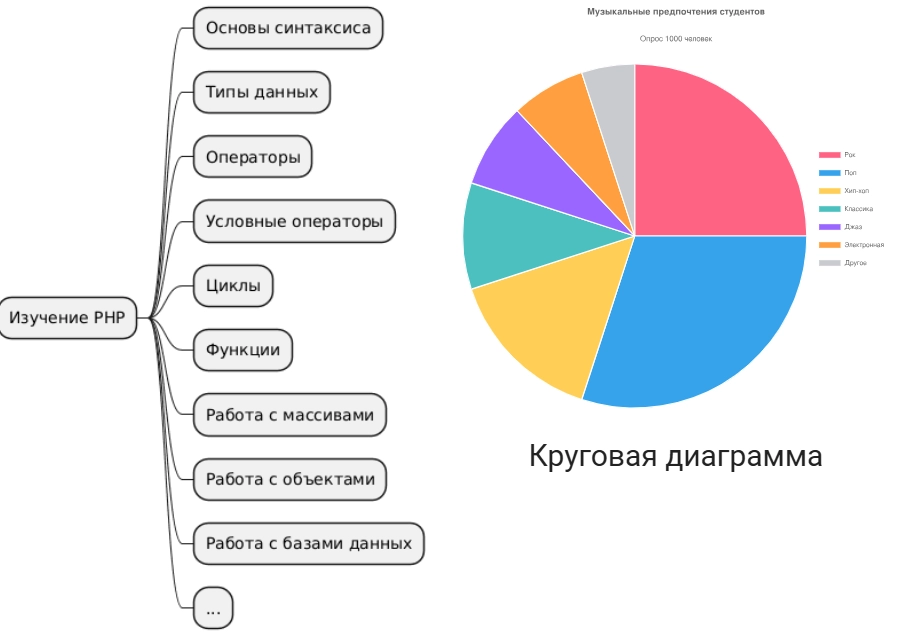
    Mind maps for ideas

    Organize notes and concepts into a mind map with SmartBuddy. Adjust the hierarchy and connections to reflect how the ideas actually relate.

    Charts for comparisons

    Prepare visual comparisons of measures and categories. Check the underlying values, labels and chart type so that the graphic communicates the data accurately.

    Working with AI in SmartBuddy

    Start in SmartBuddy by describing the desired result: a project chart, a diagram, an image or a piece of text. Include the relevant facts, structure and format. Review the generated draft, correct errors and refine its presentation in the interface. Before exporting, check the information and the available output formats for the intended use.

    SmartBuddy and cloud storage

    If you use Google Drive or Dropbox, check the current import and export options in SmartBuddy. Review access permissions before connecting a storage account.

    Sharing through team messaging tools

    Check the available workflows for sharing results through Slack or Microsoft Teams. Keep the reviewed file and its context together so colleagues know what they are assessing.

    Using visuals in project management

    Review the current options for using SmartBuddy diagrams with Trello or Jira. Link a visual to the relevant task and keep it aligned with the actual project plan.

    Publishing through content systems

    Prepare diagrams, images and text for your CMS or publishing platform. Check supported export or integration options and review the result in its final layout.

    Fitting the tool into your workflow

    Connect SmartBuddy to the document, communication and project tools you actually use where supported. Choose integrations that make review and sharing clearer.

    Getting started with AI diagrams

    01

    Choose the task

    Decide whether you need a diagram, an image or written material from SmartBuddy. Define what the result should help its audience understand.

    02

    Write a specific brief

    Specify the diagram type, data, relationships, visual style or text structure. Provide the facts needed to produce a useful first draft.

    03

    Review the generated result

    Examine the output from SmartBuddy for accuracy, completeness and fit with the brief. Treat it as a draft until the important details have been checked.

    04

    Edit and clarify

    Correct the text, revise diagram elements and add necessary explanations. Make sure changes preserve the intended meaning and relationships.

    05

    Export the reviewed material

    Choose an available format suited to the presentation, document or publication. Check the exported file before handing it over or publishing it.

    An AI assistant for visual work

    SmartBuddy helps create drafts of diagrams, images and text. Its value depends on the task, the information supplied and the review of the result. Explore SmartBuddy as a way to organize and communicate ideas while keeping control of factual and visual accuracy. Check current features and account terms here: https://clck.ru/3GHKRH.

    If you have questions, our agency can help you consider how SmartBuddy fits your work. Explore more agency articles through this link.

    Submit a request

    Where can we message you? (optional)

    Select the messengers linked to the phone number above. Include the country code in your number.

    You can enable SmartCaptcha to protect the form from automated submissions. External verification does not load before your separate permission.

    Full SmartCaptcha permission text

    This choice applies to forms on this page for up to 24 hours. Turning verification off reloads the page and clears entered text. Enquiry consent and analytics preferences are separate.

    Without SmartCaptcha, email absmarketing.ru@gmail.com.

    Leave Feedback and Suggestions

    Your suggestions help us grow and improve — please share your ideas!

    Where can we message you? (optional)

    Select the messengers linked to the phone number above. Include the country code in your number.

    You can enable SmartCaptcha to protect the form from automated submissions. External verification does not load before your separate permission.

    Full SmartCaptcha permission text

    This choice applies to forms on this page for up to 24 hours. Turning verification off reloads the page and clears entered text. Enquiry consent and analytics preferences are separate.

    Without SmartCaptcha, email absmarketing.ru@gmail.com.

    Feedback and Messages for Management

    Your letters and feedback are important to us. You can contact management directly to share your thoughts.

    Where can we message you? (optional)

    Select the messengers linked to the phone number above. Include the country code in your number.

    You can enable SmartCaptcha to protect the form from automated submissions. External verification does not load before your separate permission.

    Full SmartCaptcha permission text

    This choice applies to forms on this page for up to 24 hours. Turning verification off reloads the page and clears entered text. Enquiry consent and analytics preferences are separate.

    Without SmartCaptcha, email absmarketing.ru@gmail.com.

    Free consultation + a complimentary audit. Only 7 spots left.

    Job application

    Submit your application, and we’ll contact you to discuss the job openings!

    Where can we message you? (optional)

    Select the messengers linked to the phone number above. Include the country code in your number.

    You can enable SmartCaptcha to protect the form from automated submissions. External verification does not load before your separate permission.

    Full SmartCaptcha permission text

    This choice applies to forms on this page for up to 24 hours. Turning verification off reloads the page and clears entered text. Enquiry consent and analytics preferences are separate.

    Without SmartCaptcha, email absmarketing.ru@gmail.com.

    Other questions

    Send us your question—we’ll get back to you as soon as possible!

    Where can we message you? (optional)

    Select the messengers linked to the phone number above. Include the country code in your number.

    You can enable SmartCaptcha to protect the form from automated submissions. External verification does not load before your separate permission.

    Full SmartCaptcha permission text

    This choice applies to forms on this page for up to 24 hours. Turning verification off reloads the page and clears entered text. Enquiry consent and analytics preferences are separate.

    Without SmartCaptcha, email absmarketing.ru@gmail.com.

    Would you like a free consultation with great terms? ​

    Answer 4 short questions — and we’ll put together personalized marketing solutions for you, complete with bonuses from our partners.

    Please provide your contact information, and we'll get in touch with you to discuss solutions that will take your business to the next level
    Where can we message you? (optional)

    Select the messengers linked to the phone number above. Include the country code in your number.

    You can enable SmartCaptcha to protect the form from automated submissions. External verification does not load before your separate permission.

    Full SmartCaptcha permission text

    This choice applies to forms on this page for up to 24 hours. Turning verification off reloads the page and clears entered text. Enquiry consent and analytics preferences are separate.

    Without SmartCaptcha, email absmarketing.ru@gmail.com.