Discuss your goals and the next steps for your project


Consultation

Tell us about your project

ABS Marketing logo

Menu

Restoplace restaurant reservations
Organise reservations and seating in one workflow
Restoplace brings reservation and guest-management tasks into a shared system for the team
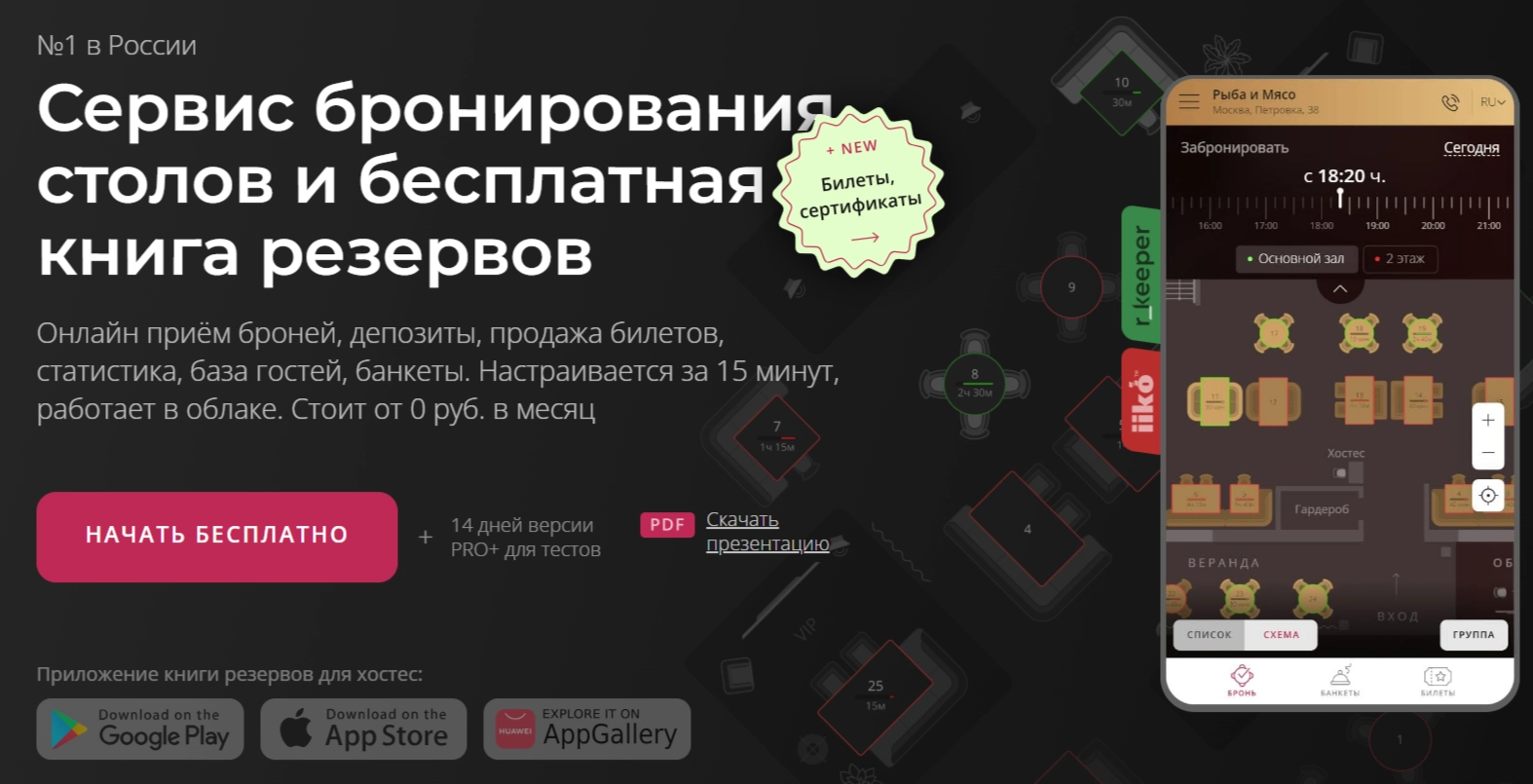
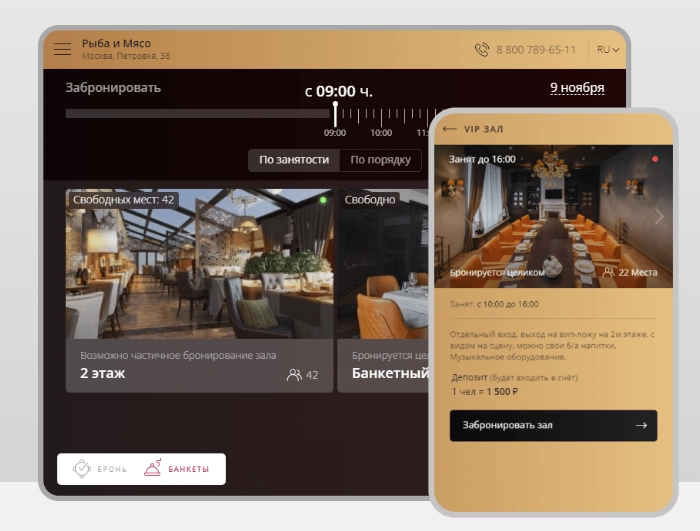
Restaurant booking service Restoplace is designed to organise reservations and seating digitally. A shared reservation book and guest record give staff a place to check bookings, visit history and customer requests. Before configuring the system, define table availability, booking durations and who confirms or changes each reservation. A useful reservation workflow connects those rules with the daily work of hosts and managers, rather than relying on software alone to prevent scheduling problems.

What a reservation system does

A reservation system helps restaurants, cafes and similar venues record bookings and manage available seating. Guests can request a table while staff review availability, allocate places and keep booking details in a shared record.

When choosing a system, consider table selection, booking durations, confirmations and reminders. Check which website, messaging and social channels can connect to the setup you intend to use.

Reservation features to assess

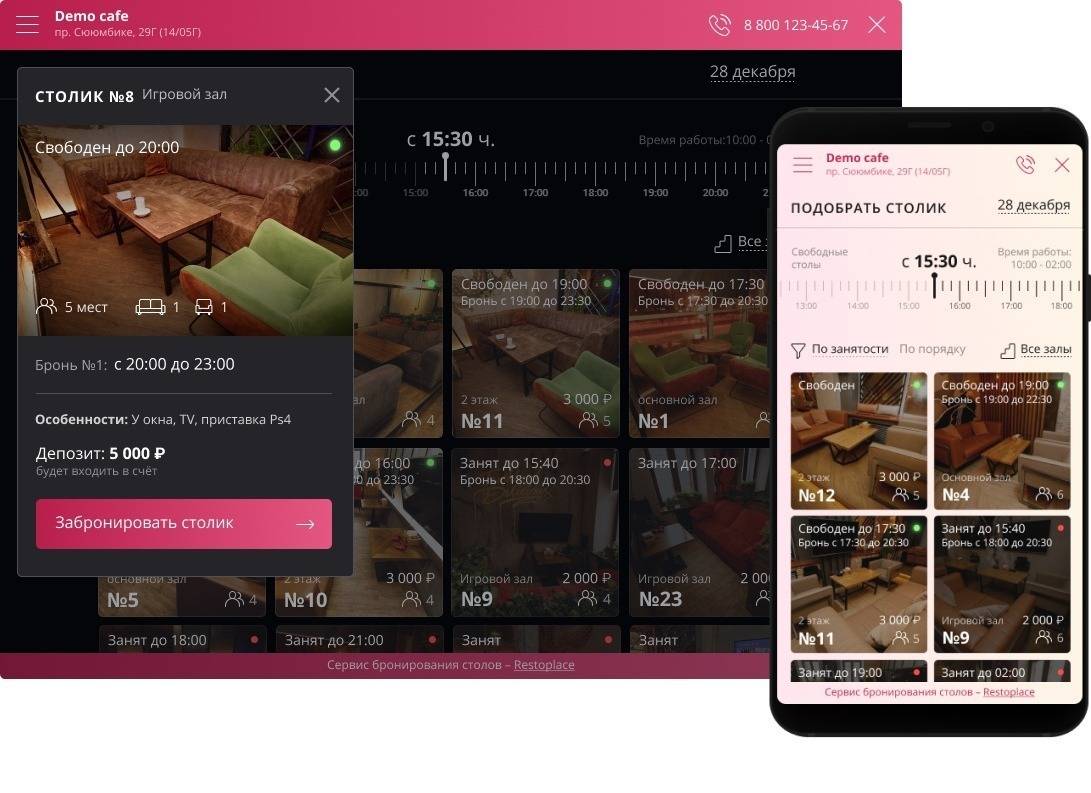
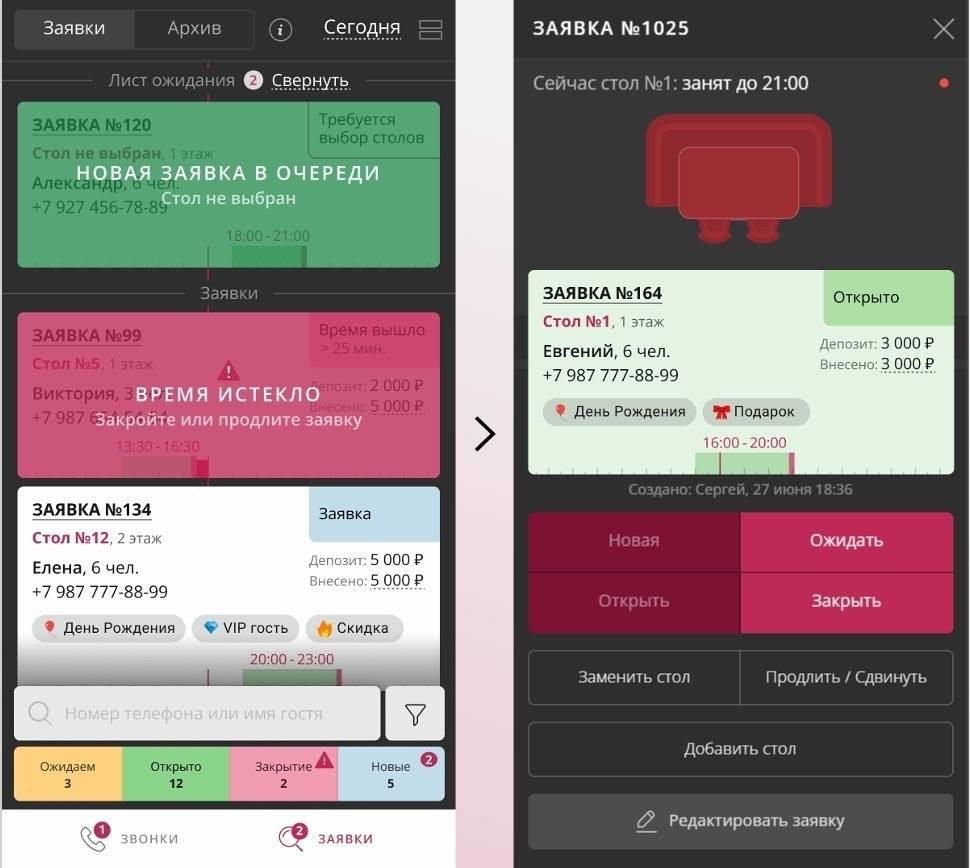
A digital reservation book

Bring bookings into a shared view so that hosts and administrators can confirm, move and allocate tables. Agree how changes are recorded and how the team handles overlapping requests.

Guest notifications

Confirm which notification channels are available for your plan and region. Use confirmations and reminders to explain booking details and give guests a clear way to change or cancel a reservation.

Online booking on your website

A booking widget can let guests request a table without calling the venue. Check its display on phones, available time slots and confirmation process before adding it to your customer-facing channels.

Reservation reporting

Restoplace can support a more organised view of booking and attendance data. Decide which reports are available in your setup and use consistent definitions for reservations, arrivals and repeat visits.

Events and gift certificates

If the venue sells event tickets or gift certificates, confirm the supported sales and payment workflow. Check fees, refunds and how purchases are connected with guest records before offering them online.

Guest records

Keep contact details, visit history and relevant preferences in an organised record. Explain why information is collected and limit access to the staff who need it to manage bookings and service.

Planning your reservation setup

Getting ready for setup

Prepare opening hours, rooms, tables and booking rules before configuration. Test access from the devices your team uses and allow time for staff training rather than assuming an instant launch.

Booking rules for your venue

Restoplace should be configured around the actual seating process. Check how party size, table capacity, booking duration and special requests are handled for your type of venue.

Reservation deposits

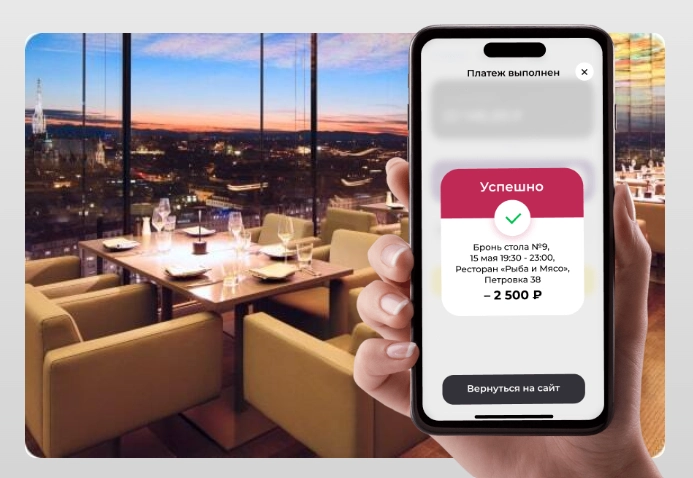
Where deposits are supported, set clear rules for when payment is required and how changes or cancellations are handled. Make the amount and refund conditions visible before the guest confirms.

Connecting booking and marketing data

Decide which booking sources and attendance measures you need to analyse. Check the available integrations and tracking configuration in Restoplace before connecting reporting tools, and compare figures using consistent definitions.

A clear process for guests and staff

Useful reminders, accessible booking forms and accurate records can make communication clearer. Keep a practical process for late arrivals, cancellations and unconfirmed requests alongside the software.

Bringing reservation tasks together

Restoplace can help organise the reservation book, seating and guest information. Start with the functions needed for daily service, then assess reporting, events and notifications separately. Test the complete path from a guest request to confirmation and arrival, and review the current plan limits and charges before committing to a setup.

Deposits and online payments

If online deposits form part of your booking process, confirm the payment provider, fees and refund procedure. Make payment status visible to the responsible staff and explain deposit conditions clearly to guests.

Staff access and responsibilities

Assign access according to the work of managers, administrators and hosts. Decide who can change booking rules, view guest details and cancel reservations, then review those permissions when staffing changes.

Banquet and group reservations

Restoplace can help organise the details of a group booking: room, date, guest count, agreed conditions and special requirements. Confirm how deposits and amendments will be recorded in the selected setup.

POS, CRM and telephony connections

List the systems already used by the venue and confirm the integrations currently available for them. Test which booking and guest fields are transferred, how updates are handled and who resolves a failed transfer.

Custom integrations

For a custom connection, confirm API access and the supported data before development. Define the required booking events, permissions and error handling, and keep a manual fallback for service interruptions.

Getting started with Restoplace

01

Create an account with Restoplace

Enter the venue details and review the available plan and account settings. Decide who will administer the account and keep ownership and billing information accessible to the business.

02

Configure the reservation book

Add rooms, tables, opening hours and seating rules. Run a few test bookings that cover ordinary service, larger groups and changes to an existing reservation.

03

Invite the team

Give hosts, administrators and managers the permissions their roles require. Explain how to confirm bookings, record arrivals and escalate exceptions before the system is used during service.

04

Check mobile access

Test Restoplace on the phones or tablets used by the team. Check that staff can find a reservation, record an arrival and see current availability from those devices.

05

Maintain the guest and booking records

Record visits and relevant guest details consistently. Review the information available in the booking reports to understand attendance patterns and improve the reservation process.

Plan a workable setup with Restoplace

Reservation service Restoplace can provide a shared place to organise bookings and guest information. Select the functions your venue needs and confirm the current service terms, rather than choosing a system on price alone.

Test the booking process with your team before launch. Explore the available setup and check any plan restrictions, payment charges or integration requirements.

Contact our agency for help planning your website and customer communications. You can also explore ABS Marketing services.

Submit a request

Where can we message you? (optional)

Select the messengers linked to the phone number above. Include the country code in your number.

You can enable SmartCaptcha to protect the form from automated submissions. External verification does not load before your separate permission.

Full SmartCaptcha permission text

This choice applies to forms on this page for up to 24 hours. Turning verification off reloads the page and clears entered text. Enquiry consent and analytics preferences are separate.

Without SmartCaptcha, email absmarketing.ru@gmail.com.

Leave Feedback and Suggestions

Your suggestions help us grow and improve — please share your ideas!

Where can we message you? (optional)

Select the messengers linked to the phone number above. Include the country code in your number.

You can enable SmartCaptcha to protect the form from automated submissions. External verification does not load before your separate permission.

Full SmartCaptcha permission text

This choice applies to forms on this page for up to 24 hours. Turning verification off reloads the page and clears entered text. Enquiry consent and analytics preferences are separate.

Without SmartCaptcha, email absmarketing.ru@gmail.com.

Feedback and Messages for Management

Your letters and feedback are important to us. You can contact management directly to share your thoughts.

Where can we message you? (optional)

Select the messengers linked to the phone number above. Include the country code in your number.

You can enable SmartCaptcha to protect the form from automated submissions. External verification does not load before your separate permission.

Full SmartCaptcha permission text

This choice applies to forms on this page for up to 24 hours. Turning verification off reloads the page and clears entered text. Enquiry consent and analytics preferences are separate.

Without SmartCaptcha, email absmarketing.ru@gmail.com.

Free consultation + a complimentary audit. Only 7 spots left.

Job application

Submit your application, and we’ll contact you to discuss the job openings!

Where can we message you? (optional)

Select the messengers linked to the phone number above. Include the country code in your number.

You can enable SmartCaptcha to protect the form from automated submissions. External verification does not load before your separate permission.

Full SmartCaptcha permission text

This choice applies to forms on this page for up to 24 hours. Turning verification off reloads the page and clears entered text. Enquiry consent and analytics preferences are separate.

Without SmartCaptcha, email absmarketing.ru@gmail.com.

Other questions

Send us your question—we’ll get back to you as soon as possible!

Where can we message you? (optional)

Select the messengers linked to the phone number above. Include the country code in your number.

You can enable SmartCaptcha to protect the form from automated submissions. External verification does not load before your separate permission.

Full SmartCaptcha permission text

This choice applies to forms on this page for up to 24 hours. Turning verification off reloads the page and clears entered text. Enquiry consent and analytics preferences are separate.

Without SmartCaptcha, email absmarketing.ru@gmail.com.

Would you like a free consultation with great terms? ​

Answer 4 short questions — and we’ll put together personalized marketing solutions for you, complete with bonuses from our partners.

Please provide your contact information, and we'll get in touch with you to discuss solutions that will take your business to the next level
Where can we message you? (optional)

Select the messengers linked to the phone number above. Include the country code in your number.

You can enable SmartCaptcha to protect the form from automated submissions. External verification does not load before your separate permission.

Full SmartCaptcha permission text

This choice applies to forms on this page for up to 24 hours. Turning verification off reloads the page and clears entered text. Enquiry consent and analytics preferences are separate.

Without SmartCaptcha, email absmarketing.ru@gmail.com.