Discuss your goals and the next steps for your project


Consultation

Tell us about your project

ABS Marketing logo

Menu

iiko restaurant management and automation
Connect restaurant operations in a coordinated system
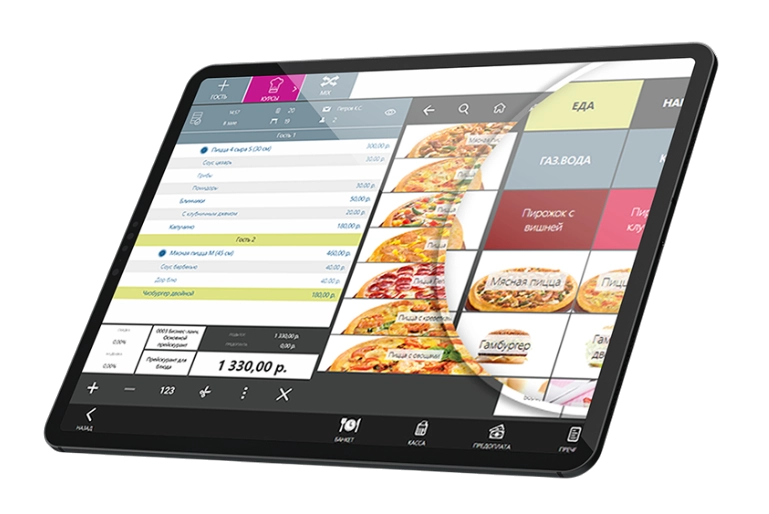
iiko brings together sales, stock, reservations and reporting to support everyday restaurant management
Restaurant operations depend on accurate orders, stock records and a clear flow of information between the dining room, kitchen and management. The iiko ecosystem connects these areas with sales and reporting tools. Reservations, delivery and self-service ordering can be added where they fit the venue and the supported configuration. Services such as outsourced accounting or a stock-record review are separate implementation decisions: agree their scope and responsibilities with the provider. A useful restaurant management setup starts with reliable data and defined working practices, then uses automation to reduce repeated administrative work.

Why connect restaurant operations

iiko brings point-of-sale, inventory, customer-related tools and reporting into a connected environment. It can help teams that currently reconcile separate spreadsheets, stock records and reservation lists.
The value of a connected setup depends on how information moves between those processes. The platform needs an accurate menu, consistent accounting rules and staff who understand when and how to record each transaction.

Implementation and support services to consider

Implementing iiko for your venue

An implementation project can include configuring iiko, connecting terminals and importing the menu, recipes and opening stock. For Russian operations, check any required connections with EGAIS, Chestny ZNAK, 1C and delivery services. Confirm the supported versions and who is responsible for each connection.

Outsourced restaurant accounting

A specialist provider may help maintain stock, production and financial records remotely. Agree how deliveries, recipes, write-offs and food costs will be checked, which reports will be delivered and which tasks remain with the restaurant team.

Reviewing inventory records

A stock-record review compares recorded movements, recipes, costs and physical counts. Investigate differences before drawing conclusions about their cause, and document corrections so that subsequent reports use consistent information.

Customising iiko

Custom development can extend a supported iiko configuration with reports, delivery websites, dashboards or other connections. Confirm API access, compatibility, maintenance and responsibility for changes before commissioning additional software.

Training for iiko users

Choose training that covers the work each team actually performs: sales, stock, purchasing, production or reporting. If a trainer accesses a working database remotely, agree the permissions and handling of real customer and business information in advance.

Preparing checkout equipment

Checkout requirements depend on the country and business setup. For a Russian cash-register installation, confirm the applicable registration process and required equipment details with the responsible provider before connecting the register to live sales.

Five areas to plan in a restaurant project

Implementing and configuring iiko

Define the project around the venue, equipment and working processes. Prepare the necessary integrations, opening records and staff training, then check sales, stock movements and reporting before the full launch.

A delivery website connected to iiko

For a delivery website, check the supported connection to iiko and how menu items, availability, payments and order status will be synchronised. Agree the delivery scope, timetable, subscription charges and any transaction fees with the provider.

Self-service ordering kiosks

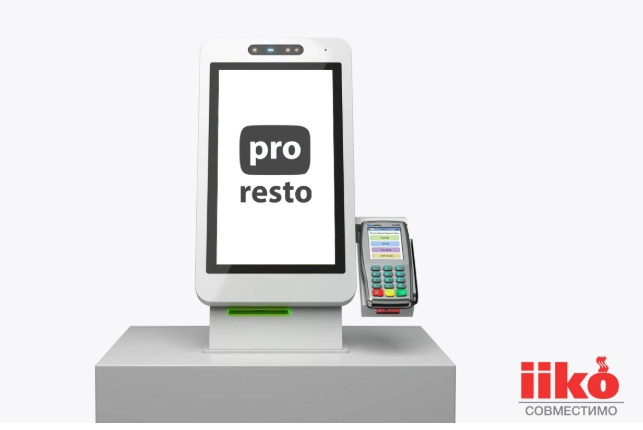
A kiosk can provide another way for guests to place an order. Check menu navigation, payment options, accessibility and the connection with iiko. Test how orders reach the kitchen and how staff help a guest when an order cannot be completed.

Hosting for iiko

A hosted setup needs a clear service agreement. Review access arrangements, backups, recovery procedures, connection requirements and support responsibilities instead of assuming that cloud hosting prevents every interruption.

Additional tools connected to iiko

Delivery sites, messaging tools, staff-time systems and management dashboards may require separate development or integration. Start with a defined operational need and confirm which data the supported connection can exchange.

Using iiko from mobile devices

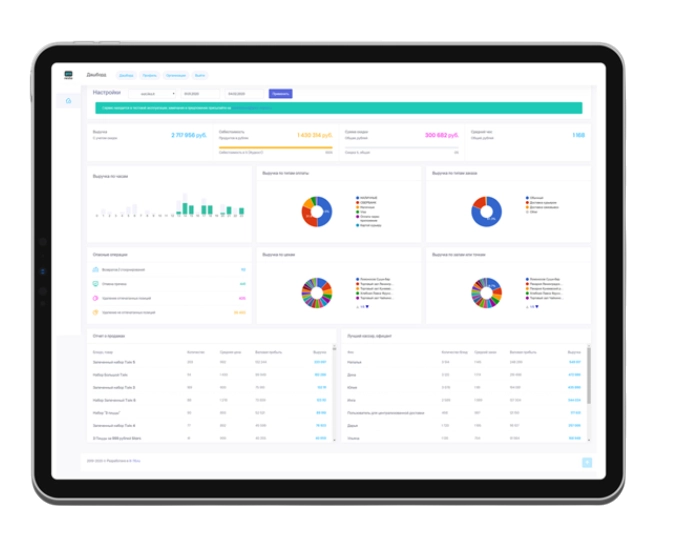
Mobile access to iiko can help managers review available operating information away from a workstation. Choose the reports and notifications needed for your role, check which functions your subscription supports and limit access to sensitive customer, staff and financial records.

Continuity and recovery planning

iiko cloud setups need clear service terms. Confirm the provider’s actual availability terms, backup schedule and recovery procedure. Keep an operating plan for an internet or service interruption and test how records will be reconciled afterwards.

Protecting staff and guest information

Review account permissions, available authentication controls and the handling of guest and staff information. Give users only the access they need and agree how the business will respond to unexpected access or a lost device.

Online reservations

If online reservations are part of the project, test the booking widget and the route from a guest request to staff confirmation. Explain cancellation conditions and use reminders appropriately; their effect on attendance should be measured for your own venue.

Planning software updates

Confirm how updates are delivered to your iiko configuration, including any local equipment or custom integrations. Assign responsibility for testing important workflows and arranging support if an update causes a problem.

Support arrangements

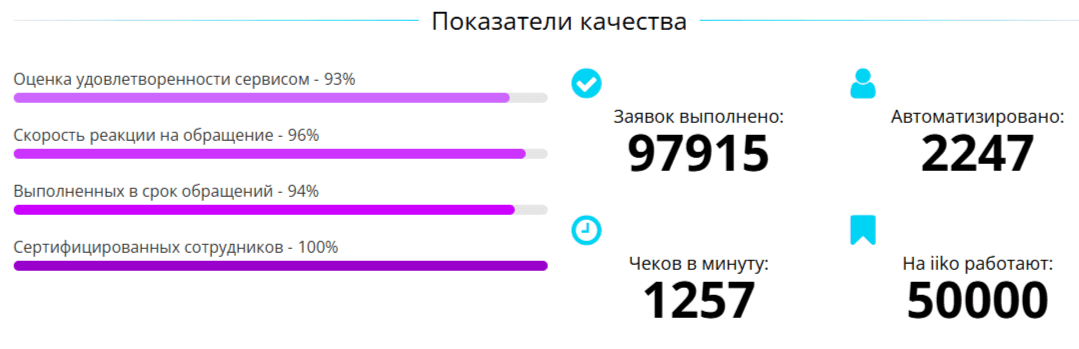
Check the support hours, contact channels and response arrangements in the chosen agreement. Make sure staff know whom to contact for a checkout, stock or connectivity issue and what to do while it is being resolved.

Preparing an iiko implementation

01

Compare the provider options on pro-resto.ru

Review the configuration needed for checkout, stock, delivery, reporting and any additional locations. Ask the linked provider to specify what is included, what requires a separate service and how ongoing costs are calculated.

02

Agree the project and initial configuration

Document the requirements, responsibilities and acceptance criteria before setup. Prepare equipment and access, agree the integrations and check the first working configuration against real restaurant tasks.

03

Train the team

Use practical exercises for checkout, stock movements, sales, delivery orders and kitchen processes. Give each role a clear procedure for routine work and for correcting a mistake.

04

Run a controlled trial

Test the configured iiko workflows with the responsible staff before relying on them throughout the venue. Record issues, correct the settings and agree when the system is ready for wider use.

05

Review the launch and operating data

After launch, compare sales, stock and other reports with the underlying transactions. Use discrepancies and staff feedback to improve the setup, with named owners for changes and ongoing support.

Make restaurant automation fit the operation

A connected iiko setup can reduce repeated data entry and give the team a shared view of the restaurant. Its usefulness depends on accurate records, suitable integrations and a working process that staff can follow.

Contact our agency for help planning your website and customer communications. You can also explore ABS Marketing services.

Submit a request

Where can we message you? (optional)

Select the messengers linked to the phone number above. Include the country code in your number.

You can enable SmartCaptcha to protect the form from automated submissions. External verification does not load before your separate permission.

Full SmartCaptcha permission text

This choice applies to forms on this page for up to 24 hours. Turning verification off reloads the page and clears entered text. Enquiry consent and analytics preferences are separate.

Without SmartCaptcha, email digital-abs@yandex.ru.

Leave Feedback and Suggestions

Your suggestions help us grow and improve — please share your ideas!

Where can we message you? (optional)

Select the messengers linked to the phone number above. Include the country code in your number.

You can enable SmartCaptcha to protect the form from automated submissions. External verification does not load before your separate permission.

Full SmartCaptcha permission text

This choice applies to forms on this page for up to 24 hours. Turning verification off reloads the page and clears entered text. Enquiry consent and analytics preferences are separate.

Without SmartCaptcha, email digital-abs@yandex.ru.

Feedback and Messages for Management

Your letters and feedback are important to us. You can contact management directly to share your thoughts.

Where can we message you? (optional)

Select the messengers linked to the phone number above. Include the country code in your number.

You can enable SmartCaptcha to protect the form from automated submissions. External verification does not load before your separate permission.

Full SmartCaptcha permission text

This choice applies to forms on this page for up to 24 hours. Turning verification off reloads the page and clears entered text. Enquiry consent and analytics preferences are separate.

Without SmartCaptcha, email digital-abs@yandex.ru.

Free consultation + a complimentary audit. Only 7 spots left.

Job application

Submit your application, and we’ll contact you to discuss the job openings!

Where can we message you? (optional)

Select the messengers linked to the phone number above. Include the country code in your number.

You can enable SmartCaptcha to protect the form from automated submissions. External verification does not load before your separate permission.

Full SmartCaptcha permission text

This choice applies to forms on this page for up to 24 hours. Turning verification off reloads the page and clears entered text. Enquiry consent and analytics preferences are separate.

Without SmartCaptcha, email digital-abs@yandex.ru.

Other questions

Send us your question—we’ll get back to you as soon as possible!

Where can we message you? (optional)

Select the messengers linked to the phone number above. Include the country code in your number.

You can enable SmartCaptcha to protect the form from automated submissions. External verification does not load before your separate permission.

Full SmartCaptcha permission text

This choice applies to forms on this page for up to 24 hours. Turning verification off reloads the page and clears entered text. Enquiry consent and analytics preferences are separate.

Without SmartCaptcha, email digital-abs@yandex.ru.

Would you like a free consultation with great terms? ​

Answer 4 short questions — and we’ll put together personalized marketing solutions for you, complete with bonuses from our partners.

Please provide your contact information, and we'll get in touch with you to discuss solutions that will take your business to the next level
Where can we message you? (optional)

Select the messengers linked to the phone number above. Include the country code in your number.

You can enable SmartCaptcha to protect the form from automated submissions. External verification does not load before your separate permission.

Full SmartCaptcha permission text

This choice applies to forms on this page for up to 24 hours. Turning verification off reloads the page and clears entered text. Enquiry consent and analytics preferences are separate.

Without SmartCaptcha, email digital-abs@yandex.ru.