Discuss your goals and the next steps for your project


Consultation

Tell us about your project

ABS Marketing logo

Menu

Контур: IT-решения для крупного бизнеса
Organize complex business processes and access responsibilities
Bring documents, operations and administration together with selected Kontur for Business products
Large organizations need to coordinate documents, information and responsibilities across departments and branches. Software can support this work when it is matched to the company’s processes, existing systems and applicable requirements. A business automation project should define both the tasks to be connected and the people responsible for their results.
Kontur for Business brings together software products for enterprise operations, document exchange, reporting and administration. Many of these products address the Russian business environment, including interactions with counterparties and public authorities. Select the relevant applications and integrations for the organization; support for another country’s requirements or access from a particular location should be assessed separately.

Planning an enterprise software environment

Connections between business functions

Selected Kontur for Business products can support areas such as accounting, HR, procurement, reporting and document exchange. Map how information will pass between the chosen applications and the company's existing systems.

Configuration and integration

A Kontur for Business project may involve product configuration or API integration. Establish which requirements are supported by the selected products and which will require additional implementation work.

Coordination across branches

For a distributed organization, review how contracts, service arrangements and access will be managed across branches. Clear ownership helps keep local work consistent with company-wide processes.

Security requirements

Evaluate the access controls, data handling and recovery arrangements relevant to each Kontur for Business product. The software setup should reflect the organization's security requirements and the sensitivity of its information.

Implementation and support

Define the support arrangements for your Kontur for Business deployment, including integrations, updates and user assistance. Agree on responsibilities before operational work depends on the new system.

A plan for growth

Choose Kontur for Business products with the intended number of users, departments and workloads in mind. Review how licenses, permissions and administration will change as the organization expands.

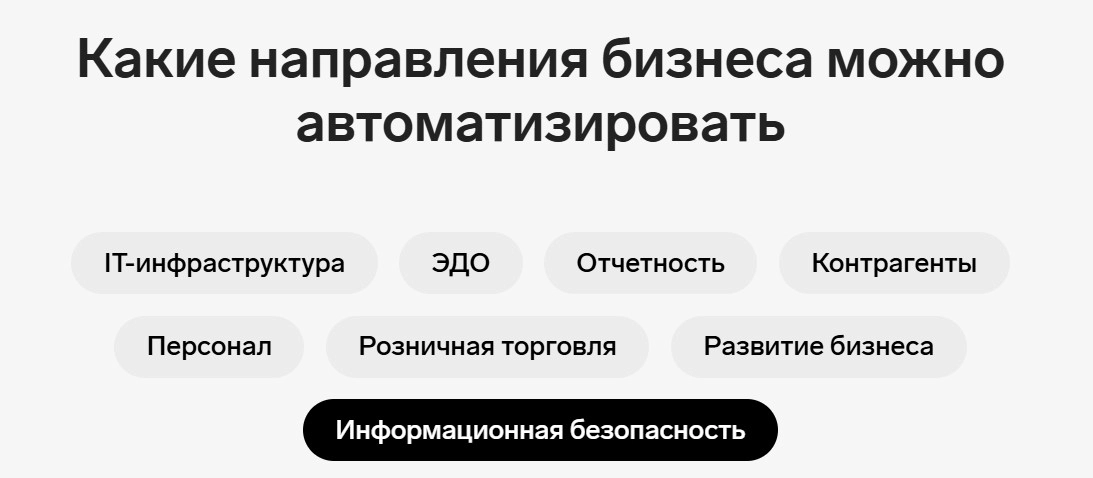
Business functions to assess

IT administration

IT tools can support device administration, access management and software maintenance. Connect these functions to the organization’s operating procedures and incident response responsibilities.

Digital document exchange

Document tools support the preparation, exchange and storage of business records. Signing methods, counterparties and applicable requirements determine which documents can be handled through a particular workflow.

Accounting and reporting

Relevant applications support accounting records and reporting to Russian authorities. Responsible specialists should confirm the required forms, data and submission procedures for the organization.

Counterparty research

Company information, court records and other available data can inform a counterparty review. Assess the relevance and freshness of the information alongside other due diligence work.

HR processes

HR applications can organize personnel documents, leave requests and related approvals. Define who may view or change sensitive records and how exceptions will be handled.

Retail operations with Kontur for Business

Retail-related Kontur for Business products address tasks such as inventory, sales records and regulated goods workflows in Russia. Select the tools that match the actual goods, channels and obligations of the business. Fiscal-data services within the Kontur for Business ecosystem can form part of a receipt-processing workflow; their role and configuration need to be agreed with the specialists responsible for the retail system.

Procurement and tenders

Procurement tools can help teams organize tender information, applications and contract-related tasks. Determine which public or commercial procurement processes the organization participates in and how the software will support them.

B2B research and prospect selection

Kontur Kompas supports research into potential business customers. Use relevant company criteria to build a working prospect list, then verify individual opportunities and plan appropriate outreach.

Meetings and business communication

Kontur Tolk provides tools for online meetings and webinars. Assess the participant, access and administration requirements of the communication workflow you intend to support.

Counterparty information in existing systems

Kontur Focus can be considered for counterparty research and related integrations. Define what information is needed, where it will be displayed and how staff will interpret and update it.

Factoring-related workflows

Factoring tools in the Kontur for Business ecosystem concern the coordination of invoice-financing processes. Software access does not itself establish eligibility or financing terms; the relevant provider and the business must assess those separately.

Information security and access

01

Activity and incident review

Relevant tools can help teams review system activity and investigate incidents. Establish proportionate monitoring, appropriate access and clear responsibilities for responding to findings.

02

Remote access

Kontur Dostup addresses remote access to workplace systems. Review the supported environment, authorization process and session controls before using it for operational support.

03

Identity and authentication

Identity tools and additional authentication factors can support an access policy. Plan account ownership, permission changes and recovery procedures as part of the setup.

04

Privileged access

Privileged access management helps structure administrative permissions and session oversight. Give each role the access it needs and define how elevated access is approved and reviewed.

05

Security assessment services

Security services associated with Kontur for Business can be assessed against a specific project scope. Agree on the systems, methods and deliverables involved in an assessment and how findings will be addressed.

Kontur for Business: plan around real processes

Kontur for Business offers a range of products rather than a single configuration for every organization. Start with the processes, data and responsibilities that need attention, then assess the relevant Kontur for Business applications. If you need help coordinating the digital side of a project, contact our agency. A considered Kontur for Business implementation includes integrations, staff preparation and ongoing support. You can also read more of our articles.

Submit a request

Where can we message you? (optional)

Select the messengers linked to the phone number above. Include the country code in your number.

You can enable SmartCaptcha to protect the form from automated submissions. External verification does not load before your separate permission.

Full SmartCaptcha permission text

This choice applies to forms on this page for up to 24 hours. Turning verification off reloads the page and clears entered text. Enquiry consent and analytics preferences are separate.

Without SmartCaptcha, email absmarketing.ru@gmail.com.

Leave Feedback and Suggestions

Your suggestions help us grow and improve — please share your ideas!

Where can we message you? (optional)

Select the messengers linked to the phone number above. Include the country code in your number.

You can enable SmartCaptcha to protect the form from automated submissions. External verification does not load before your separate permission.

Full SmartCaptcha permission text

This choice applies to forms on this page for up to 24 hours. Turning verification off reloads the page and clears entered text. Enquiry consent and analytics preferences are separate.

Without SmartCaptcha, email absmarketing.ru@gmail.com.

Feedback and Messages for Management

Your letters and feedback are important to us. You can contact management directly to share your thoughts.

Where can we message you? (optional)

Select the messengers linked to the phone number above. Include the country code in your number.

You can enable SmartCaptcha to protect the form from automated submissions. External verification does not load before your separate permission.

Full SmartCaptcha permission text

This choice applies to forms on this page for up to 24 hours. Turning verification off reloads the page and clears entered text. Enquiry consent and analytics preferences are separate.

Without SmartCaptcha, email absmarketing.ru@gmail.com.

Free consultation + a complimentary audit. Only 7 spots left.

Job application

Submit your application, and we’ll contact you to discuss the job openings!

Where can we message you? (optional)

Select the messengers linked to the phone number above. Include the country code in your number.

You can enable SmartCaptcha to protect the form from automated submissions. External verification does not load before your separate permission.

Full SmartCaptcha permission text

This choice applies to forms on this page for up to 24 hours. Turning verification off reloads the page and clears entered text. Enquiry consent and analytics preferences are separate.

Without SmartCaptcha, email absmarketing.ru@gmail.com.

Other questions

Send us your question—we’ll get back to you as soon as possible!

Where can we message you? (optional)

Select the messengers linked to the phone number above. Include the country code in your number.

You can enable SmartCaptcha to protect the form from automated submissions. External verification does not load before your separate permission.

Full SmartCaptcha permission text

This choice applies to forms on this page for up to 24 hours. Turning verification off reloads the page and clears entered text. Enquiry consent and analytics preferences are separate.

Without SmartCaptcha, email absmarketing.ru@gmail.com.

Would you like a free consultation with great terms? ​

Answer 4 short questions — and we’ll put together personalized marketing solutions for you, complete with bonuses from our partners.

Please provide your contact information, and we'll get in touch with you to discuss solutions that will take your business to the next level
Where can we message you? (optional)

Select the messengers linked to the phone number above. Include the country code in your number.

You can enable SmartCaptcha to protect the form from automated submissions. External verification does not load before your separate permission.

Full SmartCaptcha permission text

This choice applies to forms on this page for up to 24 hours. Turning verification off reloads the page and clears entered text. Enquiry consent and analytics preferences are separate.

Without SmartCaptcha, email absmarketing.ru@gmail.com.