Discuss your goals and the next steps for your project


Consultation

Tell us about your project

ABS Marketing logo

Menu

Adspower: оптимизация рекламных кампаний
Organise advertising workflows with Adspower
Manage separate browser profiles and automate authorised tasks without treating profile separation as protection from platform restrictions
Adspower is a browser profile management tool, often described as an antidetect browser. It combines separate browser environments, account management and task automation. For teams handling multiple authorised accounts, Adspower can help organise work and reduce repetitive steps. Use these features within the rules of each platform; separate profiles do not guarantee anonymity, lower advertising costs or protection from account restrictions.

What is Adspower and how are browser profiles used?

Adspower provides tools for managing browser profiles and automating tasks across supported websites. Marketing teams may use separate profiles to organise authorised accounts and keep project work distinct.
With profile management, automation and team access features, Adspower can be evaluated by freelancers and agencies. Confirm the current features and the account rules of the services you intend to use.

Adspower tools for digital marketing teams

Automate repetitive tasks

Adspower supports browser automation through RPA, window synchronisation and API integrations. Use these tools for authorised, repeatable work and test each process before applying it across multiple accounts.

Team roles and permissions

Role-based access can help an agency organise work across projects and staff. Grant only the access each person needs and review permissions when responsibilities change.

Account and data controls

Adspower users should review authentication, storage and access controls. Protect account credentials and check the current data handling options rather than assuming every operation is fully protected.

Adapt workflows to the task

Different projects need different profile and automation settings. Adspower can be assessed against those requirements; review supported features and test compatibility before changing an established workflow.

Setup and support

Check the documentation, support channels and assistance included in your plan. Define the setup and integration questions you need answered before relying on a workflow in daily operations.

Profile and account management

Adspower combines browser profiles with tools for managing tasks across accounts. Use it to organise accounts you are authorised to operate, with clear boundaries between clients and projects.

Main features of Adspower

Separate browser profiles

Adspower provides separate browser environments with their own profile settings and cookies. Profile separation is an organisational feature, not a guarantee that platforms cannot associate accounts or enforce their rules.

Window synchronisation and management

Window tools in Adspower can coordinate repeated actions across profiles. Check the selected accounts and intended actions carefully before applying a shared operation.

Local API automation

The local API can connect profile management to other tools and scripts. Restrict access to the API, validate inputs and keep automation limited to the tasks and accounts you intend to manage.

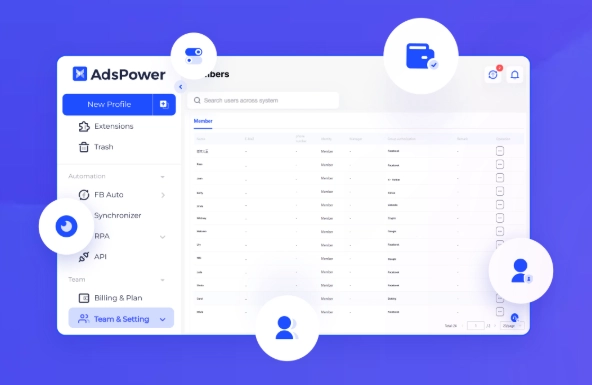
Permissions and activity records

Individual permissions help control who can use each profile. Adspower also offers activity-related controls; check which events are recorded and review access regularly. Logs support oversight but do not prevent every error or misuse.

Working across multiple profiles

Adspower can keep project environments organised and make authorised profiles easier to access. Reliable operation still depends on the device, network, account state and supported website behaviour.

Managing multiple accounts with Adspower

Browser profile management is a central feature of Adspower. Separate environments can help teams keep client work, cookies and account sessions organised. Define ownership and permissions for each account, and use automation only where the platform and account owner permit it.
Adspower offers different plans and workflow tools. Evaluate them against your actual project needs rather than relying on claims that accounts cannot be linked or restricted.

Reduce repetitive work

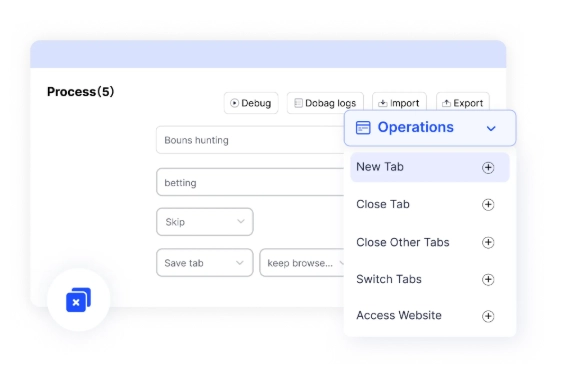
With Adspower RPA, teams can automate suitable routine tasks and leave more time for analysis and creative work. Monitor automated processes and keep a clear way to stop or correct them when website behaviour changes.

Consistent processes with human oversight

Automation follows defined steps and can reduce some manual errors. It can also repeat a faulty instruction, so validate inputs, review results and monitor the process rather than assuming it is error-free.

Create and test RPA workflows

To get started with Adspower, review the available workflow tools and templates. Test a process on a limited, authorised task before reusing it across accounts.

Schedule routine tasks

Scheduling can organise recurring work. Before allowing Adspower to run a workflow unattended, check prerequisites, error handling and the reports that let you confirm the outcome.

Monitor automated operations

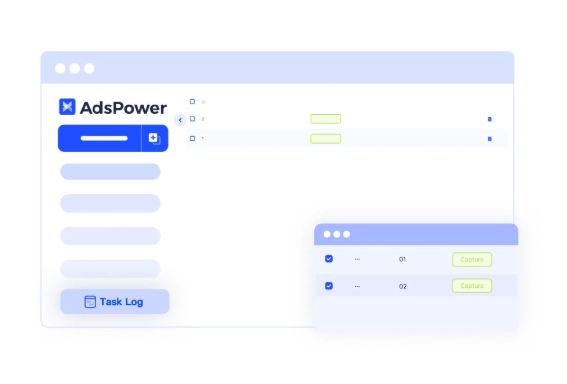
Use operation records to review automated tasks: Adspower can provide status and execution information. Check what was completed and investigate failed or unexpected actions before continuing.

Batch profile management in Adspower

01

Create profiles for authorised projects

With Adspower, profiles can be created in batches for organised project work. Establish permissions and naming conventions first; creating separate profiles does not guarantee anonymity or protection from platform restrictions.

02

Manage and edit profiles together

Adspower supports changes across multiple profiles. Review the selected group and the proposed settings before applying a batch edit, and keep the previous configuration when a reversal may be needed.

03

Combine profile management with RPA

RPA can carry out approved tasks across selected profiles. Start with a limited test, verify the output and use controls that prevent an error from being repeated across every account.

04

Group profiles and assign access

Grouping features in Adspower help organise accounts by project, client or platform. Assign access to the relevant staff and keep client environments clearly separated.

05

Make batch work easier to review

Batch operations in Adspower can reduce repetitive manual steps. Clear selection, validation and outcome checks remain necessary to avoid applying the wrong action to multiple profiles.

Adspower for organised advertising workflows

Adspower combines browser profiles, team access and automation tools. These features may help agencies and other teams organise authorised account work, but they do not guarantee campaign performance, anonymity or account safety. Assess Adspower against your workflow requirements and test a limited setup before wider use.

If you have questions, our agency can help you assess your marketing workflow. You can also browse our other articles here.

Submit a request

Where can we message you? (optional)

Select the messengers linked to the phone number above. Include the country code in your number.

You can enable SmartCaptcha to protect the form from automated submissions. External verification does not load before your separate permission.

Full SmartCaptcha permission text

This choice applies to forms on this page for up to 24 hours. Turning verification off reloads the page and clears entered text. Enquiry consent and analytics preferences are separate.

Without SmartCaptcha, email digital-abs@yandex.ru.

Leave Feedback and Suggestions

Your suggestions help us grow and improve — please share your ideas!

Where can we message you? (optional)

Select the messengers linked to the phone number above. Include the country code in your number.

You can enable SmartCaptcha to protect the form from automated submissions. External verification does not load before your separate permission.

Full SmartCaptcha permission text

This choice applies to forms on this page for up to 24 hours. Turning verification off reloads the page and clears entered text. Enquiry consent and analytics preferences are separate.

Without SmartCaptcha, email digital-abs@yandex.ru.

Feedback and Messages for Management

Your letters and feedback are important to us. You can contact management directly to share your thoughts.

Where can we message you? (optional)

Select the messengers linked to the phone number above. Include the country code in your number.

You can enable SmartCaptcha to protect the form from automated submissions. External verification does not load before your separate permission.

Full SmartCaptcha permission text

This choice applies to forms on this page for up to 24 hours. Turning verification off reloads the page and clears entered text. Enquiry consent and analytics preferences are separate.

Without SmartCaptcha, email digital-abs@yandex.ru.

Free consultation + a complimentary audit. Only 7 spots left.

Job application

Submit your application, and we’ll contact you to discuss the job openings!

Where can we message you? (optional)

Select the messengers linked to the phone number above. Include the country code in your number.

You can enable SmartCaptcha to protect the form from automated submissions. External verification does not load before your separate permission.

Full SmartCaptcha permission text

This choice applies to forms on this page for up to 24 hours. Turning verification off reloads the page and clears entered text. Enquiry consent and analytics preferences are separate.

Without SmartCaptcha, email digital-abs@yandex.ru.

Other questions

Send us your question—we’ll get back to you as soon as possible!

Where can we message you? (optional)

Select the messengers linked to the phone number above. Include the country code in your number.

You can enable SmartCaptcha to protect the form from automated submissions. External verification does not load before your separate permission.

Full SmartCaptcha permission text

This choice applies to forms on this page for up to 24 hours. Turning verification off reloads the page and clears entered text. Enquiry consent and analytics preferences are separate.

Without SmartCaptcha, email digital-abs@yandex.ru.

Would you like a free consultation with great terms? ​

Answer 4 short questions — and we’ll put together personalized marketing solutions for you, complete with bonuses from our partners.

Please provide your contact information, and we'll get in touch with you to discuss solutions that will take your business to the next level
Where can we message you? (optional)

Select the messengers linked to the phone number above. Include the country code in your number.

You can enable SmartCaptcha to protect the form from automated submissions. External verification does not load before your separate permission.

Full SmartCaptcha permission text

This choice applies to forms on this page for up to 24 hours. Turning verification off reloads the page and clears entered text. Enquiry consent and analytics preferences are separate.

Without SmartCaptcha, email digital-abs@yandex.ru.